> ## Documentation Index
> Fetch the complete documentation index at: https://trainings.air.athelas.com/llms.txt
> Use this file to discover all available pages before exploring further.
# Review your Reports
Run reports on your practice in one comprehensive bundle. Each report can be easily downloaded as a CSV and edited in a spreadsheet at any time.
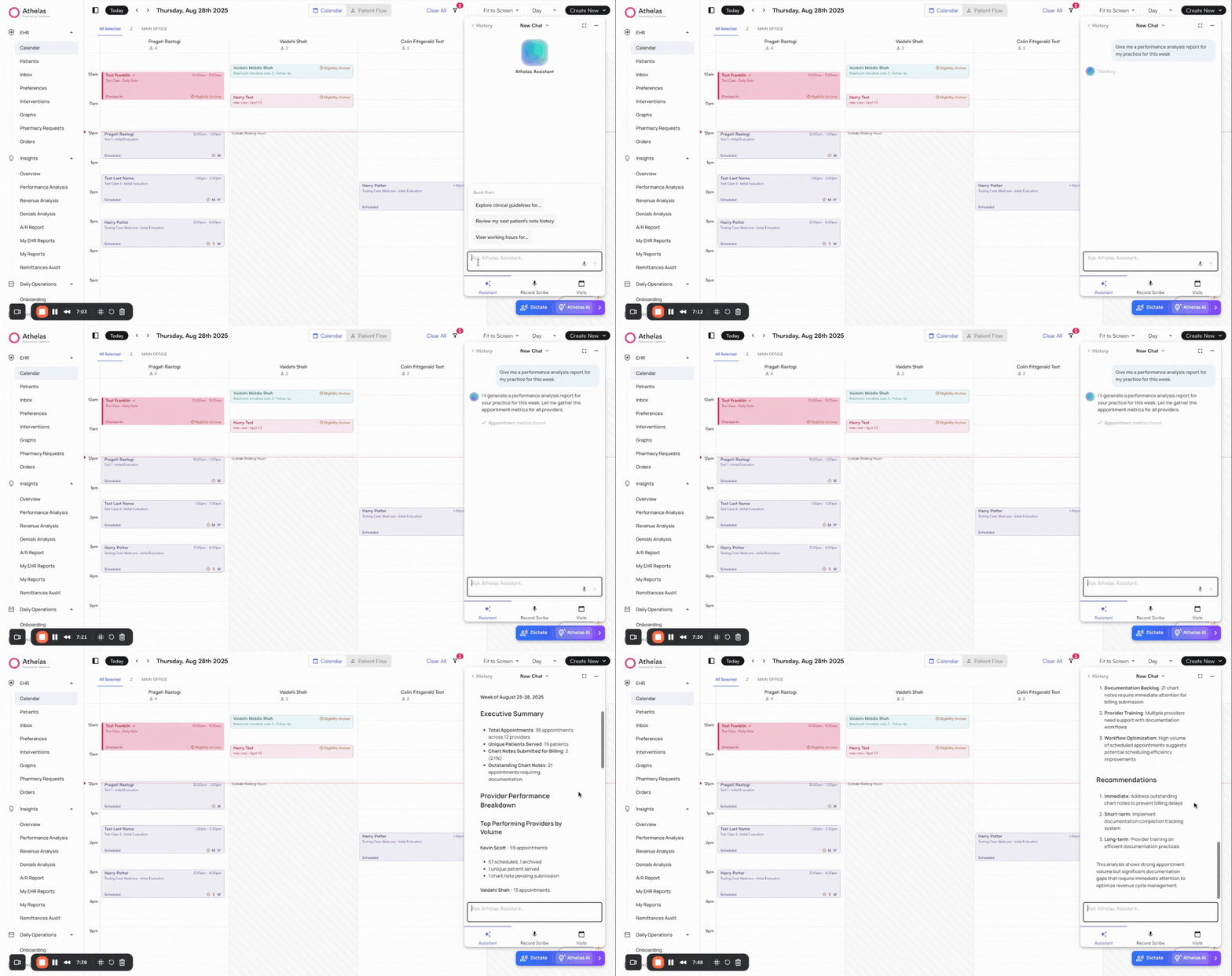
### **Ask Athelas AI for quick statistics and reports**
✨**Smart Tip:** Use Athelas AI to generate quick reports and surface key statistics instantly. You can also use Voice Mode.
 ### **Download detailed reports**
Access reports by clickin on the Reports Tab within Insights on the left navigation bar. EHR focused reports can be found in the bottom-right section of the Reports page.
### **Download detailed reports**
Access reports by clickin on the Reports Tab within Insights on the left navigation bar. EHR focused reports can be found in the bottom-right section of the Reports page.
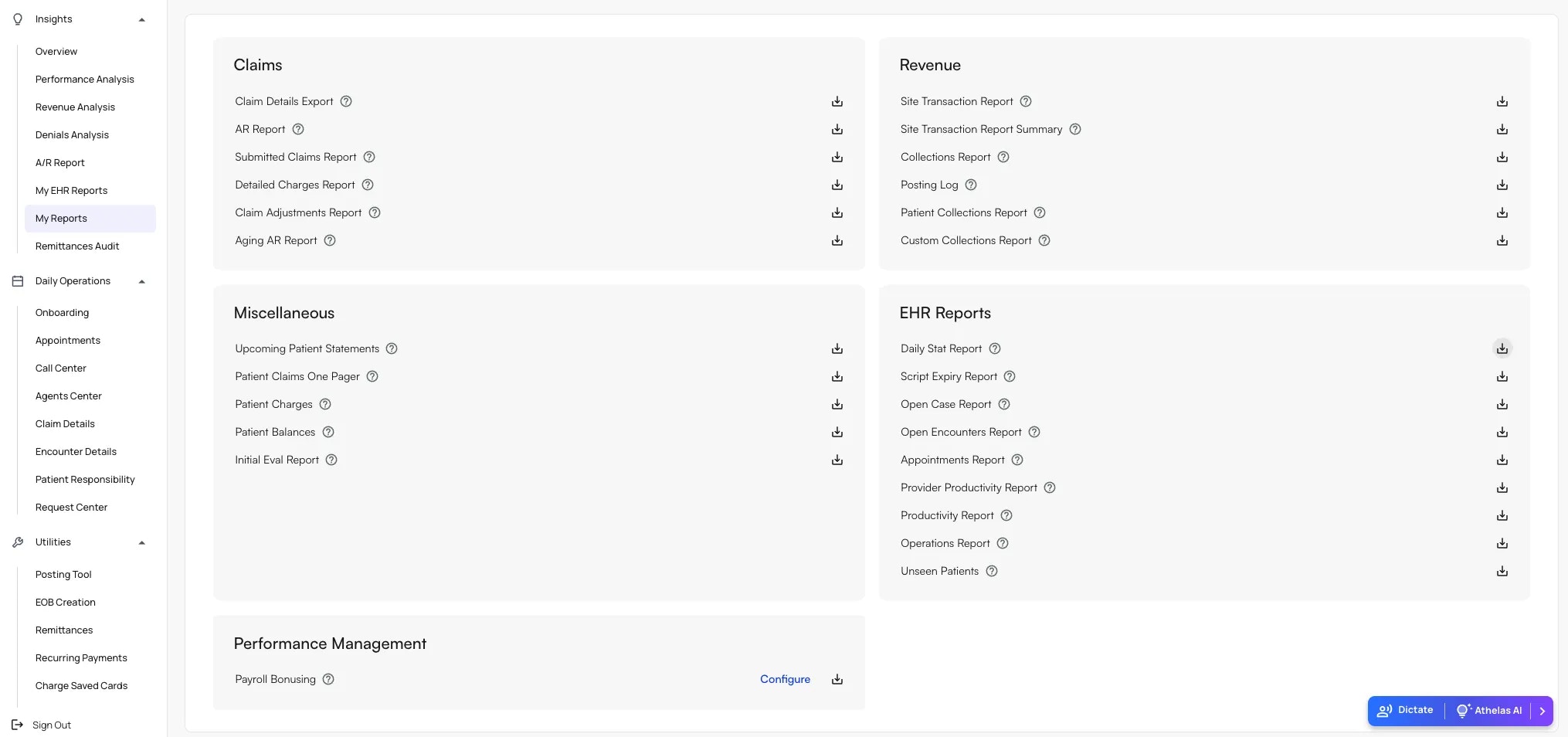 **Detailed Information:** Click the **?** icon next to any report to see more details about that specific report.
**Download a Report:**
1. Click the **download** icon to the right of a report.
2. Choose the **Start** and **End Dates** (e.g., the past two weeks).
3. Filter by **Facility** or **Provider** if required.
4. Click **Download** to export the report as a CSV.
**Detailed Information:** Click the **?** icon next to any report to see more details about that specific report.
**Download a Report:**
1. Click the **download** icon to the right of a report.
2. Choose the **Start** and **End Dates** (e.g., the past two weeks).
3. Filter by **Facility** or **Provider** if required.
4. Click **Download** to export the report as a CSV.