> ## Documentation Index
> Fetch the complete documentation index at: https://trainings.air.athelas.com/llms.txt
> Use this file to discover all available pages before exploring further.
# Provider Settings
### Provider Calendar Availability & Blocks
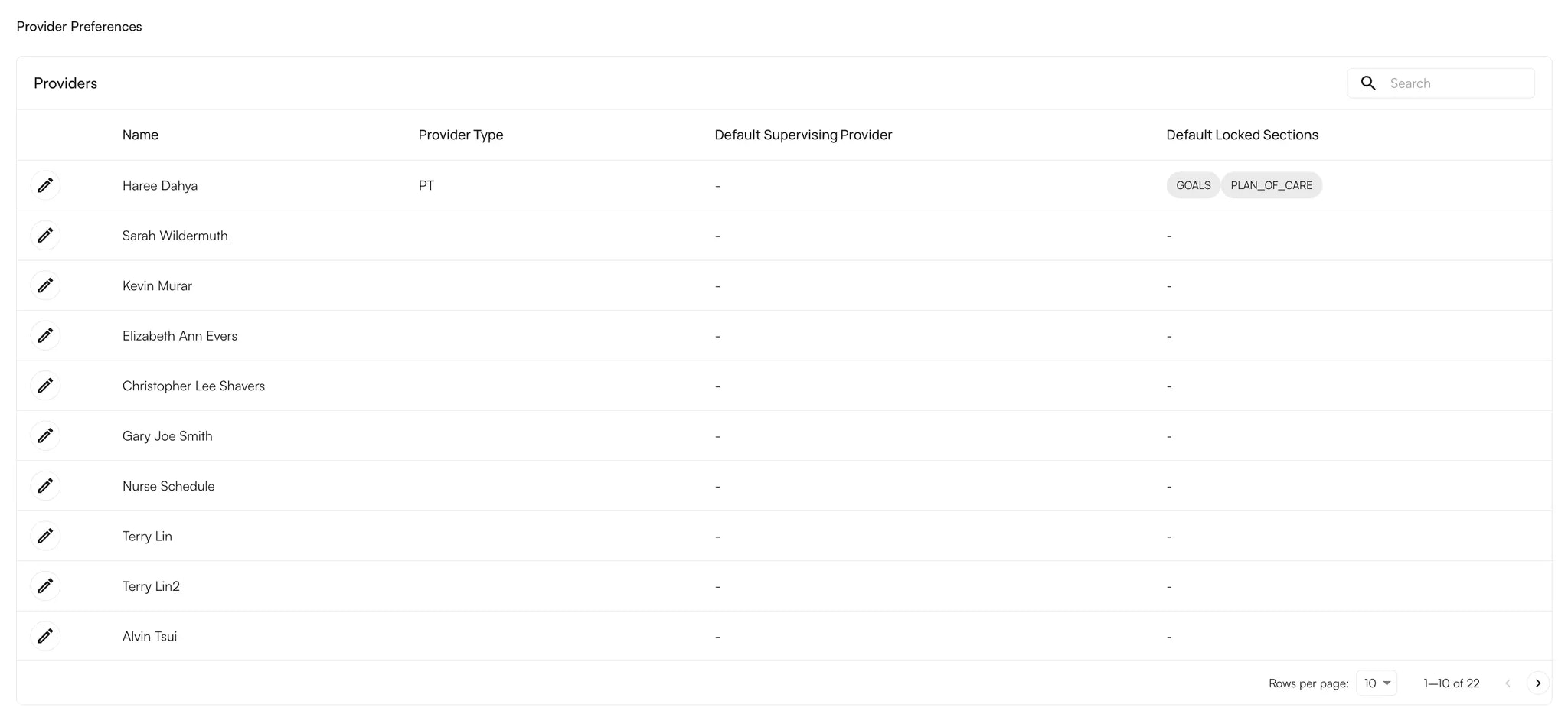
Navigate to the Preferences Tab on the left navigation pane > Providers Tab
Click on the pencil edit icon next to a Provider's name.
 Within the Schedule, you can add for each day:
* Facility (Add facilities within the Facilities section to be able to add them for the daily schedule).
* Start Time
* End Time
You can add multiple locations per day and keep time for lunch / breaks on your calendar as well.
### Provider Signature Preferences
You can also update the following following details from the Edit Provider Panel:
* **Provider Credentials**
* **Default Supervising Provider** (If a supervising provider is not needed you can remove it from here).
* **Facilities associated**
* **See Direct Access Patients**
* \*\*Custom Signature \*\*(if your practice has this turned on)
Within the Schedule, you can add for each day:
* Facility (Add facilities within the Facilities section to be able to add them for the daily schedule).
* Start Time
* End Time
You can add multiple locations per day and keep time for lunch / breaks on your calendar as well.
### Provider Signature Preferences
You can also update the following following details from the Edit Provider Panel:
* **Provider Credentials**
* **Default Supervising Provider** (If a supervising provider is not needed you can remove it from here).
* **Facilities associated**
* **See Direct Access Patients**
* \*\*Custom Signature \*\*(if your practice has this turned on)