> ## Documentation Index
> Fetch the complete documentation index at: https://trainings.air.athelas.com/llms.txt
> Use this file to discover all available pages before exploring further.
# Update an Existing Appointment
Before starting a consultation, you may need to update the Appointment or Case Type.
### Change the Case Type
**Add an Existing Case Type**
**Enter existing Case Type:** Open the appointment → click the **Edit** icon → select the Case from the drop-down in the Case bar.
 **Create a New Case Type**
**Create a new Case Type:** The only required field is **Case Name**. However, because insurance is required on the Appointments page, we recommend setting the **Insurance Priority** as well.
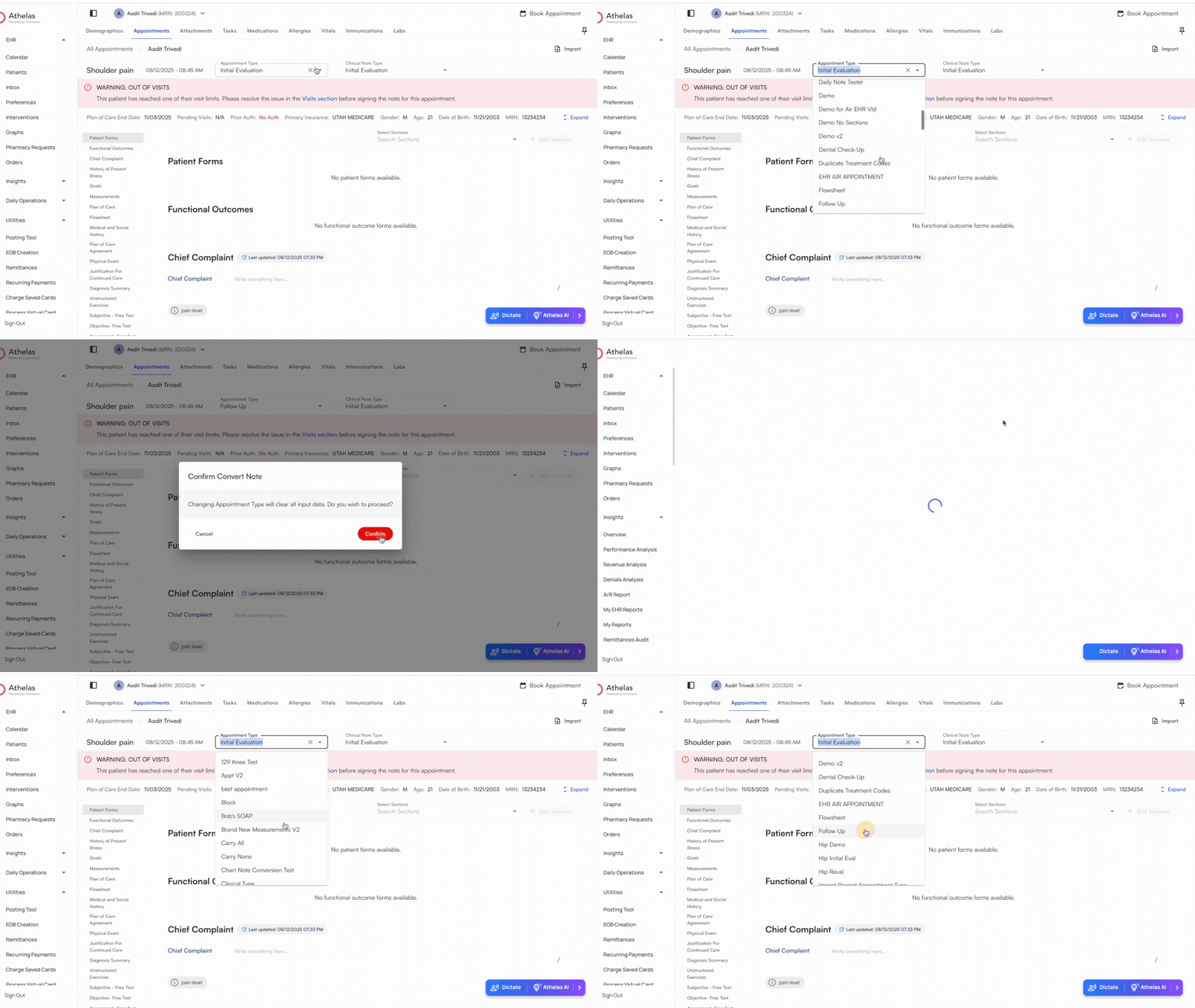
### Change the Appointment Type
**Change Appointment Type:** Use this option to quickly update documentation sections and templates to match a different appointment type.
### Change the Clinical Note Type
**Change Clinical Note Type:** This allows you to update documentation based on plan of care logic. Available Clinical Note Types include:
* Initial Evaluation
* Daily Note
* Progress Note
* Re-Certification Note
* Discharge Note
**Create a New Case Type**
**Create a new Case Type:** The only required field is **Case Name**. However, because insurance is required on the Appointments page, we recommend setting the **Insurance Priority** as well.
### Change the Appointment Type
**Change Appointment Type:** Use this option to quickly update documentation sections and templates to match a different appointment type.
### Change the Clinical Note Type
**Change Clinical Note Type:** This allows you to update documentation based on plan of care logic. Available Clinical Note Types include:
* Initial Evaluation
* Daily Note
* Progress Note
* Re-Certification Note
* Discharge Note