> ## Documentation Index
> Fetch the complete documentation index at: https://trainings.air.athelas.com/llms.txt
> Use this file to discover all available pages before exploring further.
# How to Send Documentation
### At a Glance
This walkthrough details how to upload documentation that isn’t automatically uploaded through a rule created by your organization. Your organization can also set up rules to automatically send supporting documentation with claims.
### Here’s How to Do It
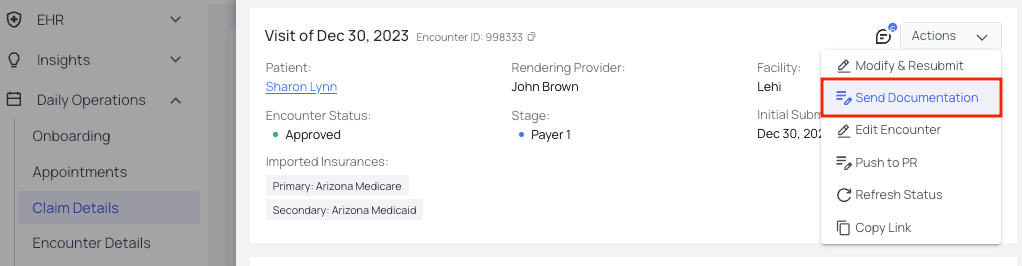
* **Only Send Supporting Documentation**On the [Claim Detail](https://insights.athelas.com/v3/claim_level_view) page, choose a claim that needs supporting documentation. Go to the `Actions` menu and click `Send Documentation`.
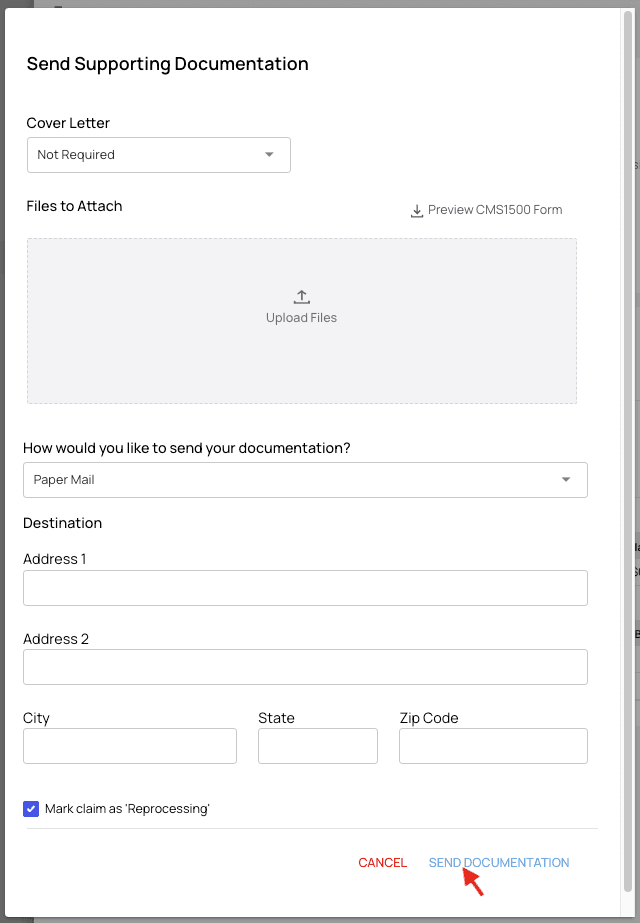
 This popup will appear. Fill out the form, upload the documentation, and click `Send Documentation`.
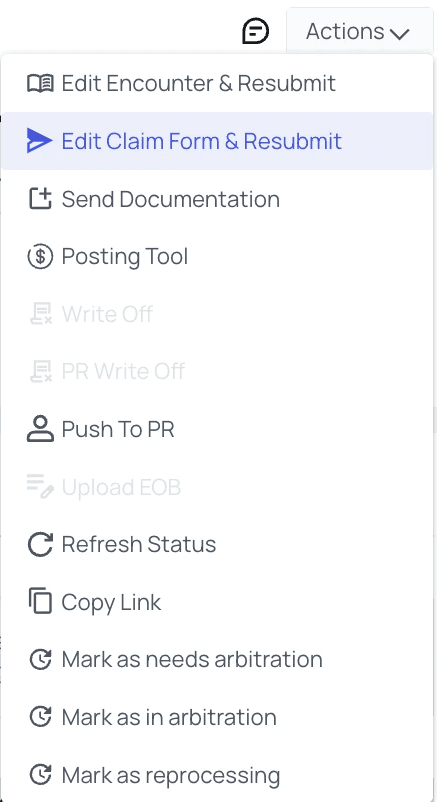
 * **Modify and Resubmit the Entire Claim**From the [Claim Detail page](https://insights.athelas.com/v3/claim_level_view), click into a claim and then open the `Actions` menu. Then choose `Edit Claim Form & Resubmit`.
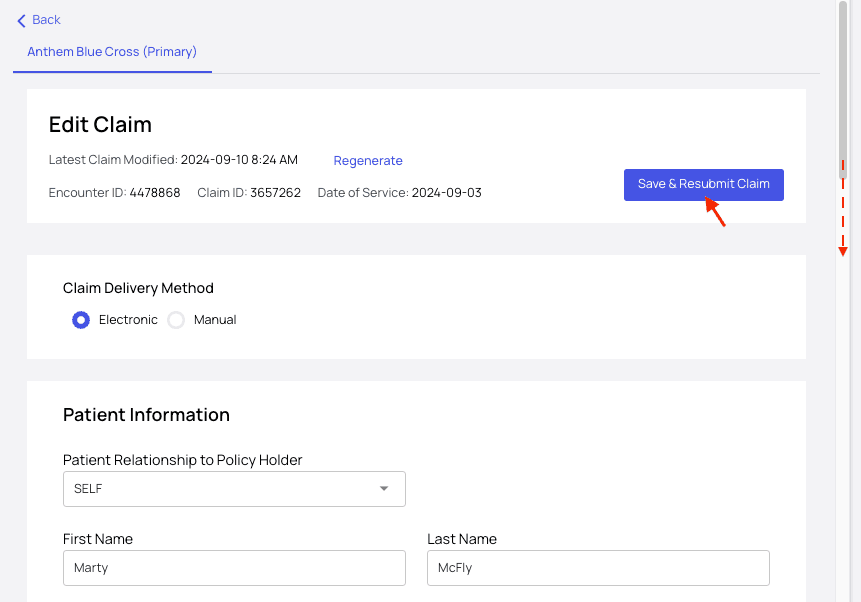
 A popup form will appear with editable fields for all the claim’s information. Be sure to scroll down–it’s a long form.Update the fields as needed, then click `Save & Resubmit Claim` at the top of the form.
 Done!
Done!