> ## Documentation Index
> Fetch the complete documentation index at: https://trainings.air.athelas.com/llms.txt
> Use this file to discover all available pages before exploring further.
# Custom Collections Report
 ####
#### Summary
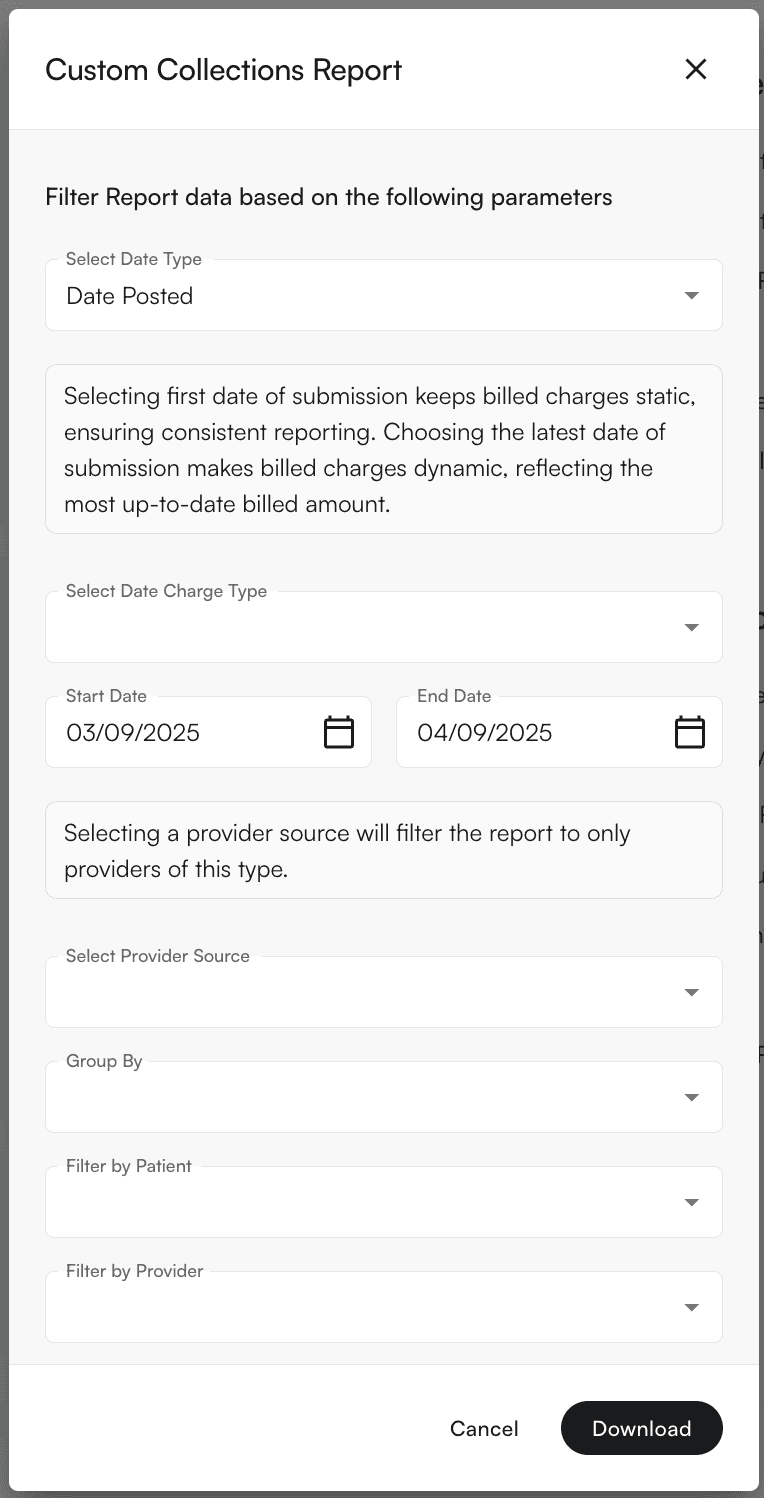
This is the catch-all category for creating collections reports with modifications specific to your practice. Set the filters on these reports to fit your organization’s needs.
For a standard collections report, see this [guide](/insights_biller/reports/collections_report).
####
#### Main Feature
Use the ‘Group By’ menu to see the report grouped to your specifications.
####
#### Summary
This is the catch-all category for creating collections reports with modifications specific to your practice. Set the filters on these reports to fit your organization’s needs.
For a standard collections report, see this [guide](/insights_biller/reports/collections_report).
####
#### Main Feature
Use the ‘Group By’ menu to see the report grouped to your specifications.
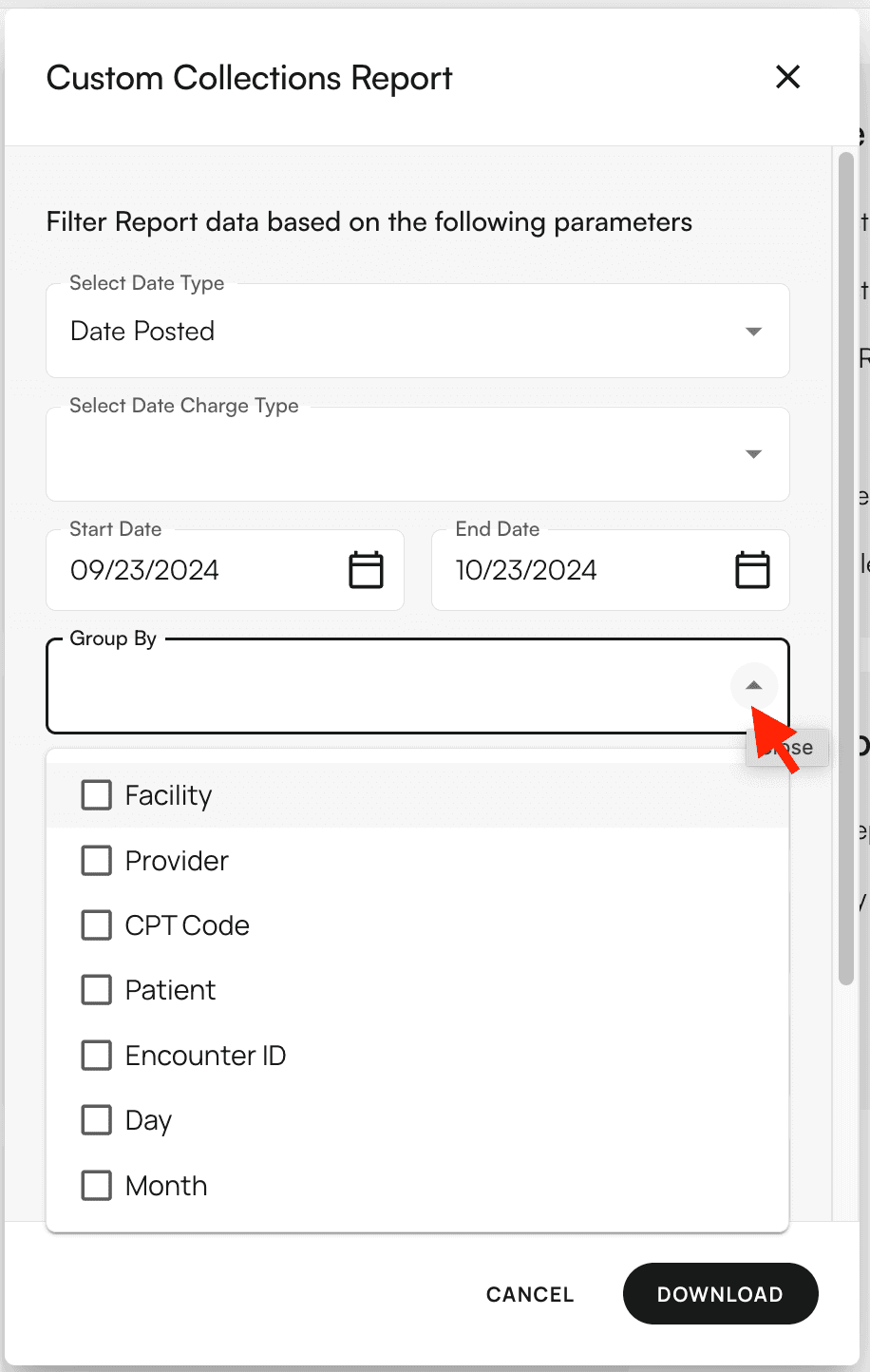 If no group selection is made, the report defaults to Provider, Facility, CPT Code, and Date Posted by Month.
❗ Charges will always be tied to Date of Service.
####
#### Filters Supported
* Date Charge Type (Specifically the Insurance Charge)
* Provider Source (options are rendering provider, resource provider, appointment provider)
* Check Date
* Date of Service
* Date Posted
* Patients
* Providers
* Payers
* Facilities
* CPT Codes
* Place of Service Codes
If no group selection is made, the report defaults to Provider, Facility, CPT Code, and Date Posted by Month.
❗ Charges will always be tied to Date of Service.
####
#### Filters Supported
* Date Charge Type (Specifically the Insurance Charge)
* Provider Source (options are rendering provider, resource provider, appointment provider)
* Check Date
* Date of Service
* Date Posted
* Patients
* Providers
* Payers
* Facilities
* CPT Codes
* Place of Service Codes