> ## Documentation Index
> Fetch the complete documentation index at: https://trainings.air.athelas.com/llms.txt
> Use this file to discover all available pages before exploring further.
# Generate a Transaction Report
#### At a Glance
For the health of any medical practice, or any business for that matter, regular audits of transactions are a standard best practice. Here’s how Athelas can get you your daily, weekly or monthly financial data with ease.
###
#### Here’s How to Do It
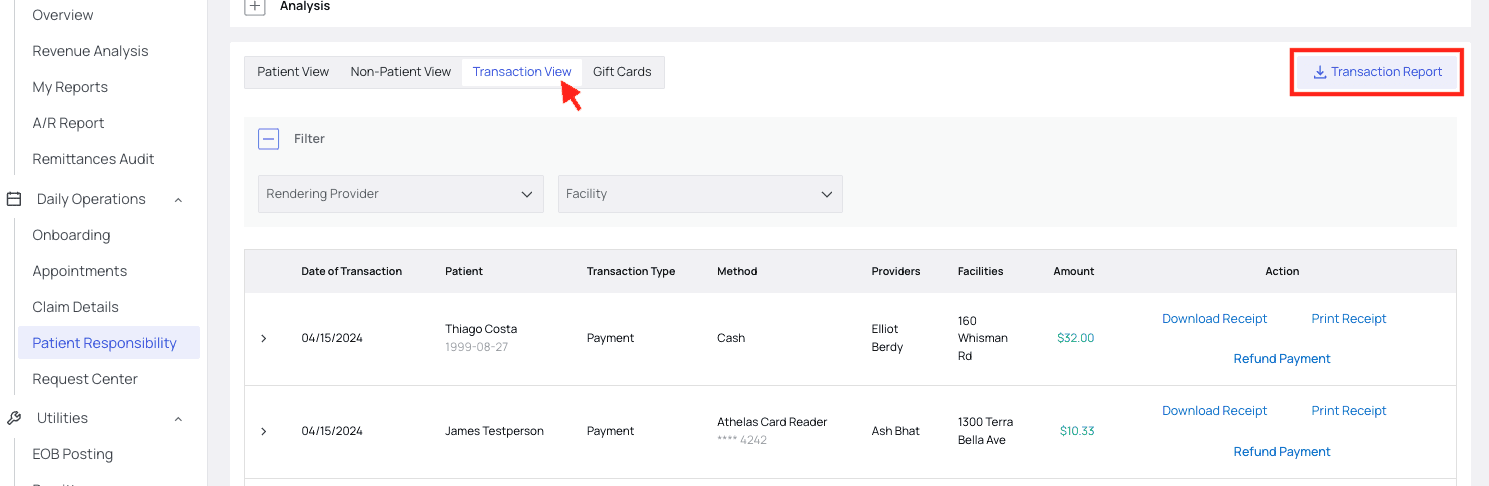
In the [Patient Responsibility](https://insights.athelas.com/v2/patient-responsibility) page, choose the Transaction View tab and click Transaction Report.
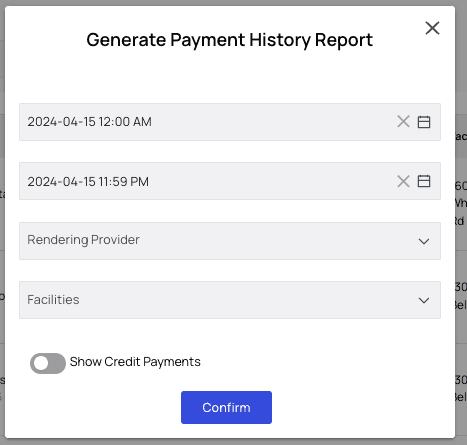
 Filter by time range, Rendering Provider and/or Facilities. You can also toggle visibility of credit card payments on or off. Then click Confirm.
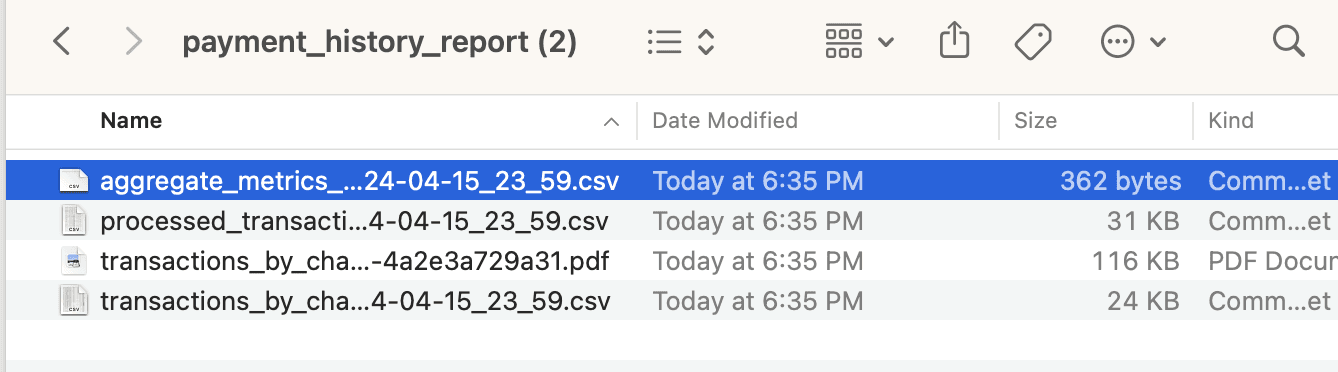
 After you click Confirm, a Payment History Report folder will download to your computer.
It contains CSV files of **Aggregate Metrics, Processed Transactions and Transactions by Charge**. It also contains a PDF of the Transactions by Charge for an easy viewing experience.
* **Aggregate Metrics** shows a single line of all totals in all categories — Outstanding Balance, Paid Cash, etc.
* **Processed Transactions** shows all payments, refunds and write-offs that successfully went through.
* **Transactions by Charge** shows individual charges assigned to patients, including any credits added.
After you click Confirm, a Payment History Report folder will download to your computer.
It contains CSV files of **Aggregate Metrics, Processed Transactions and Transactions by Charge**. It also contains a PDF of the Transactions by Charge for an easy viewing experience.
* **Aggregate Metrics** shows a single line of all totals in all categories — Outstanding Balance, Paid Cash, etc.
* **Processed Transactions** shows all payments, refunds and write-offs that successfully went through.
* **Transactions by Charge** shows individual charges assigned to patients, including any credits added.
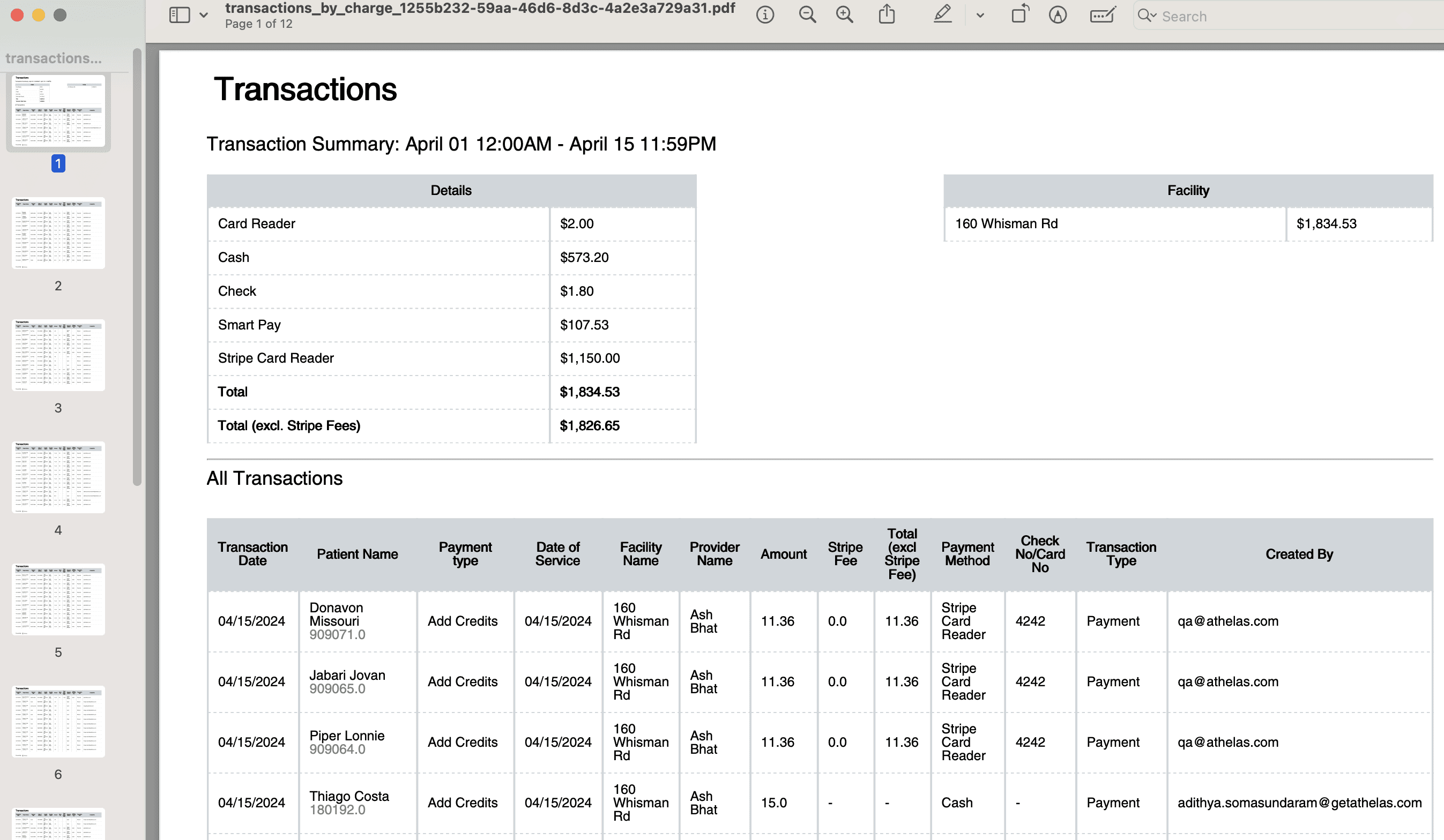
 The PDF is included for an easier viewing experience at a glance. It looks like this:
 Done!
Done!