> ## Documentation Index
> Fetch the complete documentation index at: https://trainings.air.athelas.com/llms.txt
> Use this file to discover all available pages before exploring further.

# Getting Started with Faxing

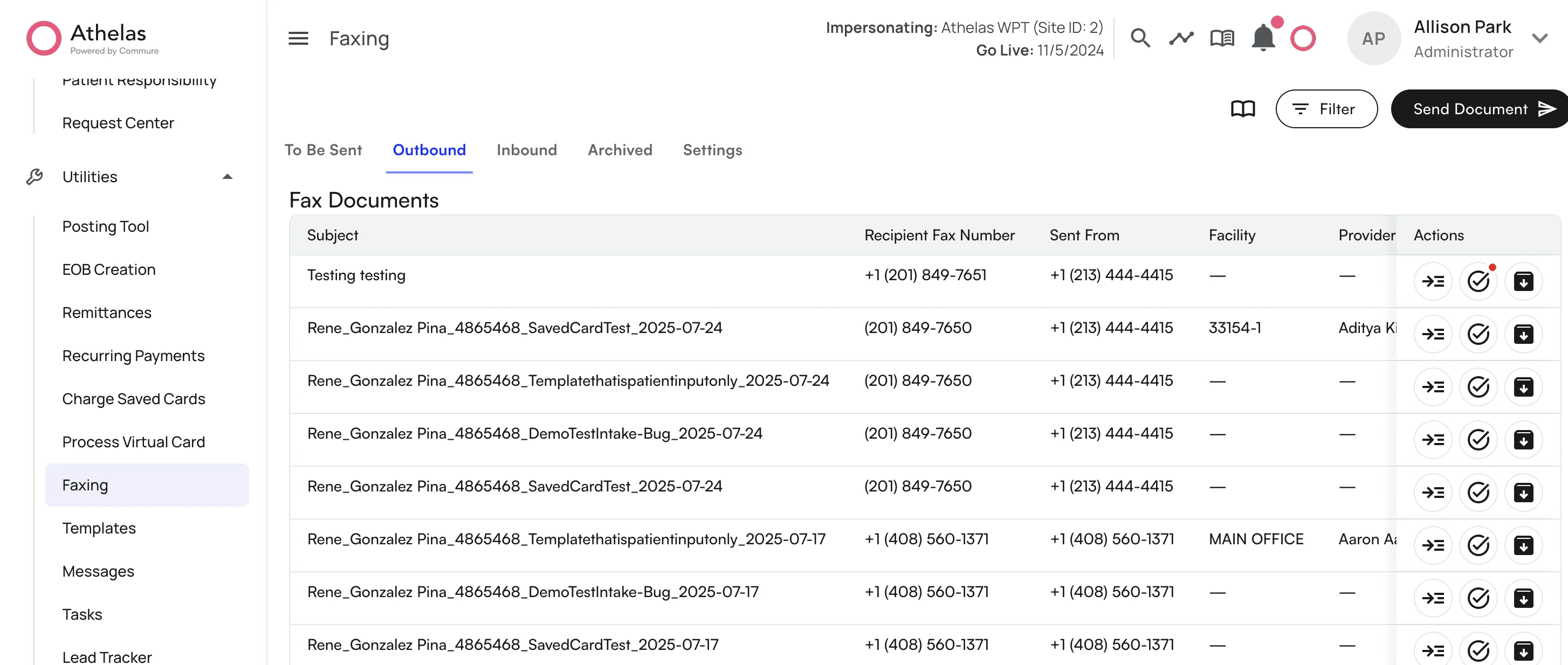
There is a dedicated faxing page within Air to send and receive faxes. To get to this page click on *Utilities* on the left hand menu, then select the *Faxing* section.
<img src="https://mintcdn.com/training_air/gG14-GfK4yqewDP-/images/insights_front_desk/faxing/getting_started_with_faxing/getting_started_with_faxing_1.png?fit=max&auto=format&n=gG14-GfK4yqewDP-&q=85&s=e1eae336dd89866455b9aefc3dc7c8a2" alt="" width="2908" height="1234" data-path="images/insights_front_desk/faxing/getting_started_with_faxing/getting_started_with_faxing_1.png" />

Within the section, you have several tabs:

* To Be Sent - where you can store faxes ready to send
* Outbound - faxes sent
* Inbound - faxes received
* Archived - archive any fax in queue, outbound or inbound status
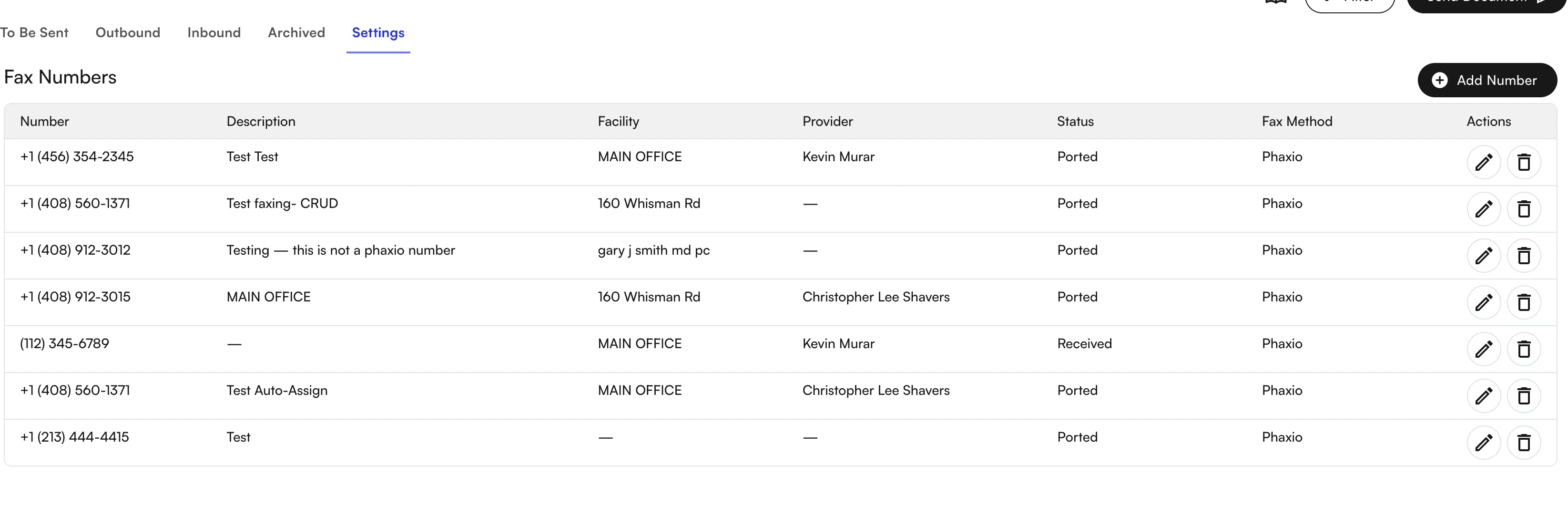
* Settings - where fax numbers are stored
<img src="https://mintcdn.com/training_air/gG14-GfK4yqewDP-/images/insights_front_desk/faxing/getting_started_with_faxing/getting_started_with_faxing_2.png?fit=max&auto=format&n=gG14-GfK4yqewDP-&q=85&s=e83773945e82587269ac159e097df207" alt="" width="3290" height="1084" data-path="images/insights_front_desk/faxing/getting_started_with_faxing/getting_started_with_faxing_2.png" />

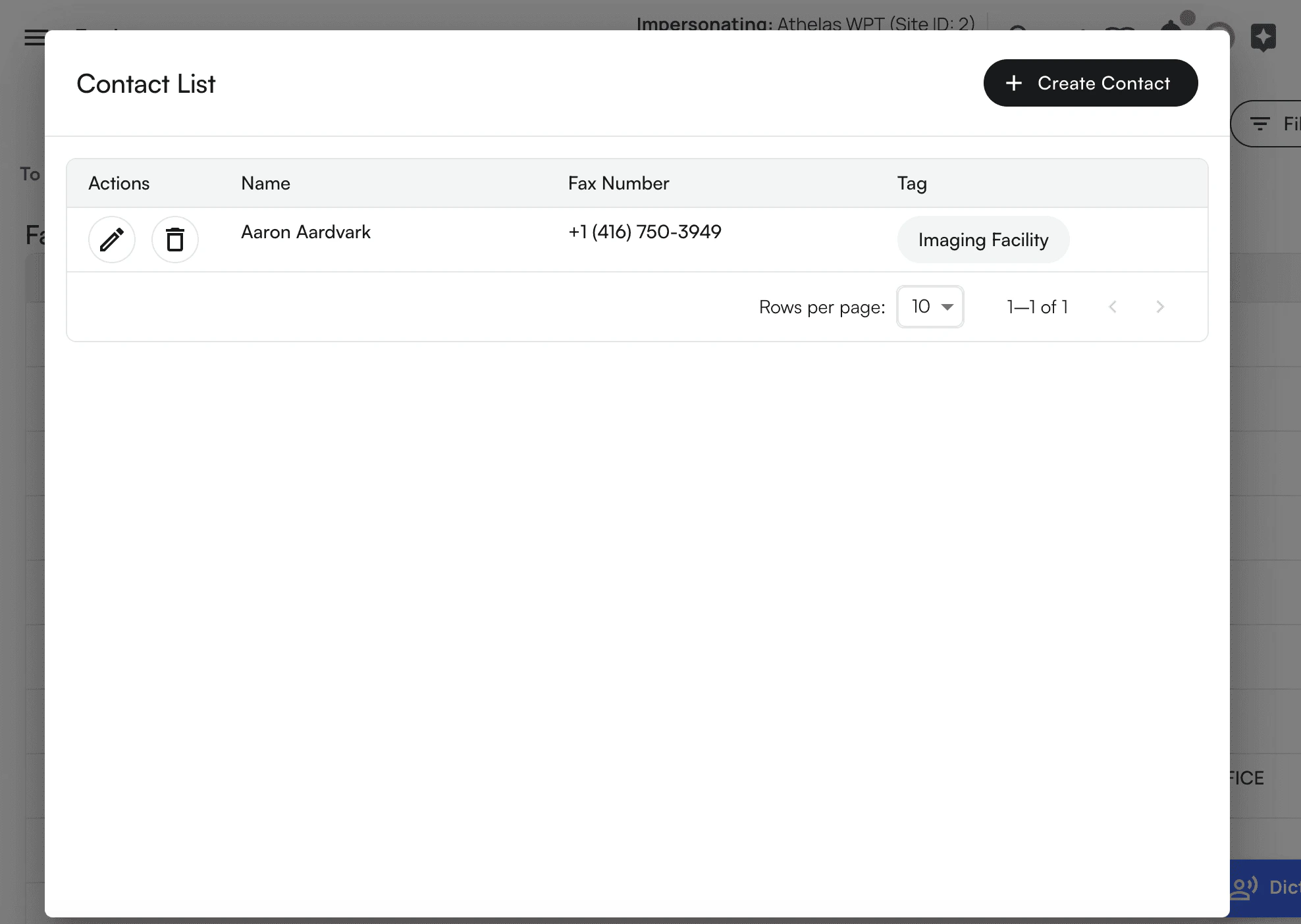
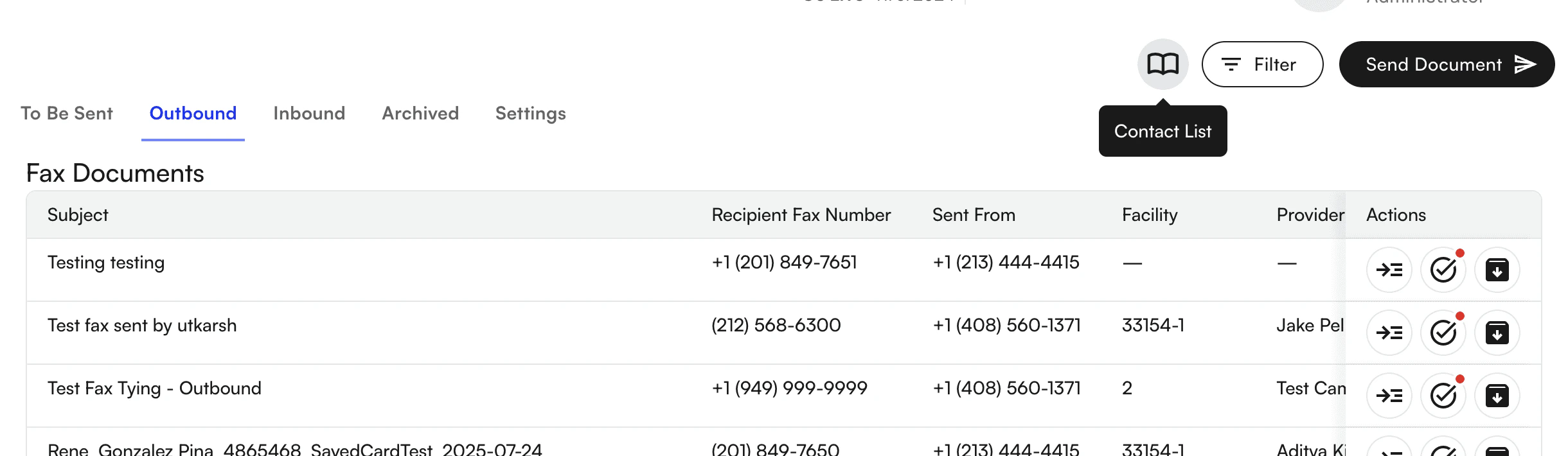
Create, edit, and tag contacts, link numbers to facilities and providers under "Contact List"
<img src="https://mintcdn.com/training_air/gG14-GfK4yqewDP-/images/insights_front_desk/faxing/getting_started_with_faxing/getting_started_with_faxing_3.png?fit=max&auto=format&n=gG14-GfK4yqewDP-&q=85&s=802c630ab5e47fc9da45fa37ba34a9b8" alt="" width="2440" height="710" data-path="images/insights_front_desk/faxing/getting_started_with_faxing/getting_started_with_faxing_3.png" />

<img src="https://mintcdn.com/training_air/gG14-GfK4yqewDP-/images/insights_front_desk/faxing/getting_started_with_faxing/getting_started_with_faxing_4.png?fit=max&auto=format&n=gG14-GfK4yqewDP-&q=85&s=fbbd3661069183415301d19dad0e1192" alt="" width="1976" height="1404" data-path="images/insights_front_desk/faxing/getting_started_with_faxing/getting_started_with_faxing_4.png" />

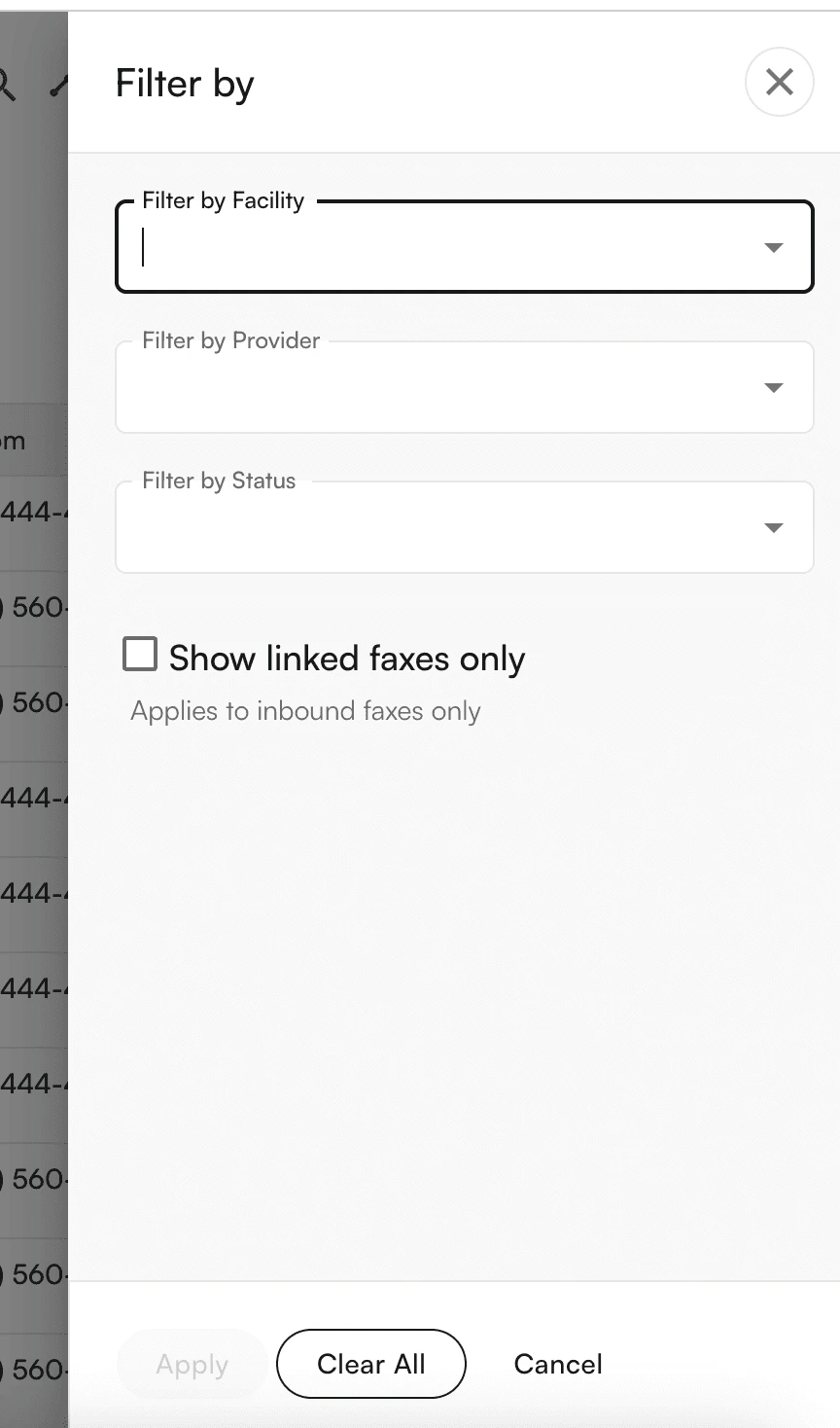
And can filter faxes by Facility, Provider and Status
<img src="https://mintcdn.com/training_air/gG14-GfK4yqewDP-/images/insights_front_desk/faxing/getting_started_with_faxing/getting_started_with_faxing_5.png?fit=max&auto=format&n=gG14-GfK4yqewDP-&q=85&s=4c30fd26cc21a73d96bcc7209f434da6" alt="" width="864" height="1468" data-path="images/insights_front_desk/faxing/getting_started_with_faxing/getting_started_with_faxing_5.png" />