> ## Documentation Index
> Fetch the complete documentation index at: https://trainings.air.athelas.com/llms.txt
> Use this file to discover all available pages before exploring further.

# How to send messages

To begin a thread with colleagues or patients, navigate to the Messages page and click the pencil icon to create a new conversation.
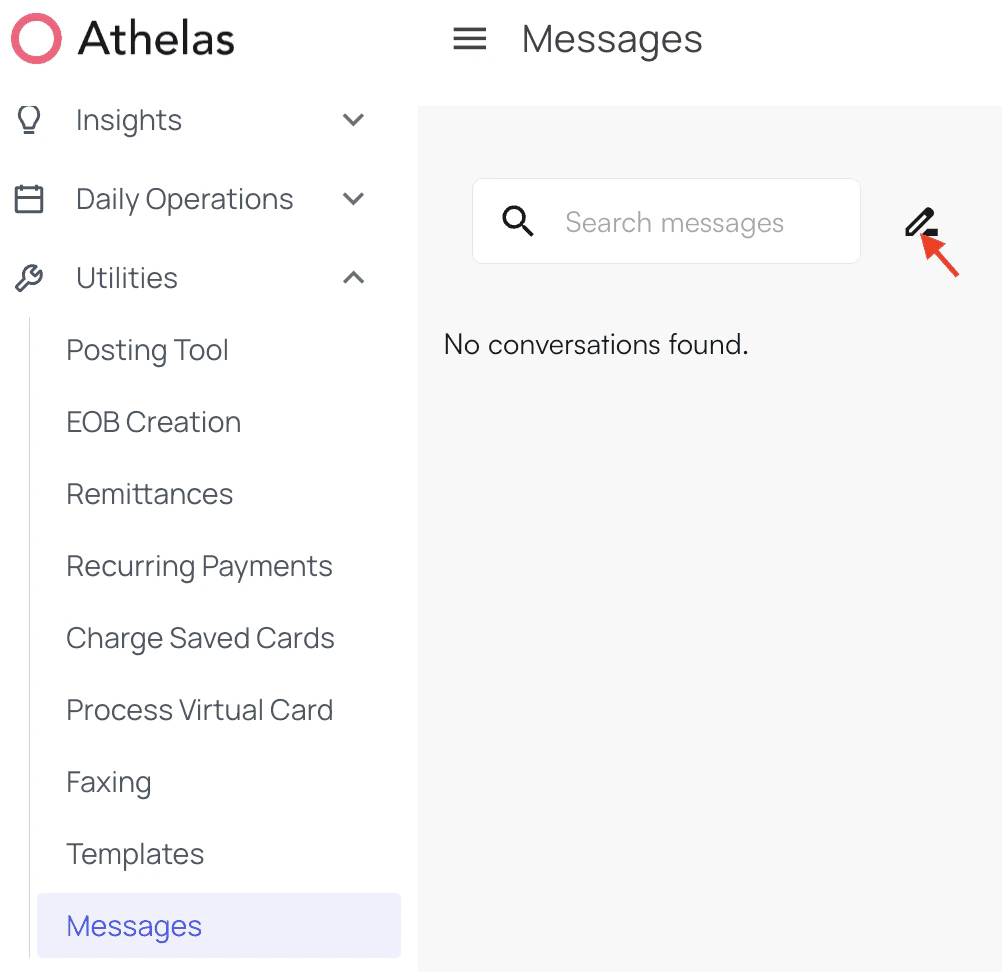
<img src="https://mintcdn.com/training_air/gG14-GfK4yqewDP-/images/insights_front_desk/messaging/how_to_send_messages/how_to_send_messages_1.png?fit=max&auto=format&n=gG14-GfK4yqewDP-&q=85&s=2ae5a5e65c82befaa82f5848420bfe38" alt="" width="1002" height="972" data-path="images/insights_front_desk/messaging/how_to_send_messages/how_to_send_messages_1.png" />

A search bar will appear. Search for the colleague in question and select their name when it appears.

<img src="https://mintcdn.com/training_air/gG14-GfK4yqewDP-/images/insights_front_desk/messaging/how_to_send_messages/how_to_send_messages_2.png?fit=max&auto=format&n=gG14-GfK4yqewDP-&q=85&s=e9223b78a08627ec4682d587587f09a8" alt="" width="1888" height="270" data-path="images/insights_front_desk/messaging/how_to_send_messages/how_to_send_messages_2.png" />

Now, you can write out a message and/or add attachments, as shown below.
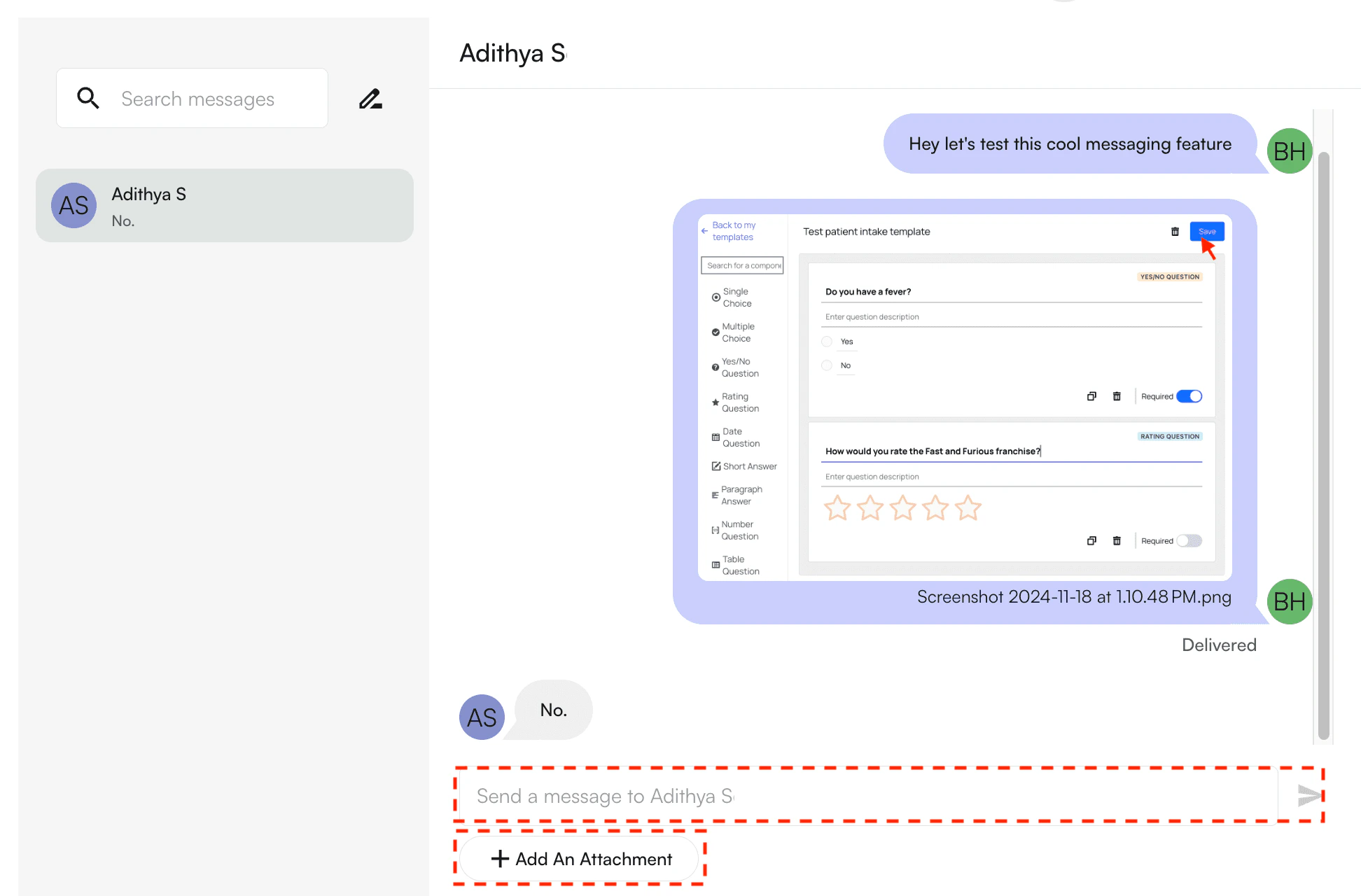
<img src="https://mintcdn.com/training_air/gG14-GfK4yqewDP-/images/insights_front_desk/messaging/how_to_send_messages/how_to_send_messages_3.png?fit=max&auto=format&n=gG14-GfK4yqewDP-&q=85&s=3848f2129cf477cc837b0a7ae9666940" alt="" width="1944" height="1280" data-path="images/insights_front_desk/messaging/how_to_send_messages/how_to_send_messages_3.png" />
