> ## Documentation Index
> Fetch the complete documentation index at: https://trainings.air.athelas.com/llms.txt
> Use this file to discover all available pages before exploring further.
# Getting Started with Demographics
#### For viewing existing patient demographics
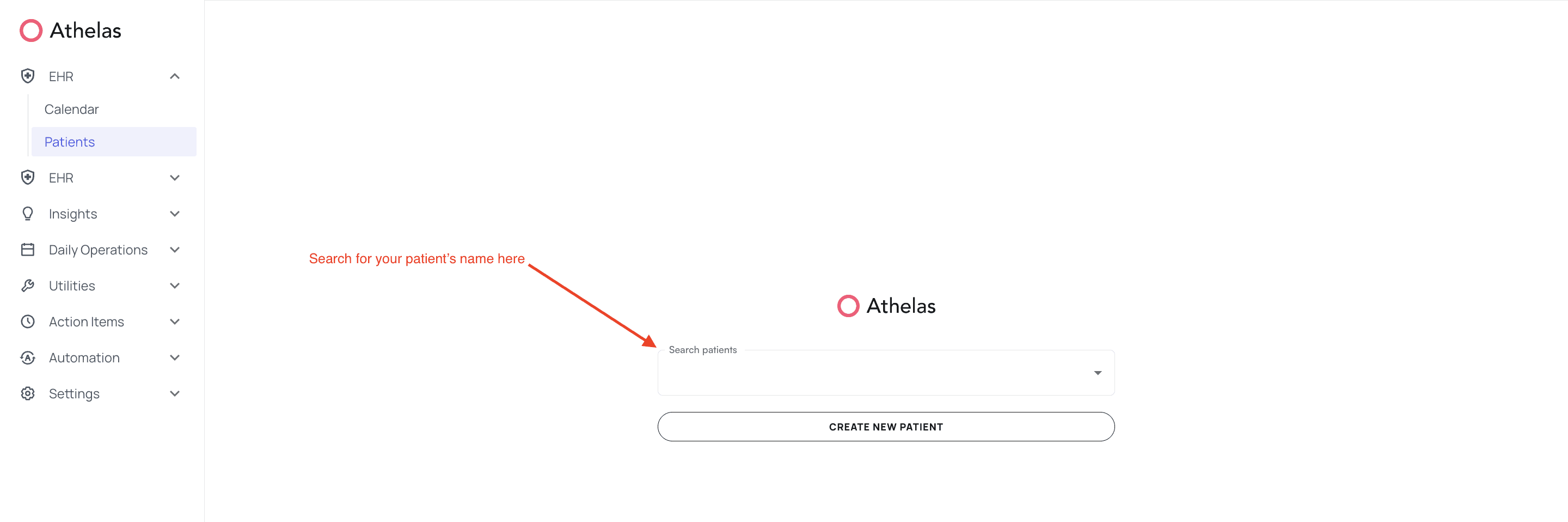
Navigate to Patients tab within the Navigation bar, and search for your patient's name here
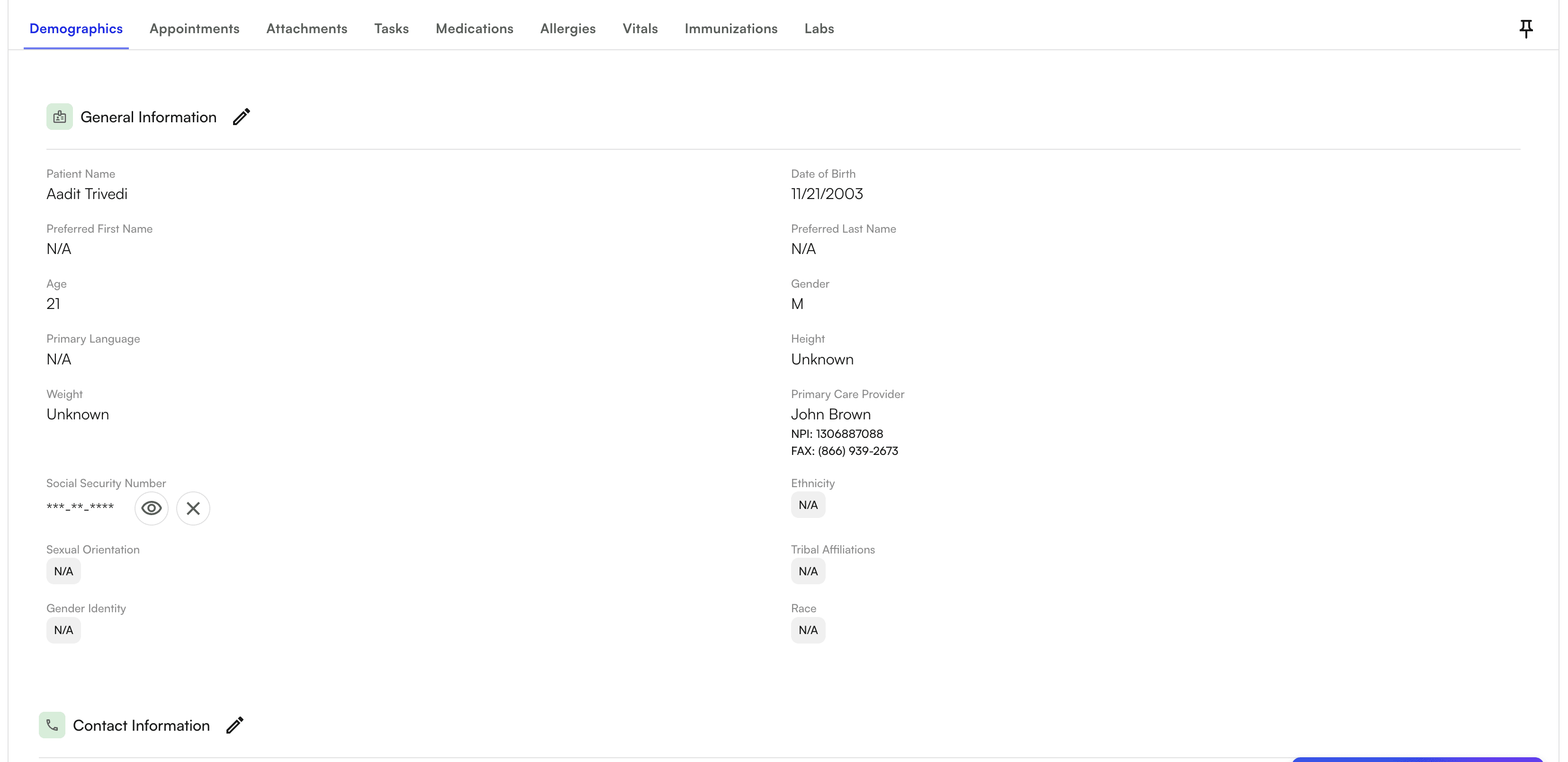
 You are now in the patient’s demographics. Click on the below sections to add or edit information
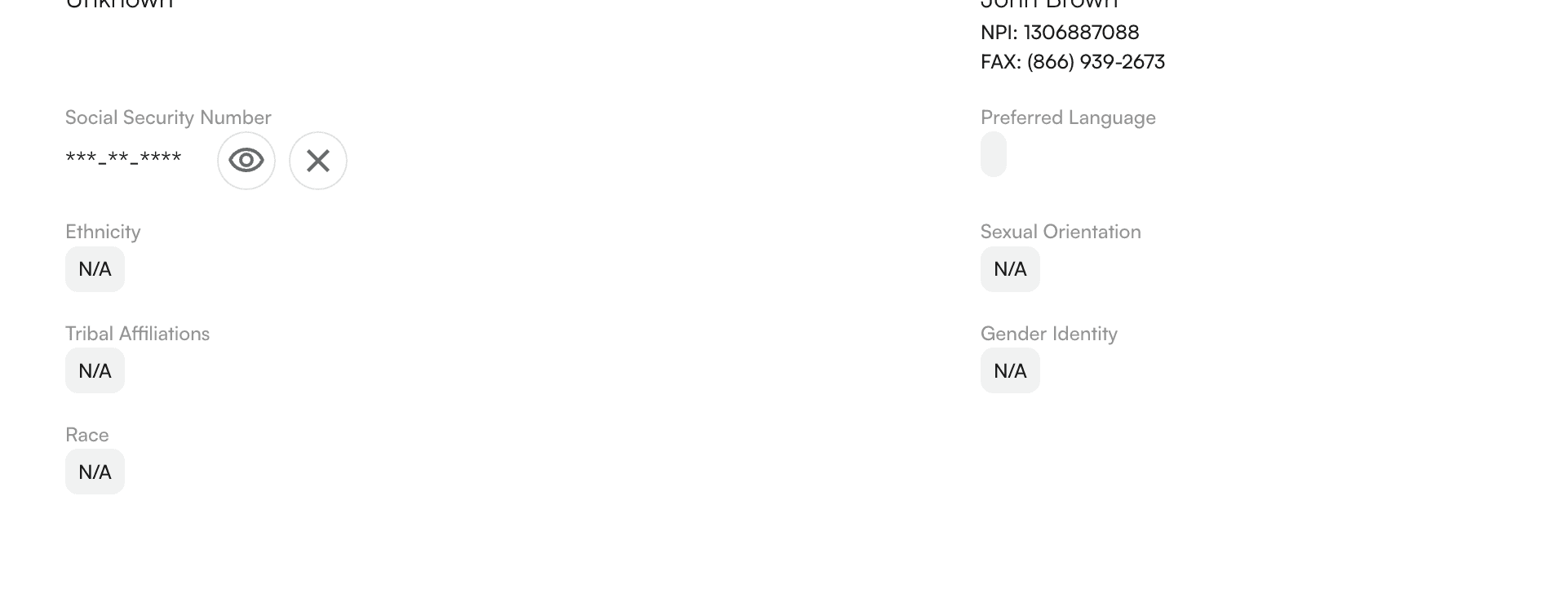
 SSN is hidden, but can be viewed by selecting they "eye" icon
 #### Adding new patient information
Select "Create New Patient" from the Patients tab
#### Adding new patient information
Select "Create New Patient" from the Patients tab
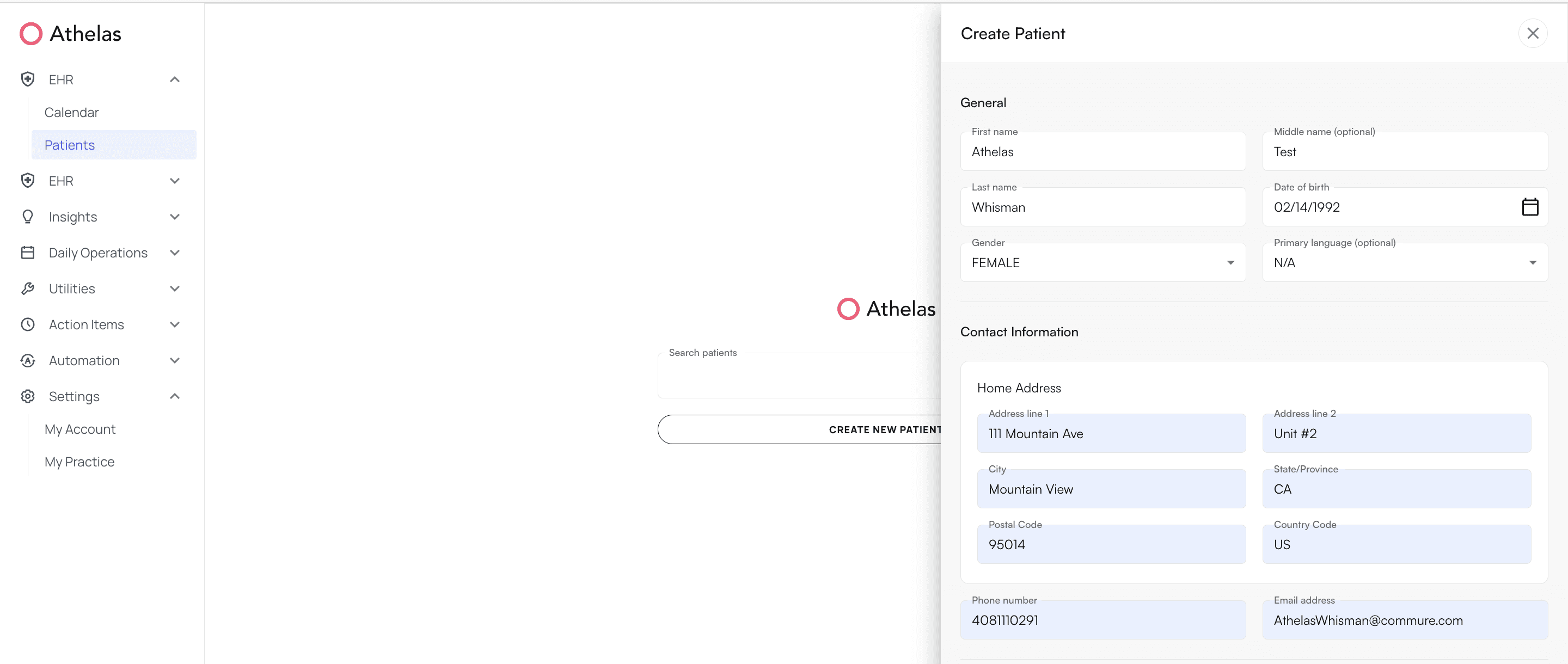 A side panel will open up, here you will be able to enter in the general patient demographics information. Please fill in the following required fields:
* Full Patient Name
* First and Last Name
* Middle Name (If Applicable)
* Gender
* Date of Birth
* Contact Information
* Home Address (Address Line(s), City, State, Post Code and Country Code)
* Mailing Address (If Different from Home Address)
* Phone Number
* Email Address
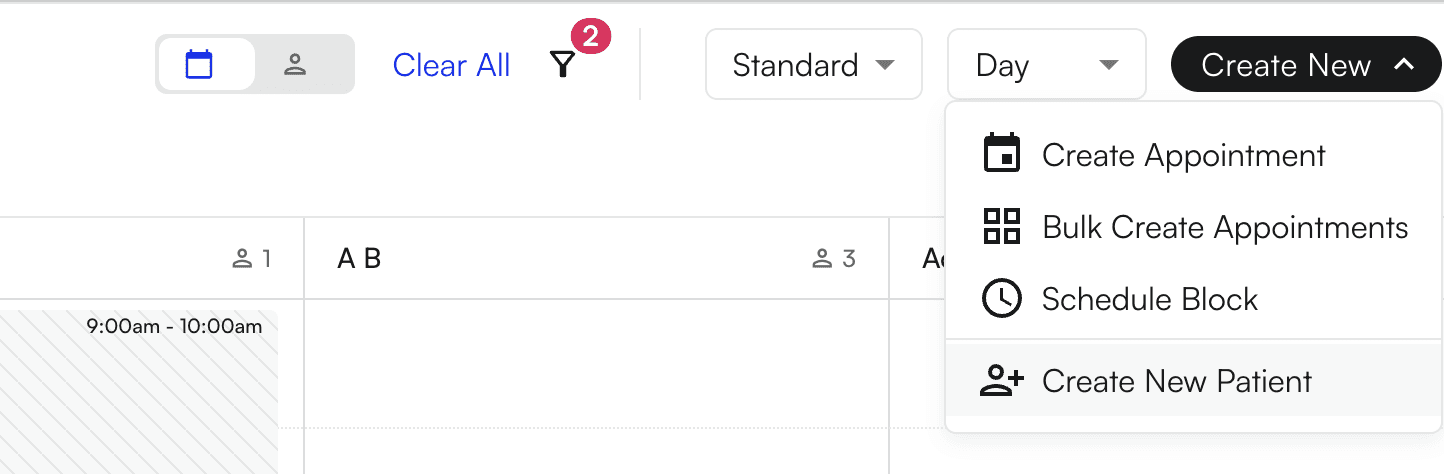
* You can also create a new patient from the Calendar directly
A side panel will open up, here you will be able to enter in the general patient demographics information. Please fill in the following required fields:
* Full Patient Name
* First and Last Name
* Middle Name (If Applicable)
* Gender
* Date of Birth
* Contact Information
* Home Address (Address Line(s), City, State, Post Code and Country Code)
* Mailing Address (If Different from Home Address)
* Phone Number
* Email Address
* You can also create a new patient from the Calendar directly