> ## Documentation Index
> Fetch the complete documentation index at: https://trainings.air.athelas.com/llms.txt
> Use this file to discover all available pages before exploring further.
# How to Undo a Write Off
**Quick Version: If you still have the incorrect write-off in front of you:**
* Click the ‘Write Off’ button again to open the write-off controls.
* Then click the red ‘Remove Write Off’ button and you’re all set.
 Otherwise, see the detailed guide below for instructions.
## How to Undo a Write-off
Navigate to the patient’s profile.
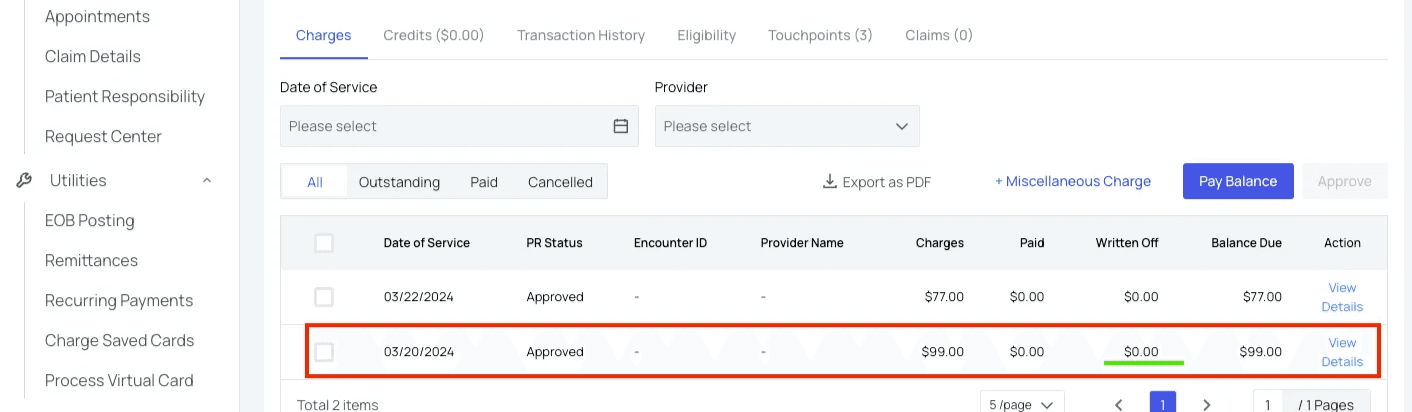
In the ‘Charges tab (or Transaction History tab), find the line with the written-off charges you want to reverse and click ‘View Details.’
Otherwise, see the detailed guide below for instructions.
## How to Undo a Write-off
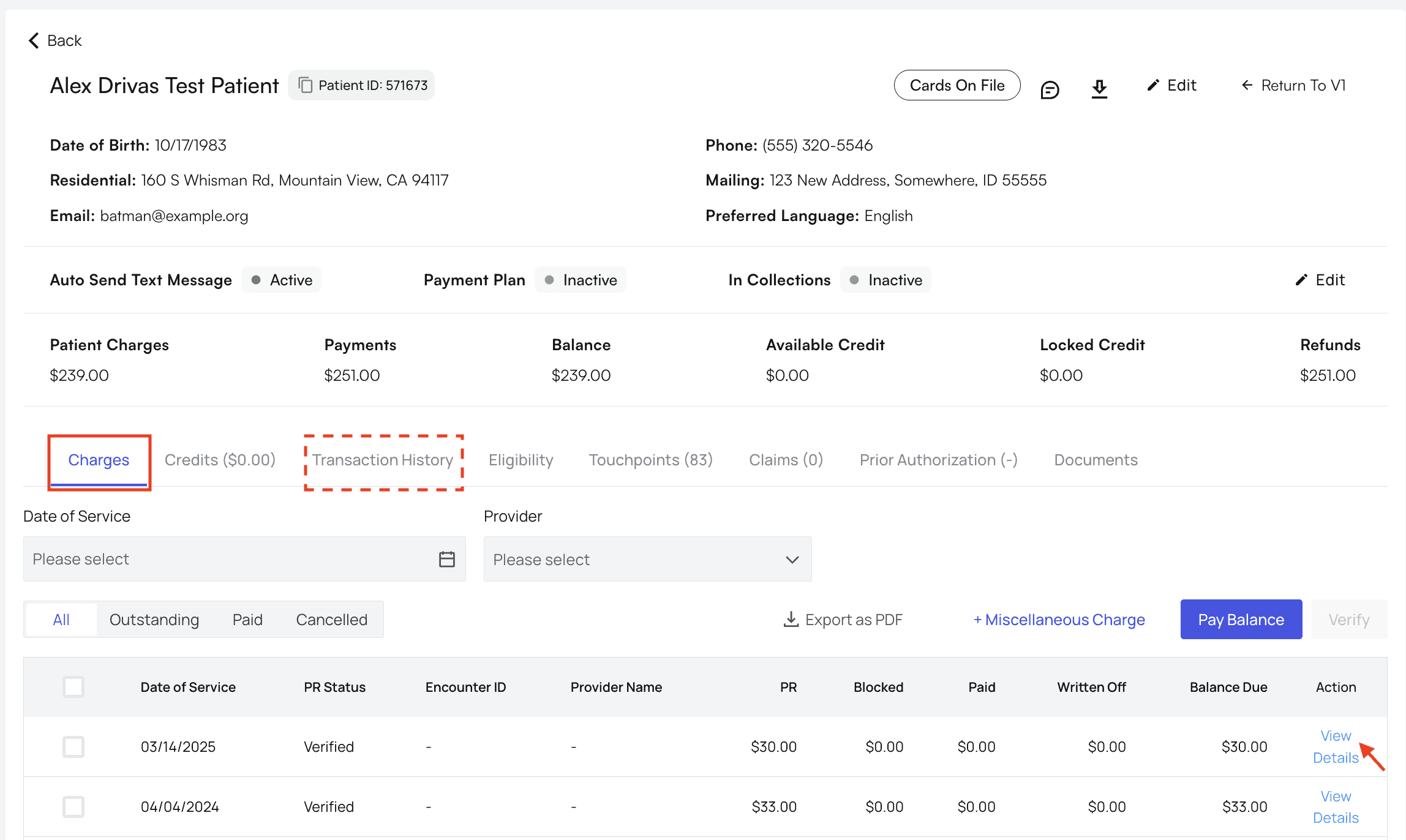
Navigate to the patient’s profile.
In the ‘Charges tab (or Transaction History tab), find the line with the written-off charges you want to reverse and click ‘View Details.’
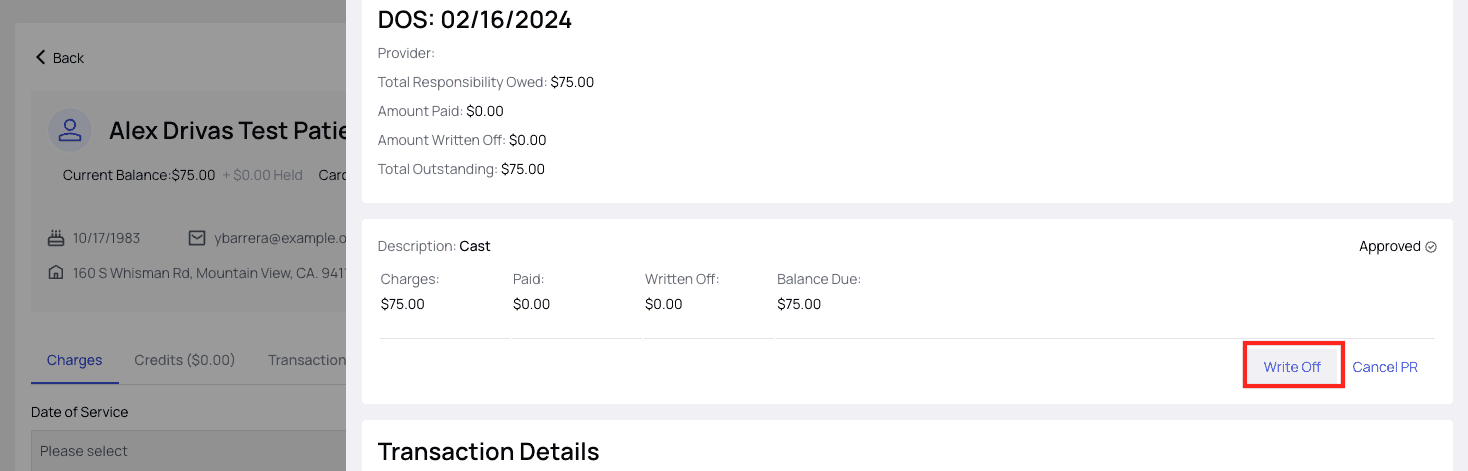
 Click ‘Write-Off.’
Yes, really. This will open a window that gives you the option to undo the write-off.
Click ‘Write-Off.’
Yes, really. This will open a window that gives you the option to undo the write-off.
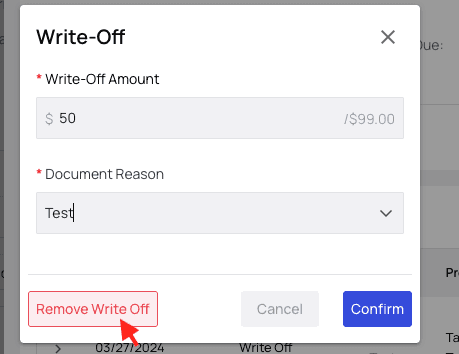
 In the popup, fill in the amount you would like to reverse and the reason for the reversal, then click ‘Remove Write Off.’
 ### Write-Off Reversed!
The patient’s PR for this claim will now return to its original state, and the patient’s outstanding balance will be updated across Athelas Insights to reflect your action.
### Write-Off Reversed!
The patient’s PR for this claim will now return to its original state, and the patient’s outstanding balance will be updated across Athelas Insights to reflect your action.