> ## Documentation Index
> Fetch the complete documentation index at: https://trainings.air.athelas.com/llms.txt
> Use this file to discover all available pages before exploring further.
# Send One-off Paper Statements
#### At a Glance
By default all patients receive their bills via text message and email. However some patients prefer to do things the old fashioned way. In these cases, here’s how to send a one-off paper statement by mail.
❗ **Important:** Mailing a paper statement via Athelas costs your practice `$1` per statement sent unless explicitly stated otherwise in your contract.
#### Here’s How to Do It
* Navigate to the patient’s profile.
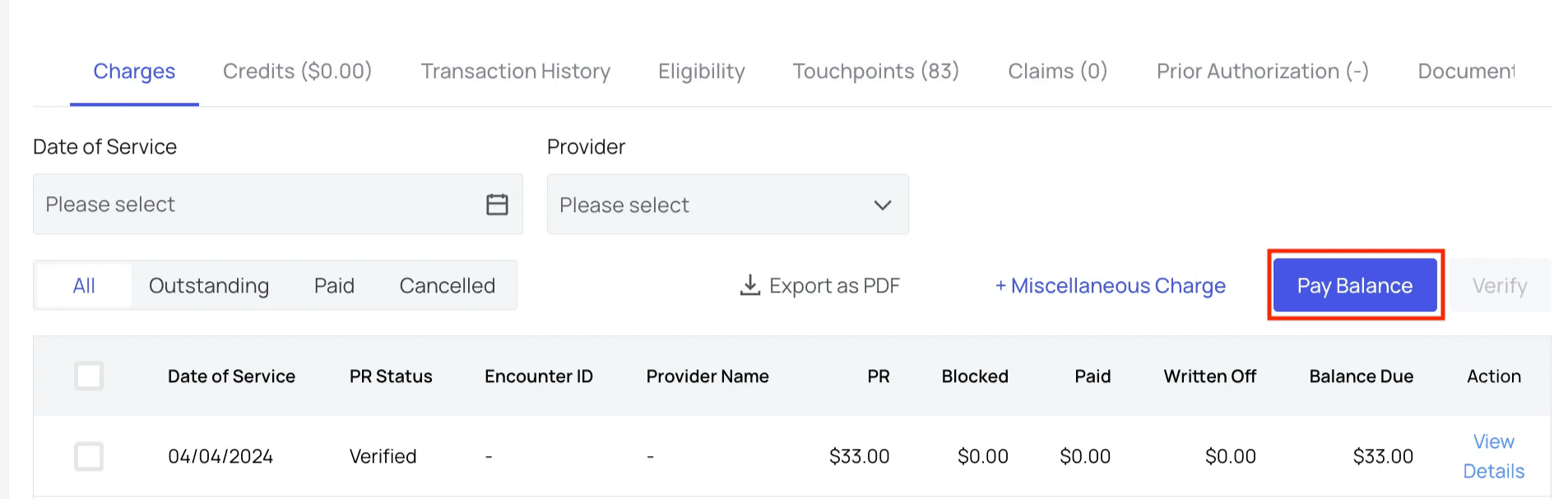
* In the ‘Charges’ tab, click `Pay Balance`.**Note:** this button will be disabled if the patient does not currently have a balance.
 * Select the option, **“Request Payment via Paper Statement.”**
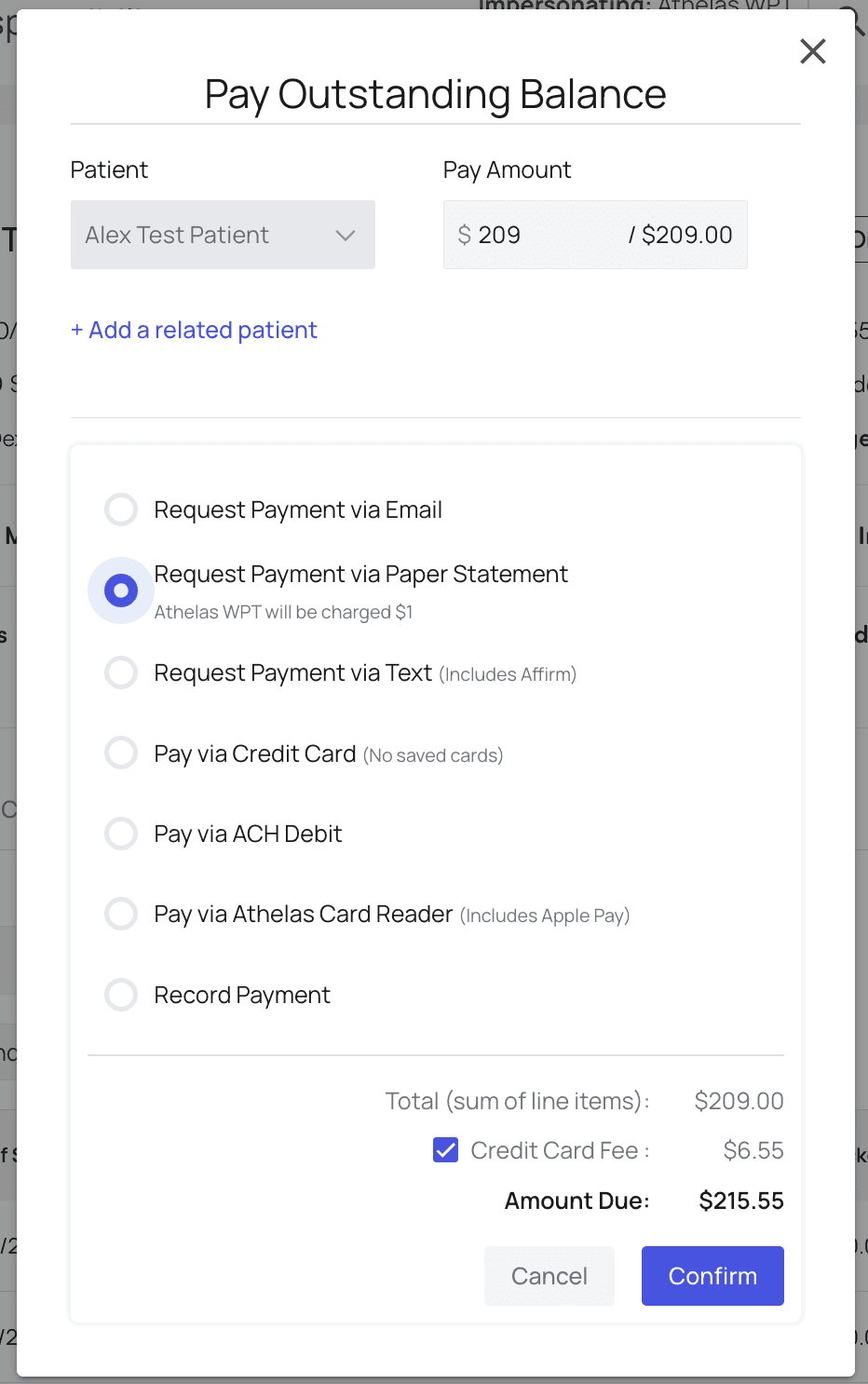 * Click ‘**Confirm.**’ A statement will automatically be generated and mailed within 24 hours.
#### Alternate Address
**Note that you can update a patient’s mailing address in Insights without also updating your EHR**.
However, if you would like to update their home address or other basic identifying information, like their name or date of birth, you must do that in your EHR. Athelas will collect and display those updates in Insights within 24 hours.
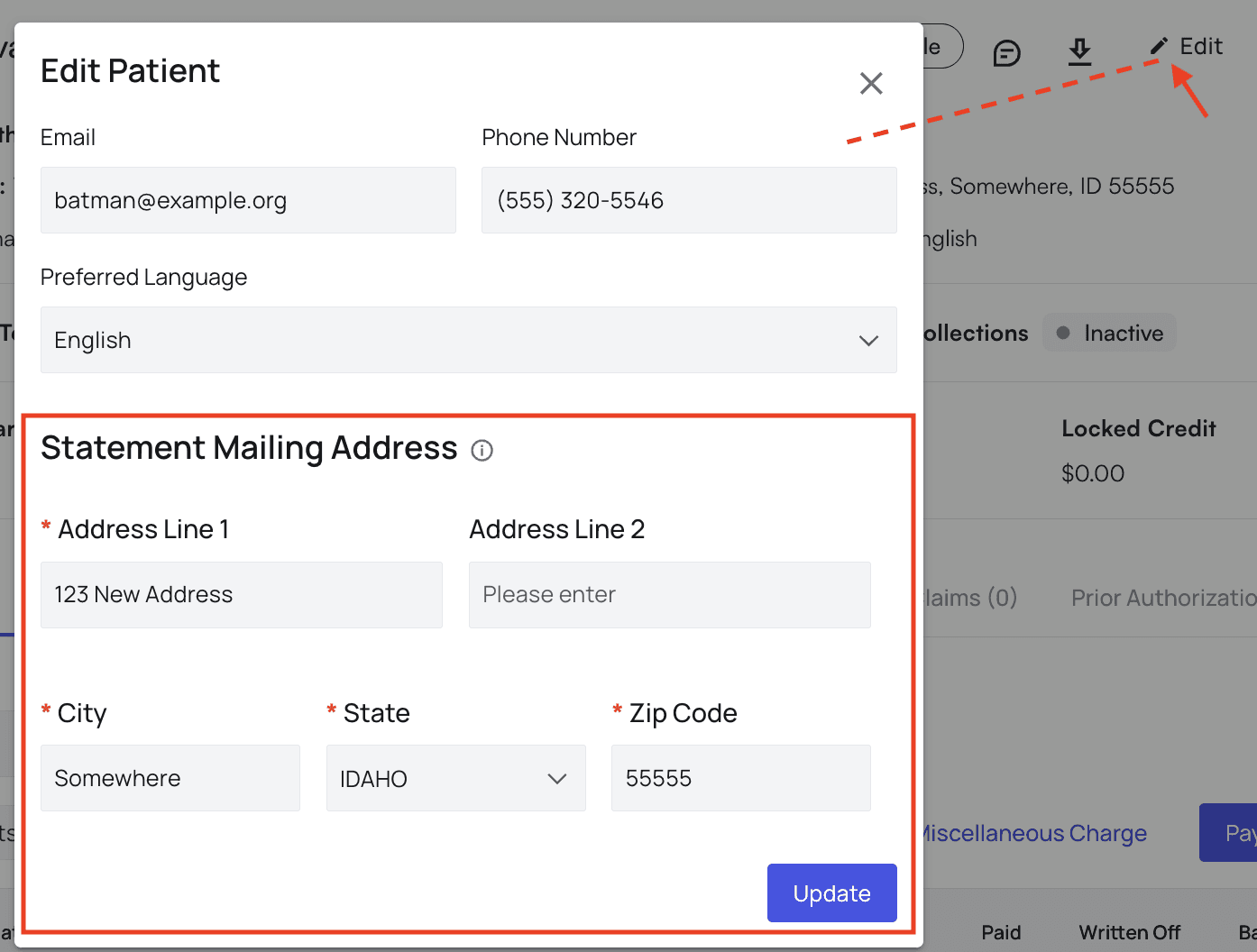
To update a patient’s mailing address, visit their profile and click `Edit` in the header. Then, fill in the new statement mailing address and click `Update`.
* Click ‘**Confirm.**’ A statement will automatically be generated and mailed within 24 hours.
#### Alternate Address
**Note that you can update a patient’s mailing address in Insights without also updating your EHR**.
However, if you would like to update their home address or other basic identifying information, like their name or date of birth, you must do that in your EHR. Athelas will collect and display those updates in Insights within 24 hours.
To update a patient’s mailing address, visit their profile and click `Edit` in the header. Then, fill in the new statement mailing address and click `Update`.
 #### And You’re All Set!
This patient will receive a paper statement by mail within 3-5 business days, depending on the processing time of USPS in their region.
#### Frequently Asked Questions
Can I see what's on the paper statement?
Yes! To see the paper statement your patient will receive, click the 'Download Patient Mail Statement' button at the top of the patient's profile.
#### And You’re All Set!
This patient will receive a paper statement by mail within 3-5 business days, depending on the processing time of USPS in their region.
#### Frequently Asked Questions
Can I see what's on the paper statement?
Yes! To see the paper statement your patient will receive, click the 'Download Patient Mail Statement' button at the top of the patient's profile.
