> ## Documentation Index
> Fetch the complete documentation index at: https://trainings.air.athelas.com/llms.txt
> Use this file to discover all available pages before exploring further.
# Download EDI's in Bulk
#### What is EDI?
As stated by the [Centers for Medicare and Medicaid Services](https://www.notion.so/Billing-Team-Wiki-3ac36d8d5d33420a8d2e90fa1523f9c6?pvs=21)…
💡 **Electronic Data Interchange (EDI) is the** **automated transfer of data** in a specific format following specific data content rules **between a health care provider and Medicare**, or between Medicare and another health care plan.
In some cases, that transfer may take place with the assistance of a clearinghouse or billing service that represents a provider of health care or another payer.
EDI transactions are transferred via computer either to or from Medicare. Through use of EDI, both Medicare and health care providers can process transactions faster and at a lower cost.
Essentially, **EDI is remittance information from the payer**. It is also known as an 835 file.
#### Why Do I Need EDI Files?
Generally, billing staff will use EDI files to post payments into their system for any remittances received by Athelas.
Athelas automatically posts these to our claims in [Insights](https://insights.athelas.com/overall).
#### Here’s How to Download EDI Files
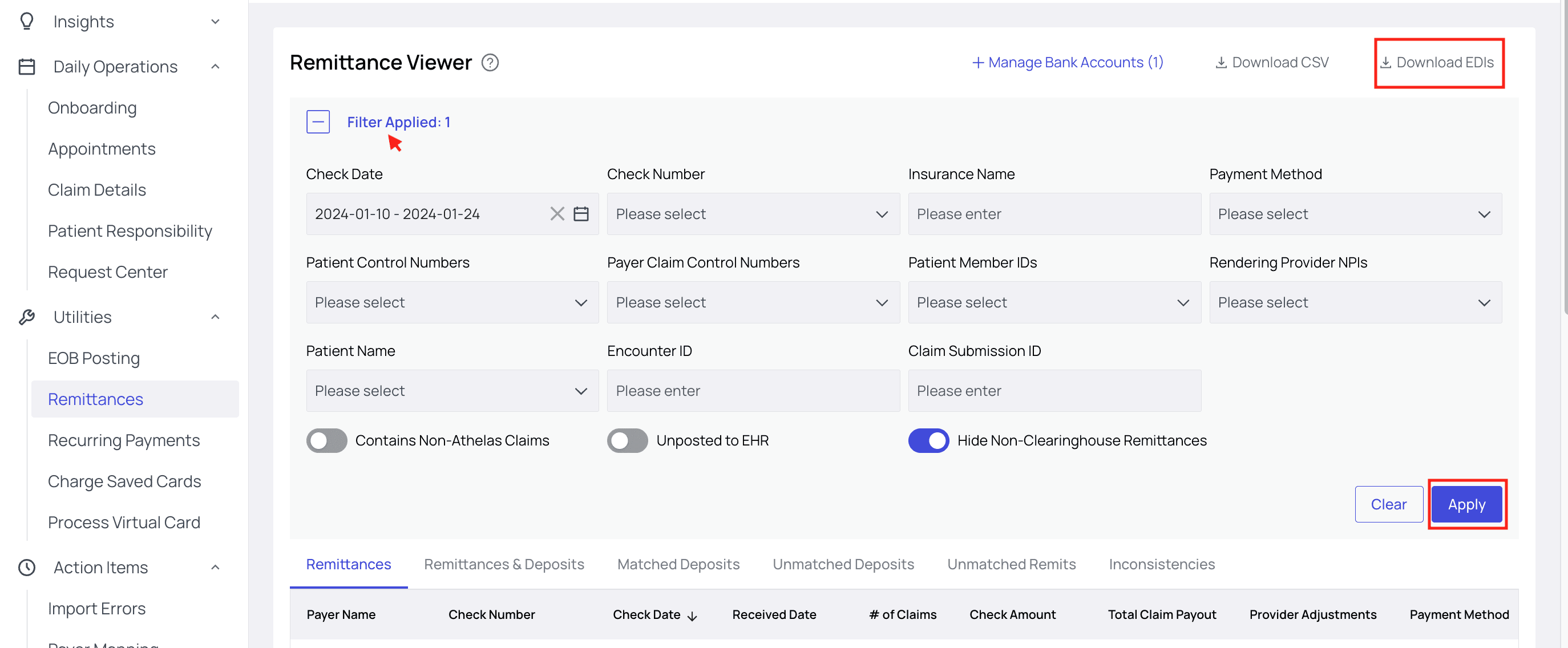
Navigate to the [Remittances](https://insights.athelas.com/v2/payment/remittances) page. When you’re ready, click Download EDIs.
You can use the considerable array of filters to pinpoint the time frame, check number, insurance name, or any other factors you would like. Be sure to **click Apply!**
 After filtering, you can hover your cursor over the Download EDIs button to see a tooltip reporting the number of EDIs matching your filters.
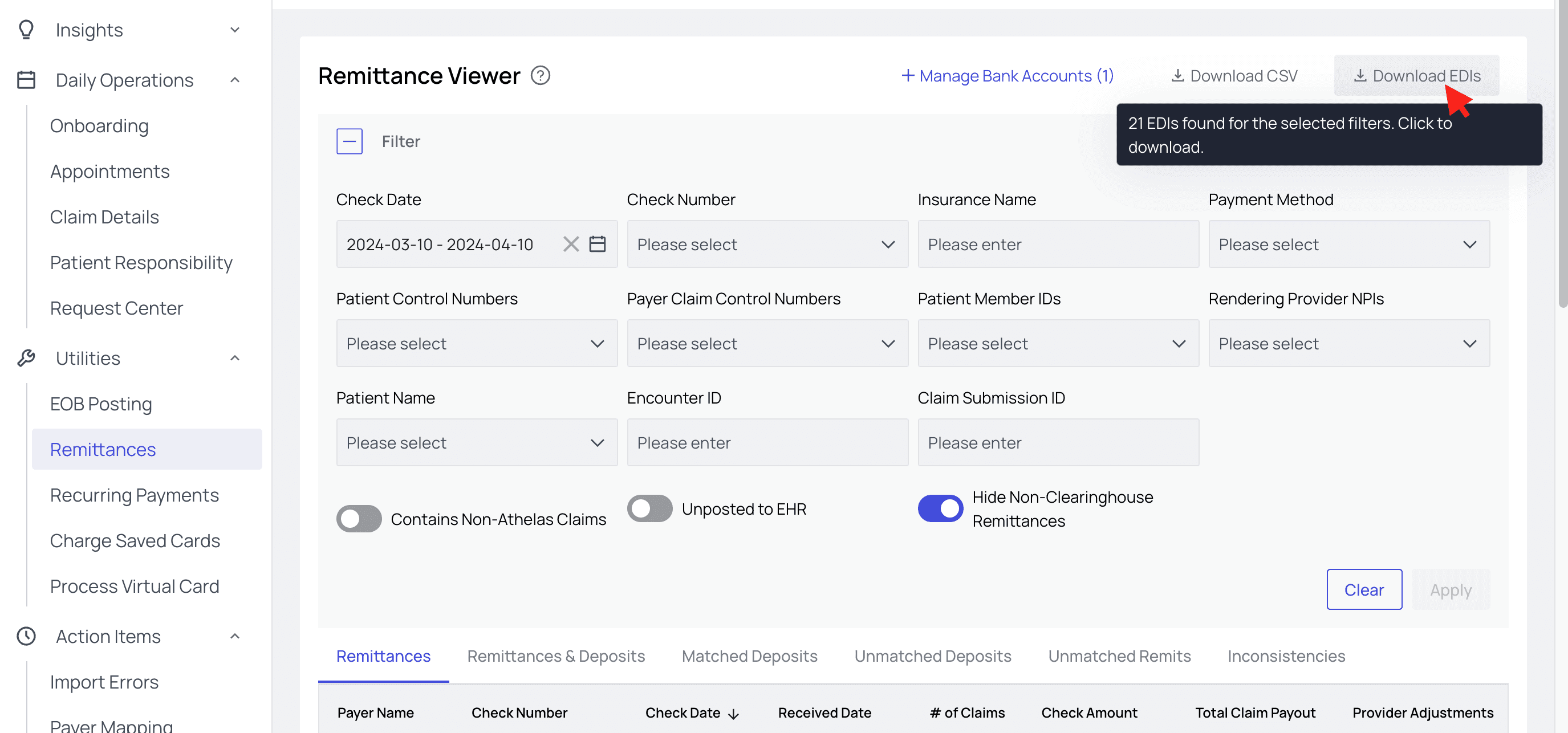 💡 The toggles at the bottom of this Remittance Viewer allow you to **include or exclude Non-Athelas Claims** as well as those **Unposted to EHR**. You can also choose to hide **Non-Clearinghouse Remittances**, like any that may come directly from the payer (EOBs, for example) or manual entries.
You’ll receive an email with a zip file containing your EDIs.
💡 The toggles at the bottom of this Remittance Viewer allow you to **include or exclude Non-Athelas Claims** as well as those **Unposted to EHR**. You can also choose to hide **Non-Clearinghouse Remittances**, like any that may come directly from the payer (EOBs, for example) or manual entries.
You’ll receive an email with a zip file containing your EDIs.
