> ## Documentation Index
> Fetch the complete documentation index at: https://trainings.air.athelas.com/llms.txt
> Use this file to discover all available pages before exploring further.
# Getting Started as an Owner/Administrator
> Learn how to configure your practice preferences, set up providers, and manage essential settings in the Athelas Healthcare platform
Welcome to the Athelas Healthcare platform! This guide walks you through configuring your practice preferences and essential settings to get your practice up and running.
## Configure practice preferences
Set up your practice's preferences through each setting under the **Preferences** tab. These settings control how your practice operates and how your team interacts with the platform.
### General
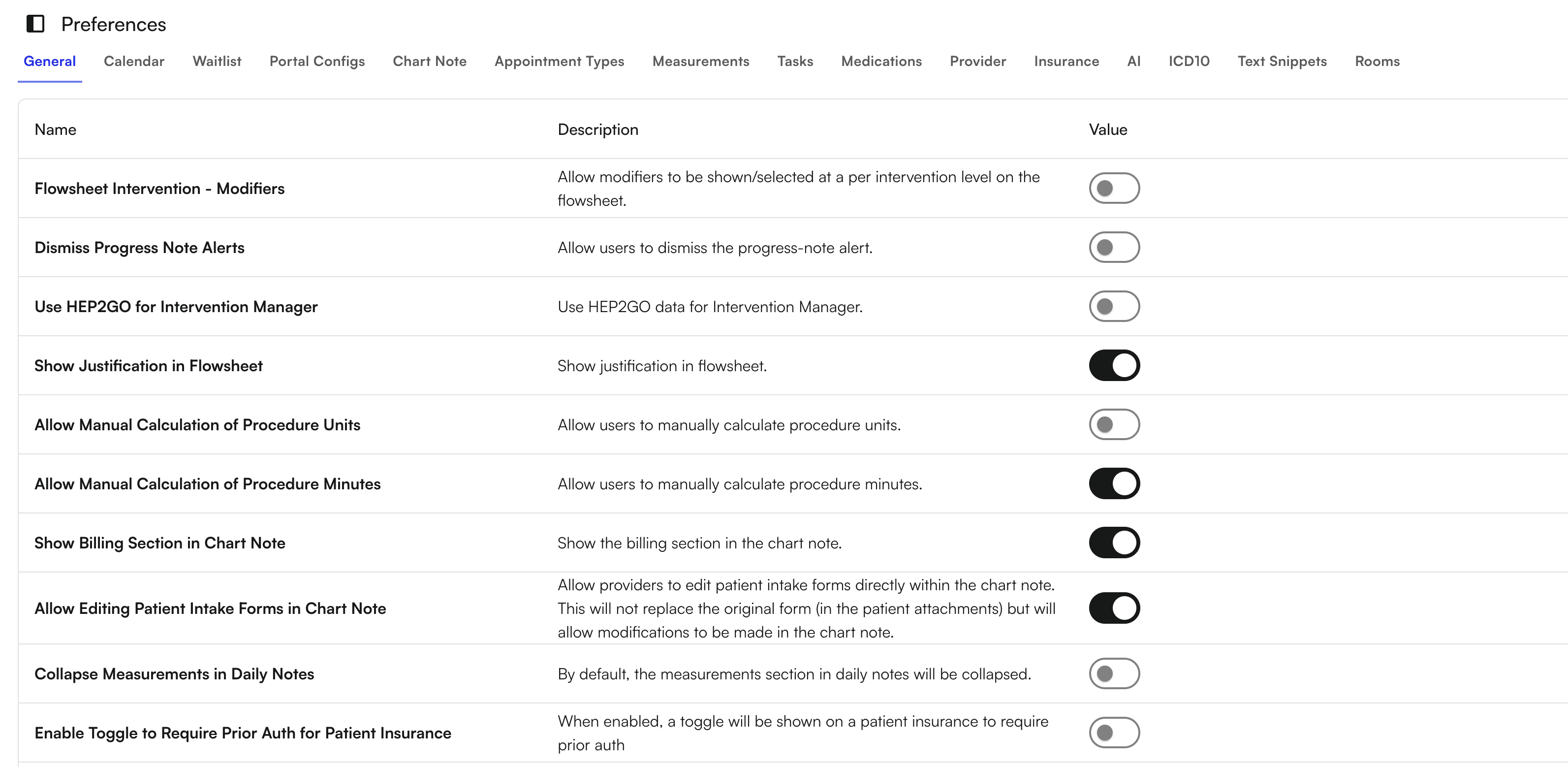
Configure general practice settings that affect how modifiers, justifications, alerts, and calculations appear throughout the platform.
* Show or hide modifiers in various views
* Enable or disable justifications
* Configure alert settings
* Allow manual calculations
* Enable provider editing permissions
 ### Calendar
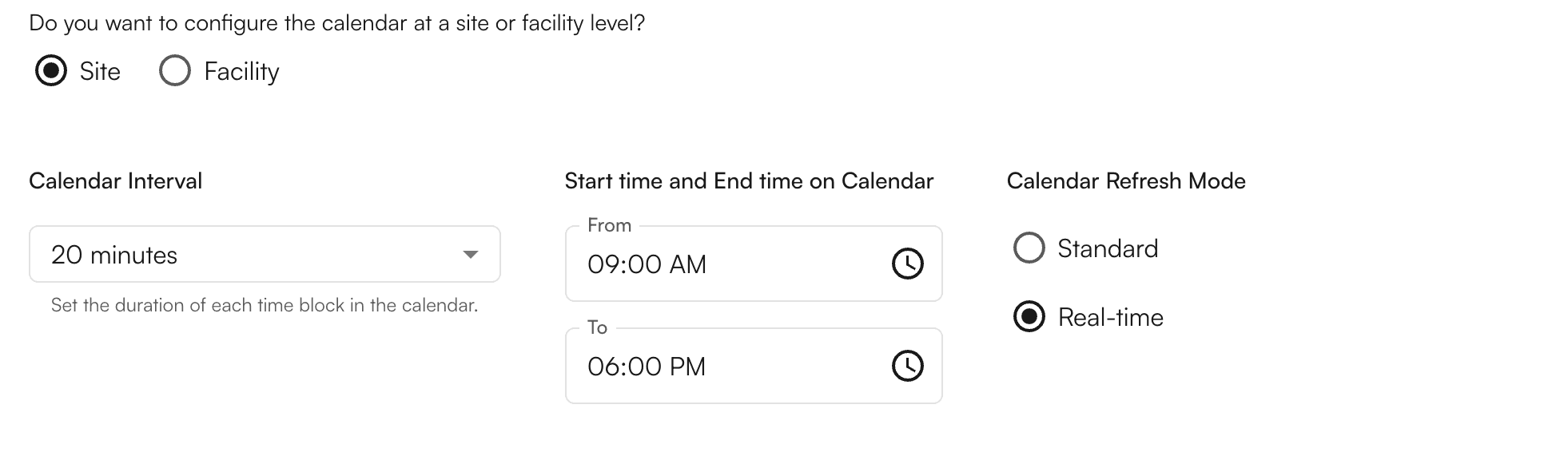
Configure your calendar settings to match your practice's scheduling needs. Set the duration of each time block and define start and end times based on site or facility.
### Calendar
Configure your calendar settings to match your practice's scheduling needs. Set the duration of each time block and define start and end times based on site or facility.
 ### Waitlist
Control how patients can schedule appointments:
* Allow patients to join a waitlist for appointments
* Enable direct scheduling without waitlist
### Portal Configs
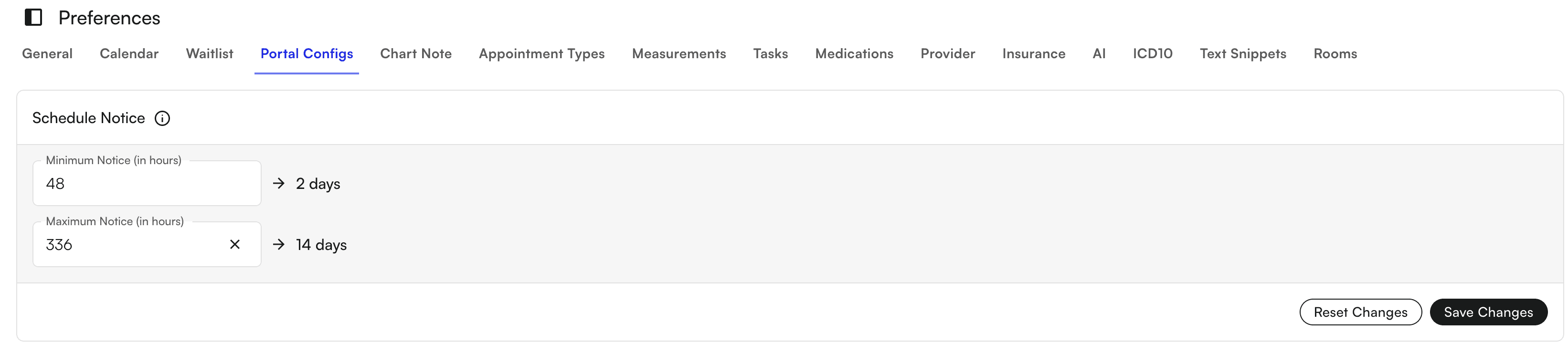
Define scheduling rules for your patient portal. Configure how far in advance patients can schedule appointments.
### Waitlist
Control how patients can schedule appointments:
* Allow patients to join a waitlist for appointments
* Enable direct scheduling without waitlist
### Portal Configs
Define scheduling rules for your patient portal. Configure how far in advance patients can schedule appointments.
 ### Chart Note
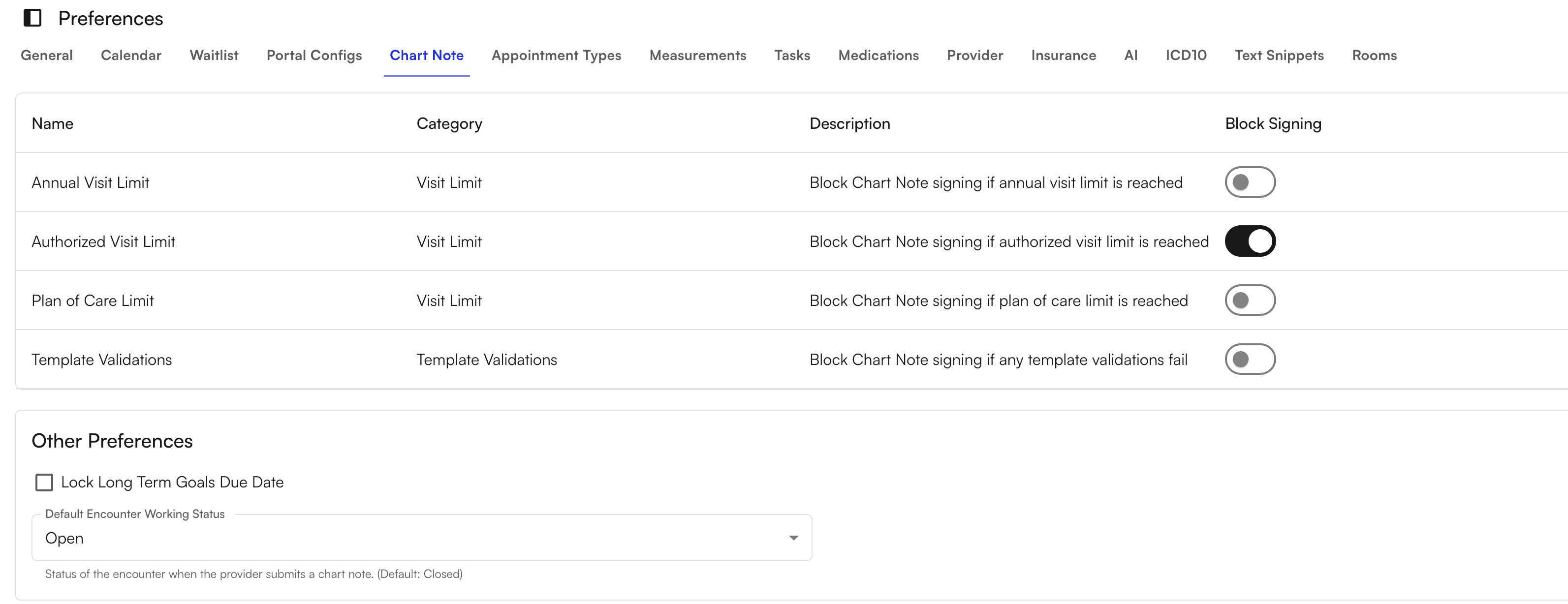
Set up restrictions for chart note signing based on specific criteria:
* Configure visit limits that must be met before signing
* Enable template validation requirements
* Set other criteria that must be satisfied before chart notes can be signed
### Chart Note
Set up restrictions for chart note signing based on specific criteria:
* Configure visit limits that must be met before signing
* Enable template validation requirements
* Set other criteria that must be satisfied before chart notes can be signed
 ### Appointment Types
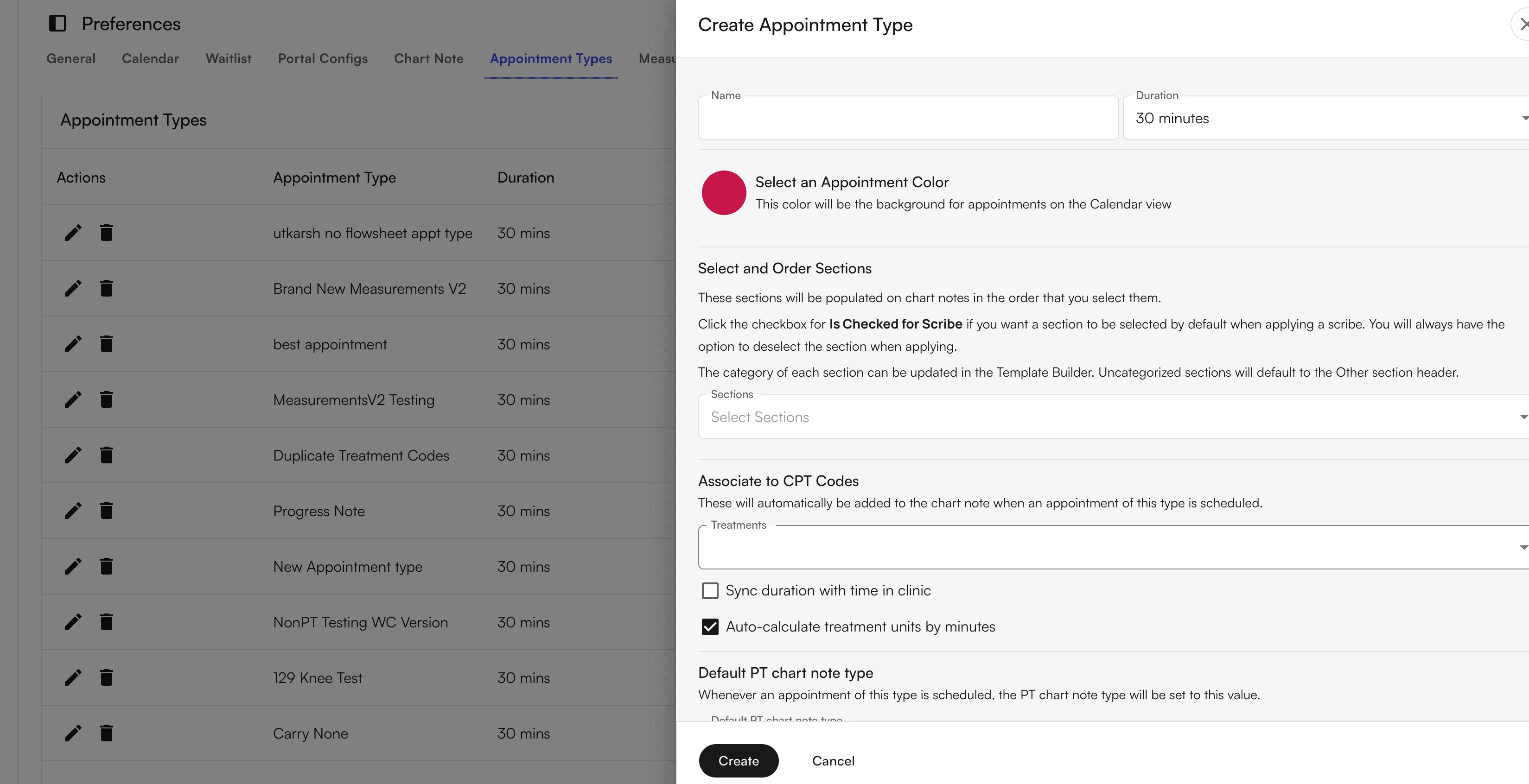
Create different appointment types to organize your calendar. For each appointment type, you can configure:
* Duration
* Color coding on your calendar
* Other appointment-specific settings
### Appointment Types
Create different appointment types to organize your calendar. For each appointment type, you can configure:
* Duration
* Color coding on your calendar
* Other appointment-specific settings
 ### Measurements
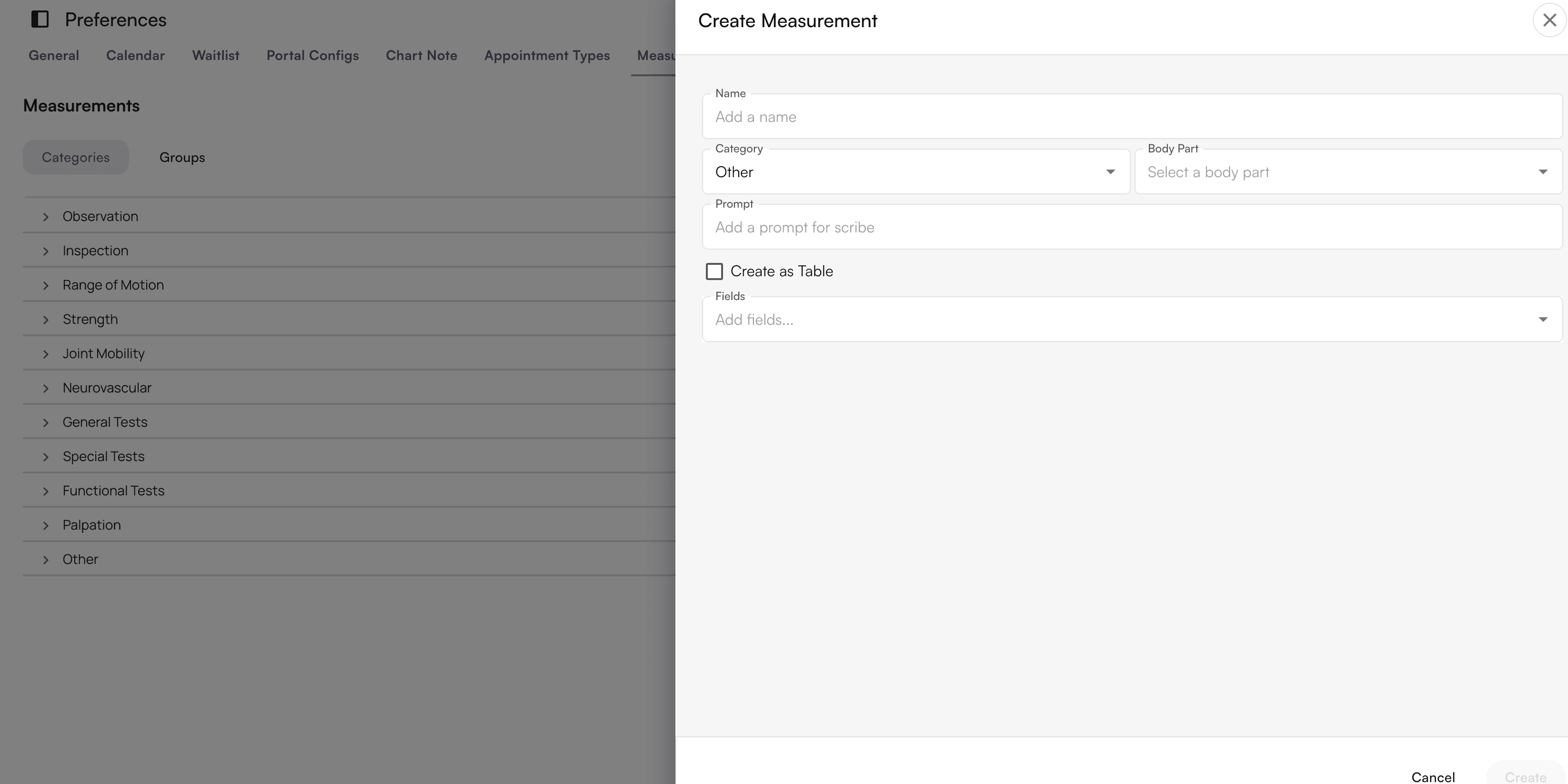
Create custom measurements that your practice tracks for patients. These measurements can be used in chart notes and patient records.
### Measurements
Create custom measurements that your practice tracks for patients. These measurements can be used in chart notes and patient records.
 ### Medications
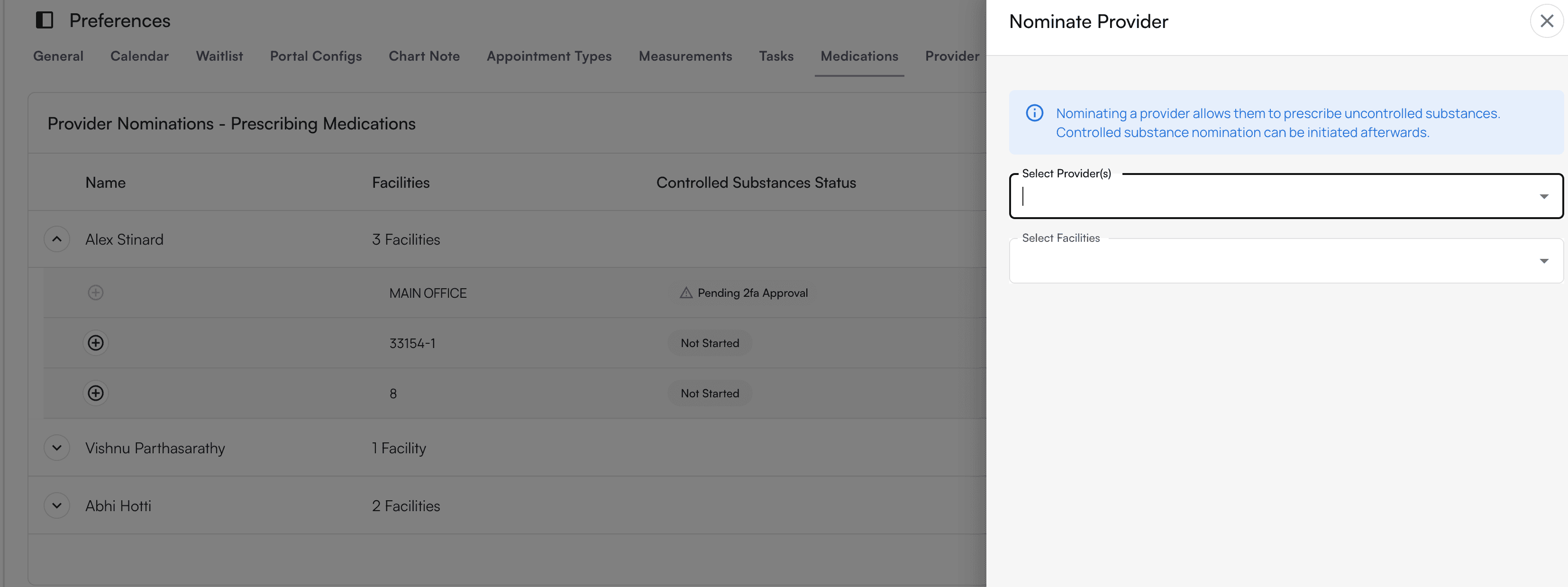
Nominate providers who are authorized to prescribe uncontrolled substances. This setting ensures only qualified providers can prescribe certain medications.
### Medications
Nominate providers who are authorized to prescribe uncontrolled substances. This setting ensures only qualified providers can prescribe certain medications.
 ### Provider
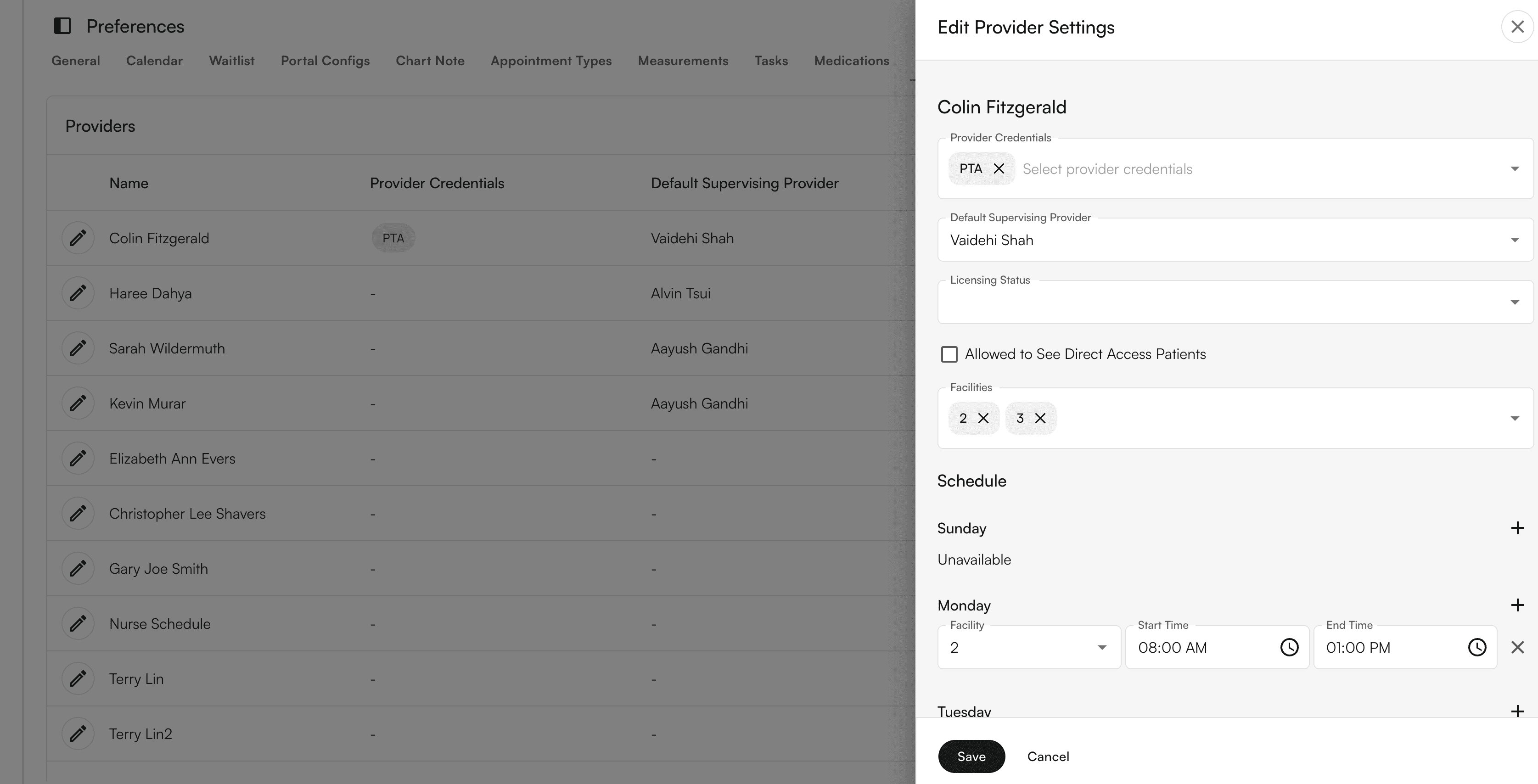
Set up provider credentials and schedules. Configure each provider's:
* Credentials and certifications
* Schedule availability
* Site assignments
### Provider
Set up provider credentials and schedules. Configure each provider's:
* Credentials and certifications
* Schedule availability
* Site assignments
 ### Insurance
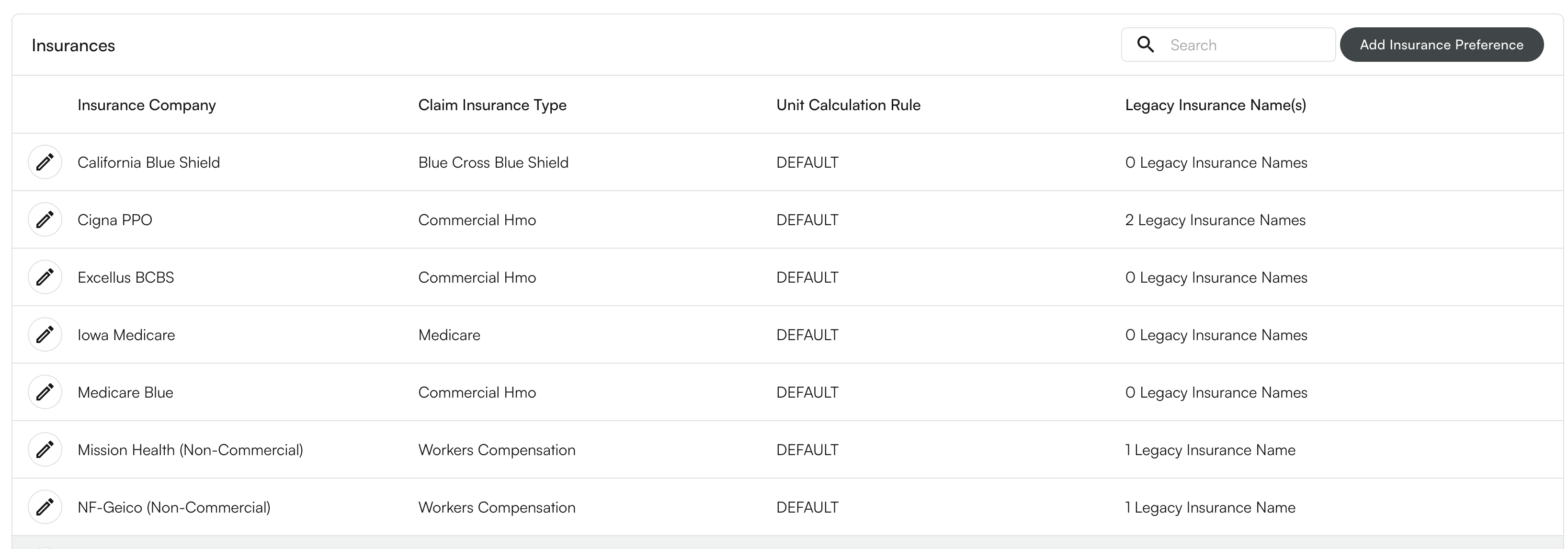
Add insurance plans that your practice accepts. This ensures proper billing and claim submission.
### Insurance
Add insurance plans that your practice accepts. This ensures proper billing and claim submission.
 ### AI
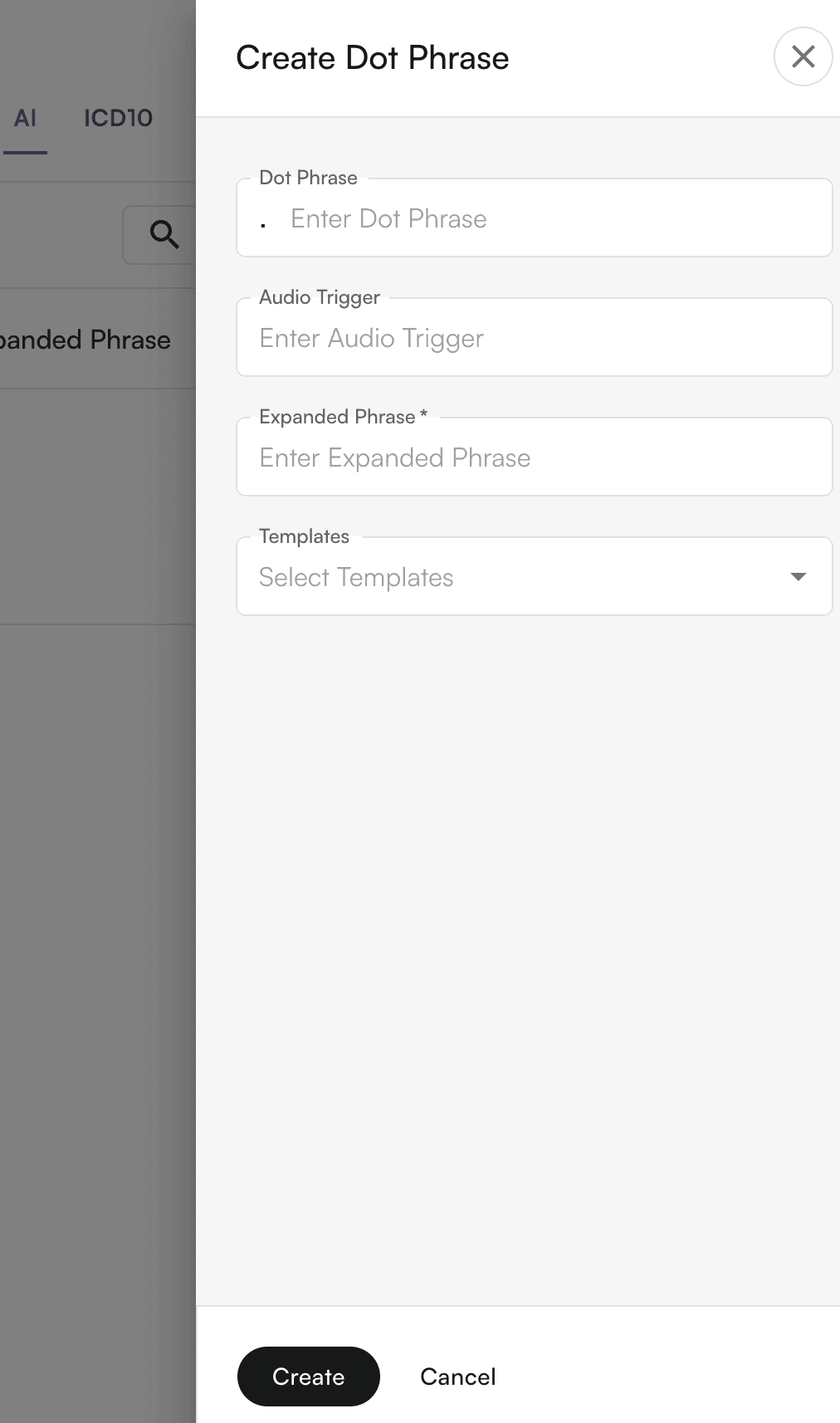
Configure AI scribe settings for chart note documentation. Set up dot phrases that the AI scribe uses when documenting within chart notes.
### AI
Configure AI scribe settings for chart note documentation. Set up dot phrases that the AI scribe uses when documenting within chart notes.
 ### ICD10
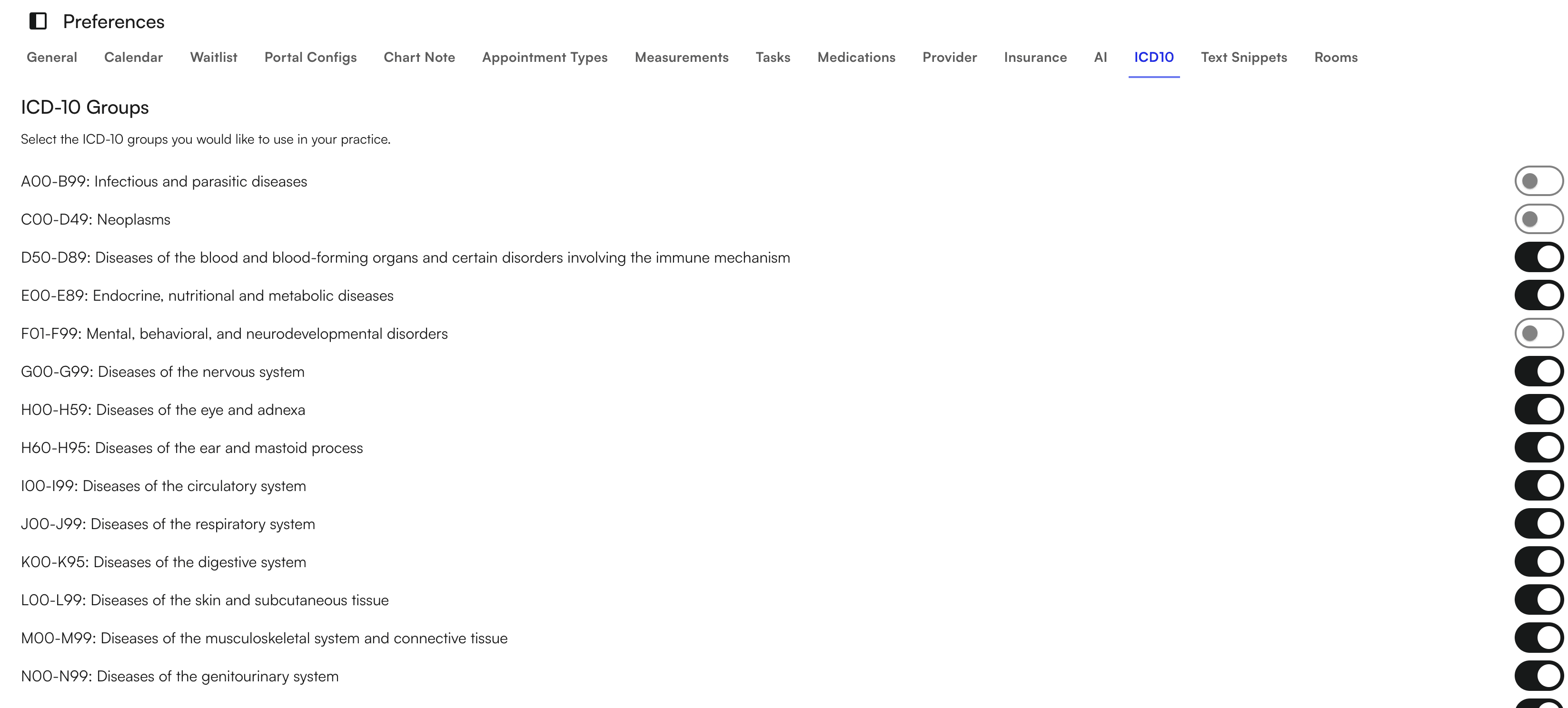
Select the ICD10 code groups you want to use for your practice. This determines which diagnosis codes are available when creating chart notes and submitting claims.
### ICD10
Select the ICD10 code groups you want to use for your practice. This determines which diagnosis codes are available when creating chart notes and submitting claims.
 ### Text Snippets
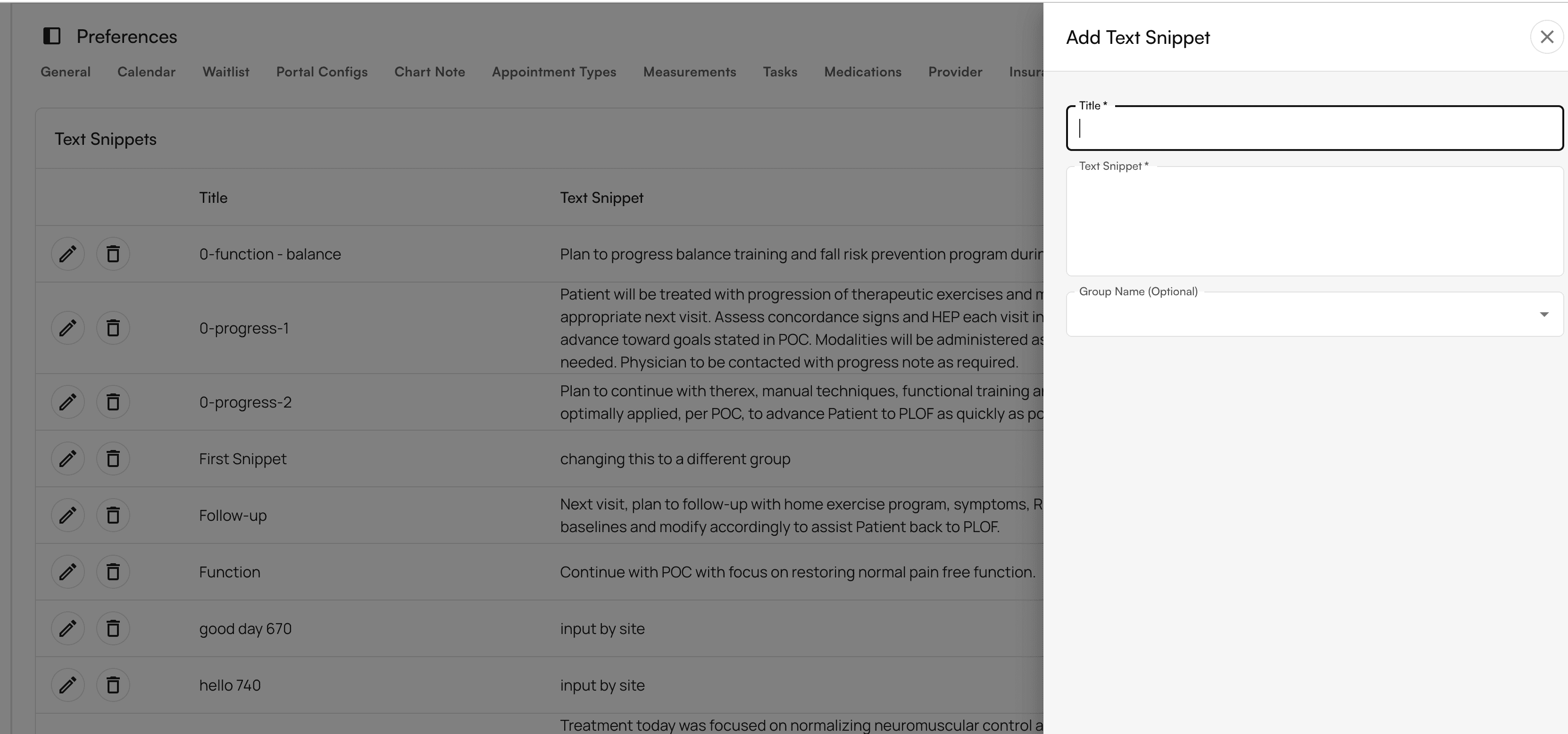
Text snippets serve as reusable templates or pre-written text blocks that providers can quickly insert into their documentation. Create and manage text snippets to standardize documentation across your practice.
### Text Snippets
Text snippets serve as reusable templates or pre-written text blocks that providers can quickly insert into their documentation. Create and manage text snippets to standardize documentation across your practice.
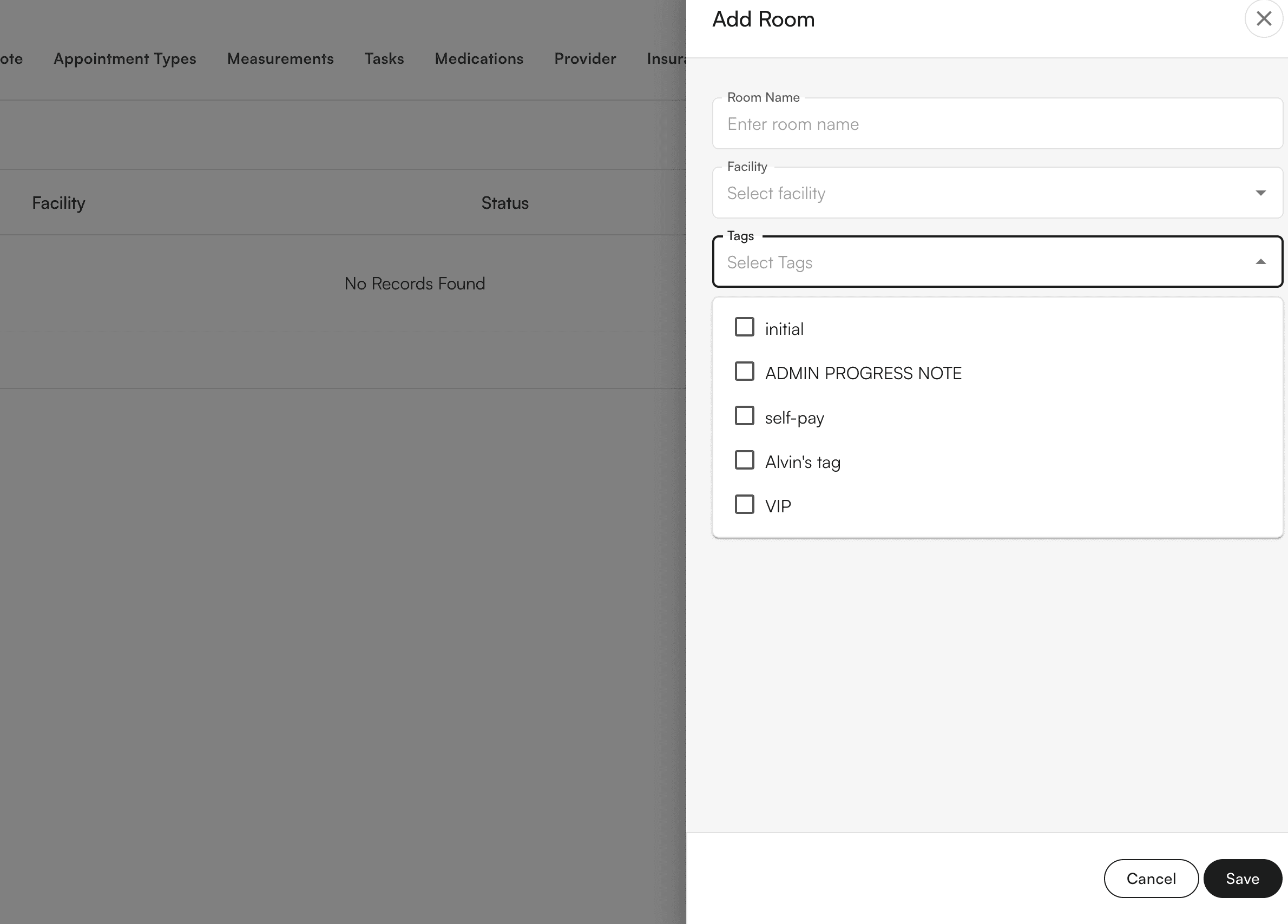
 ### Rooms
Create dedicated spaces for different types of patient encounters or clinical activities. Rooms help you separate different aspects of your practice, such as:
* Routine visits
* Urgent care
* Telehealth appointments
### Rooms
Create dedicated spaces for different types of patient encounters or clinical activities. Rooms help you separate different aspects of your practice, such as:
* Routine visits
* Urgent care
* Telehealth appointments
 ### Reporting
Calculate reports to provide bonuses to your staff. Configure reporting settings that track performance metrics and calculate compensation.
### Reporting
Calculate reports to provide bonuses to your staff. Configure reporting settings that track performance metrics and calculate compensation.
 ## Monitor practice performance
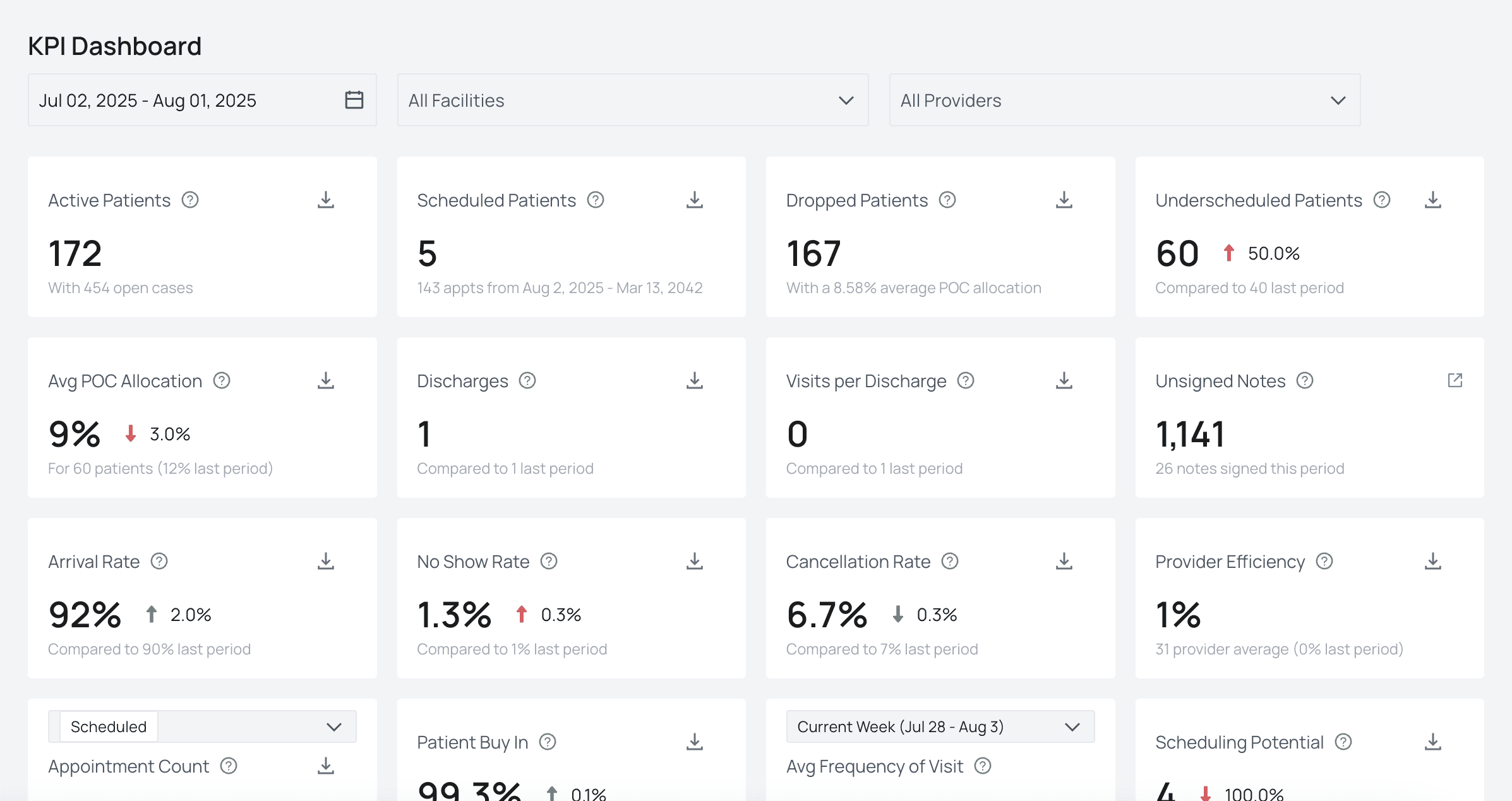
Check important KPIs that pull from the EHR on the **Performance Analysis** tab. This tab shows high-level data on clinical outcomes and practice health, helping you track your practice's performance over time.
## Q\&A
Navigate to the main menu and select **Preferences**. This tab contains all the settings you need to configure your practice.
Yes, you can modify any preference settings at any time. Changes take effect immediately and apply to future encounters and workflows.
Most preference changes only affect new data created after the change. Some settings, such as calendar configurations, may affect how existing appointments are displayed.
Use the **Provider** section under Preferences to add each provider. Configure their credentials, schedules, and site assignments individually.
The Performance Analysis tab provides an overview of your practice's key performance indicators, including clinical outcomes and practice health metrics. Access it from the main navigation menu.
## Monitor practice performance
Check important KPIs that pull from the EHR on the **Performance Analysis** tab. This tab shows high-level data on clinical outcomes and practice health, helping you track your practice's performance over time.
## Q\&A
Navigate to the main menu and select **Preferences**. This tab contains all the settings you need to configure your practice.
Yes, you can modify any preference settings at any time. Changes take effect immediately and apply to future encounters and workflows.
Most preference changes only affect new data created after the change. Some settings, such as calendar configurations, may affect how existing appointments are displayed.
Use the **Provider** section under Preferences to add each provider. Configure their credentials, schedules, and site assignments individually.
The Performance Analysis tab provides an overview of your practice's key performance indicators, including clinical outcomes and practice health metrics. Access it from the main navigation menu.