> ## Documentation Index
> Fetch the complete documentation index at: https://trainings.air.athelas.com/llms.txt
> Use this file to discover all available pages before exploring further.

# Edit with Command+K

Command-K is a useful feature aimed at helping you quickly rewrite sections of the chart note.

You will be able to split sections into bullet points, summarize sections to make them more succinct, or change the tone of text (eg, narrative) through this quick toggle.

**Important:** command-k only works in text sections of the chart note

##### Usage

To start, follow the steps below:

* Navigate to a patient chart note
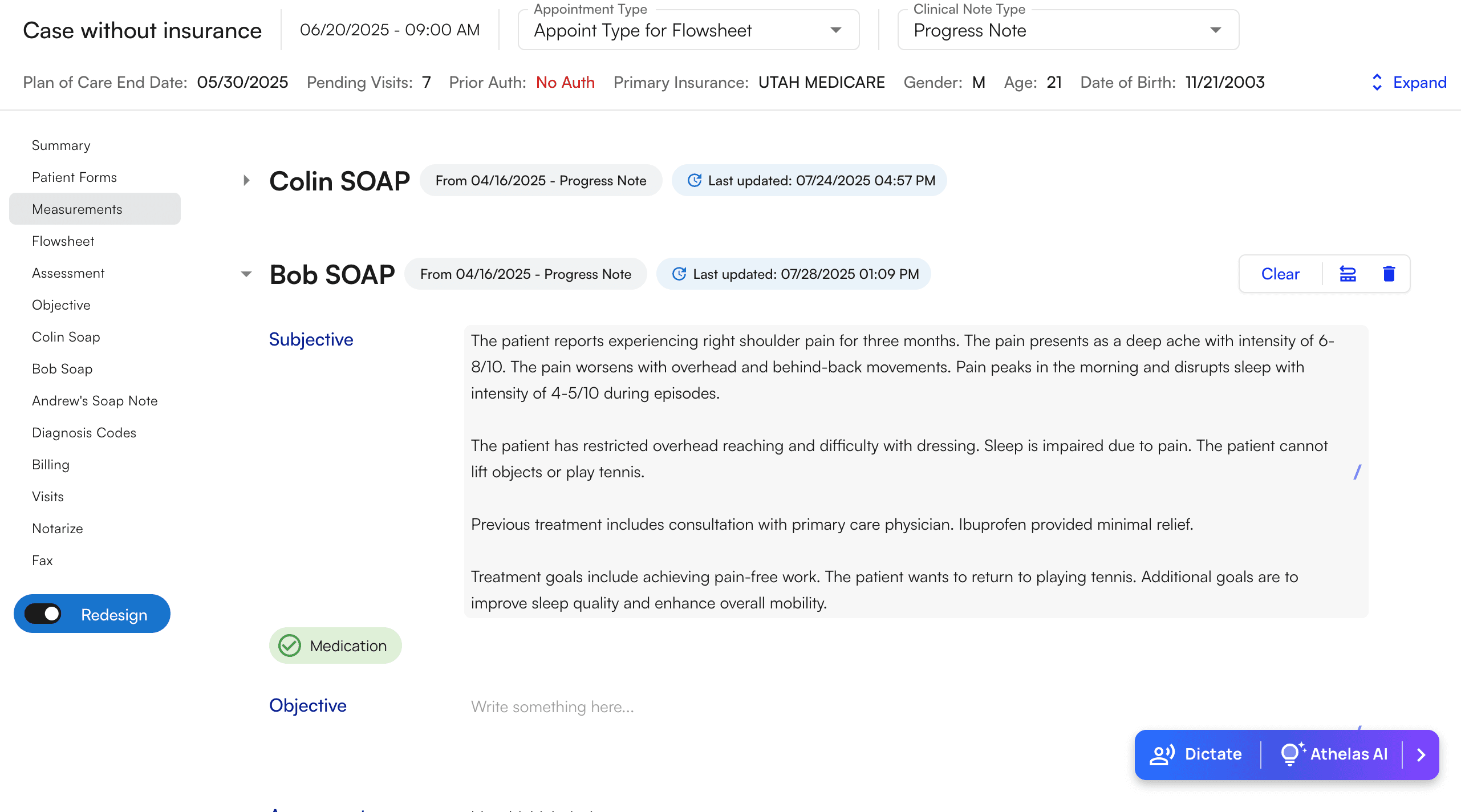
<img src="https://mintcdn.com/training_air/8O3TdE849rjX-oLi/images/insights_provider/ai_scribe_and_tooling/edit_with_commandk/edit_with_commandk_1.png?fit=max&auto=format&n=8O3TdE849rjX-oLi&q=85&s=6530fc0ae81018f9343aa70ce66e1797" alt="" width="2562" height="1424" data-path="images/insights_provider/ai_scribe_and_tooling/edit_with_commandk/edit_with_commandk_1.png" />

* Highlight the **selection of text** that you wish to edit

* A black button will appear with the text “Cmd + K AI Edit”
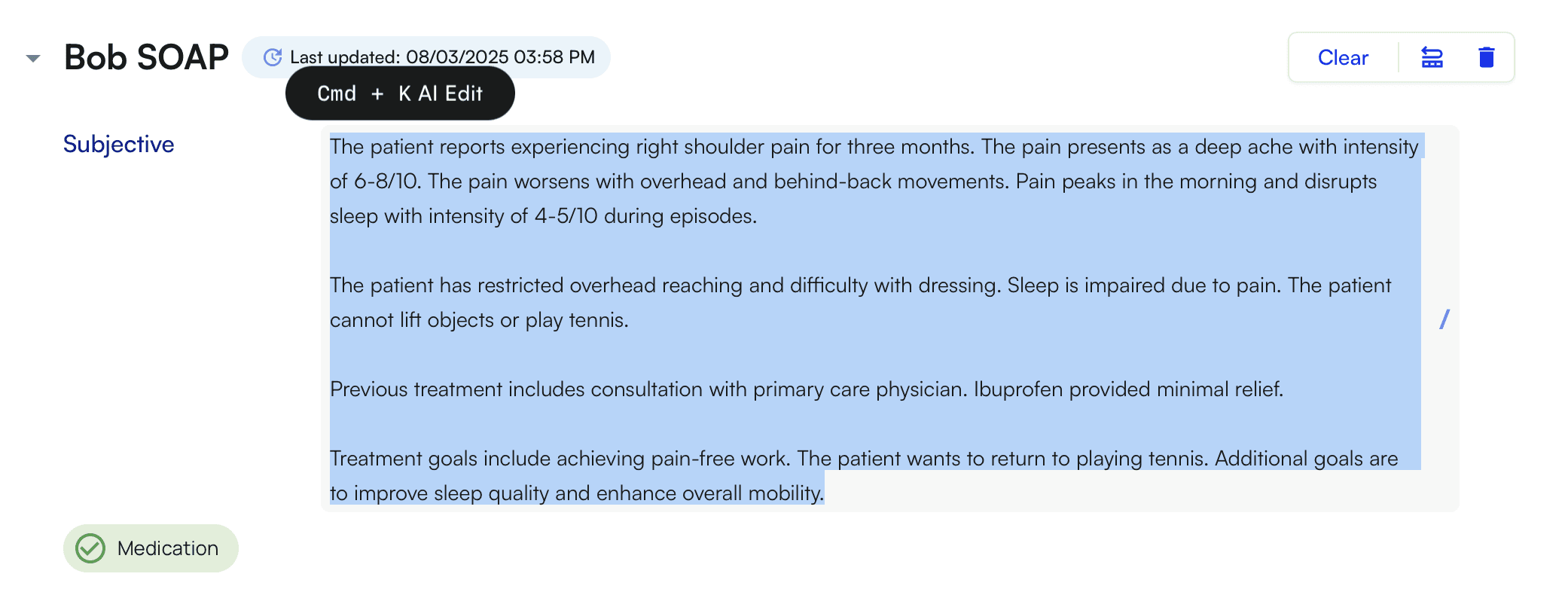
<img src="https://mintcdn.com/training_air/8O3TdE849rjX-oLi/images/insights_provider/ai_scribe_and_tooling/edit_with_commandk/edit_with_commandk_2.png?fit=max&auto=format&n=8O3TdE849rjX-oLi&q=85&s=d0b3ea96afdbba0fe39a49f48da5751b" alt="" width="2082" height="782" data-path="images/insights_provider/ai_scribe_and_tooling/edit_with_commandk/edit_with_commandk_2.png" />

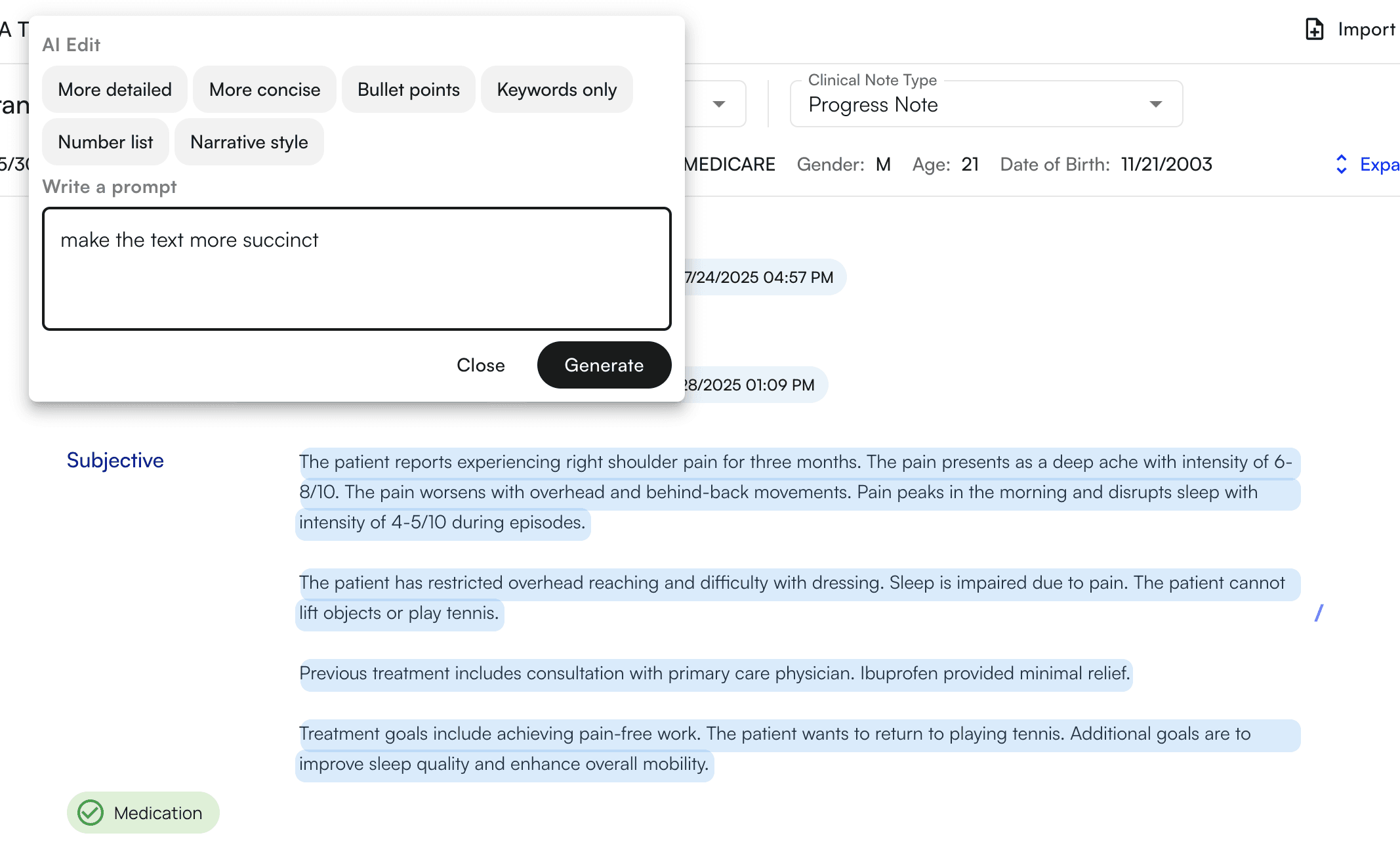
* Use command + k (keyboard) OR click the physical button that appears to toggle the command i modal

* This will open a modal from which you can type instructions for our AI to rephrase the selection of text

* We have also provided a list of quick options for the most common corrections
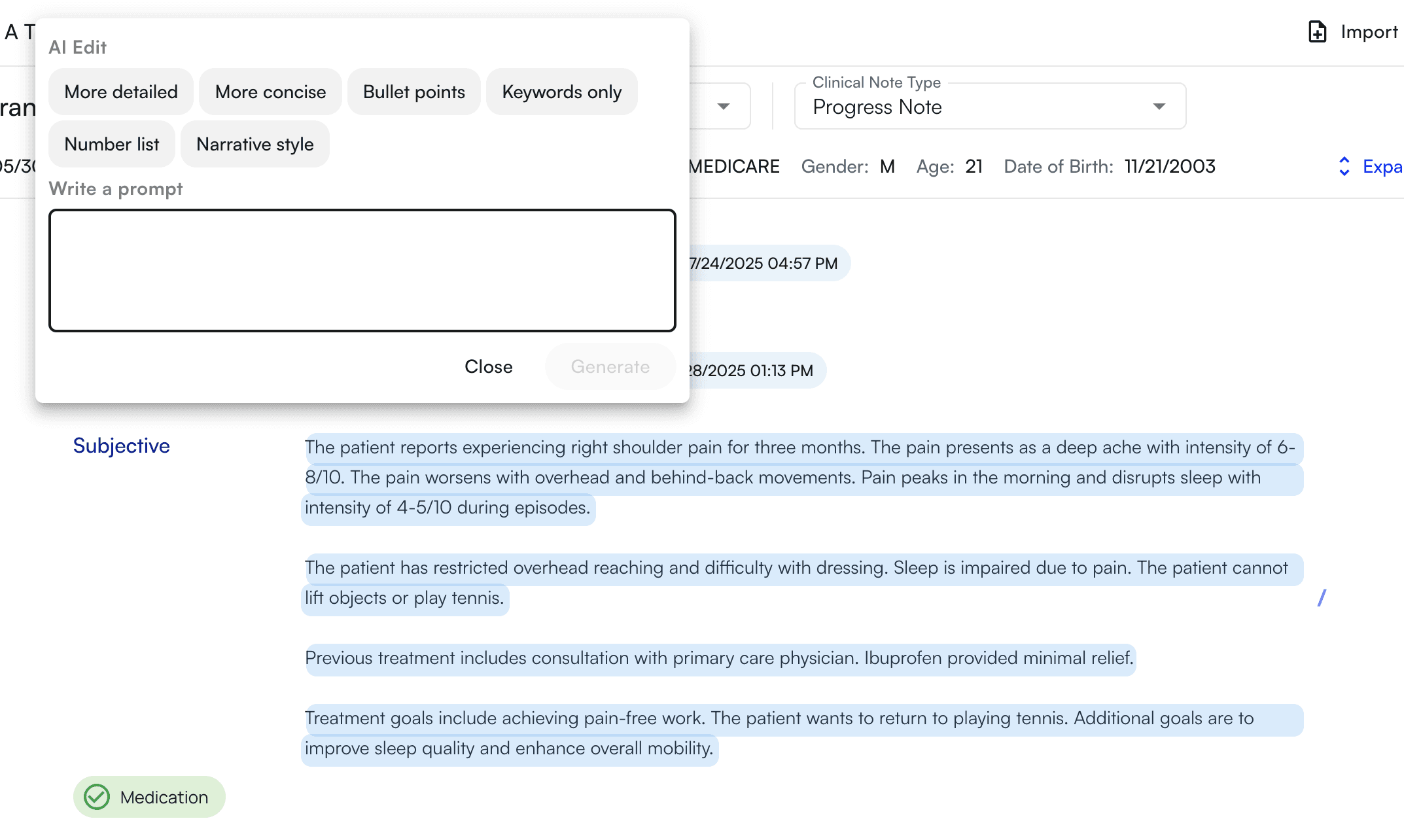
<img src="https://mintcdn.com/training_air/8O3TdE849rjX-oLi/images/insights_provider/ai_scribe_and_tooling/edit_with_commandk/edit_with_commandk_3.png?fit=max&auto=format&n=8O3TdE849rjX-oLi&q=85&s=9c51ead191936dd9ee1fb7c41fd3d44d" alt="" width="2146" height="1284" data-path="images/insights_provider/ai_scribe_and_tooling/edit_with_commandk/edit_with_commandk_3.png" />

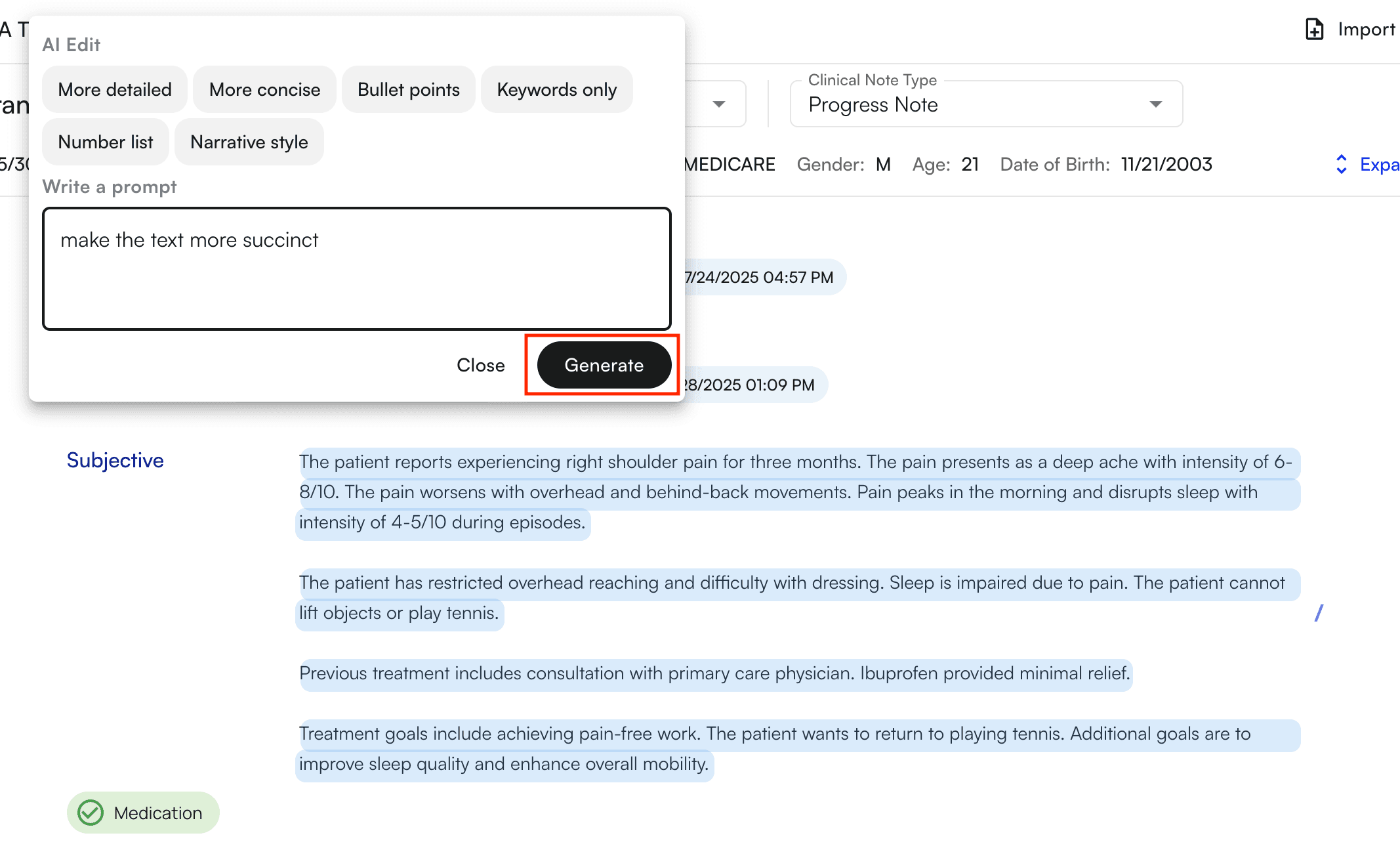
* Type your instructions

<img src="https://mintcdn.com/training_air/8O3TdE849rjX-oLi/images/insights_provider/ai_scribe_and_tooling/edit_with_commandk/edit_with_commandk_4.png?fit=max&auto=format&n=8O3TdE849rjX-oLi&q=85&s=a67390dfcb5baf51657b3b5beddcb93a" alt="" width="2134" height="1292" data-path="images/insights_provider/ai_scribe_and_tooling/edit_with_commandk/edit_with_commandk_4.png" />

* Press generate to generate the edits
<img src="https://mintcdn.com/training_air/8O3TdE849rjX-oLi/images/insights_provider/ai_scribe_and_tooling/edit_with_commandk/edit_with_commandk_5.png?fit=max&auto=format&n=8O3TdE849rjX-oLi&q=85&s=3d7958c61ea17695a8581f7d616e4d6f" alt="" width="2134" height="1292" data-path="images/insights_provider/ai_scribe_and_tooling/edit_with_commandk/edit_with_commandk_5.png" />

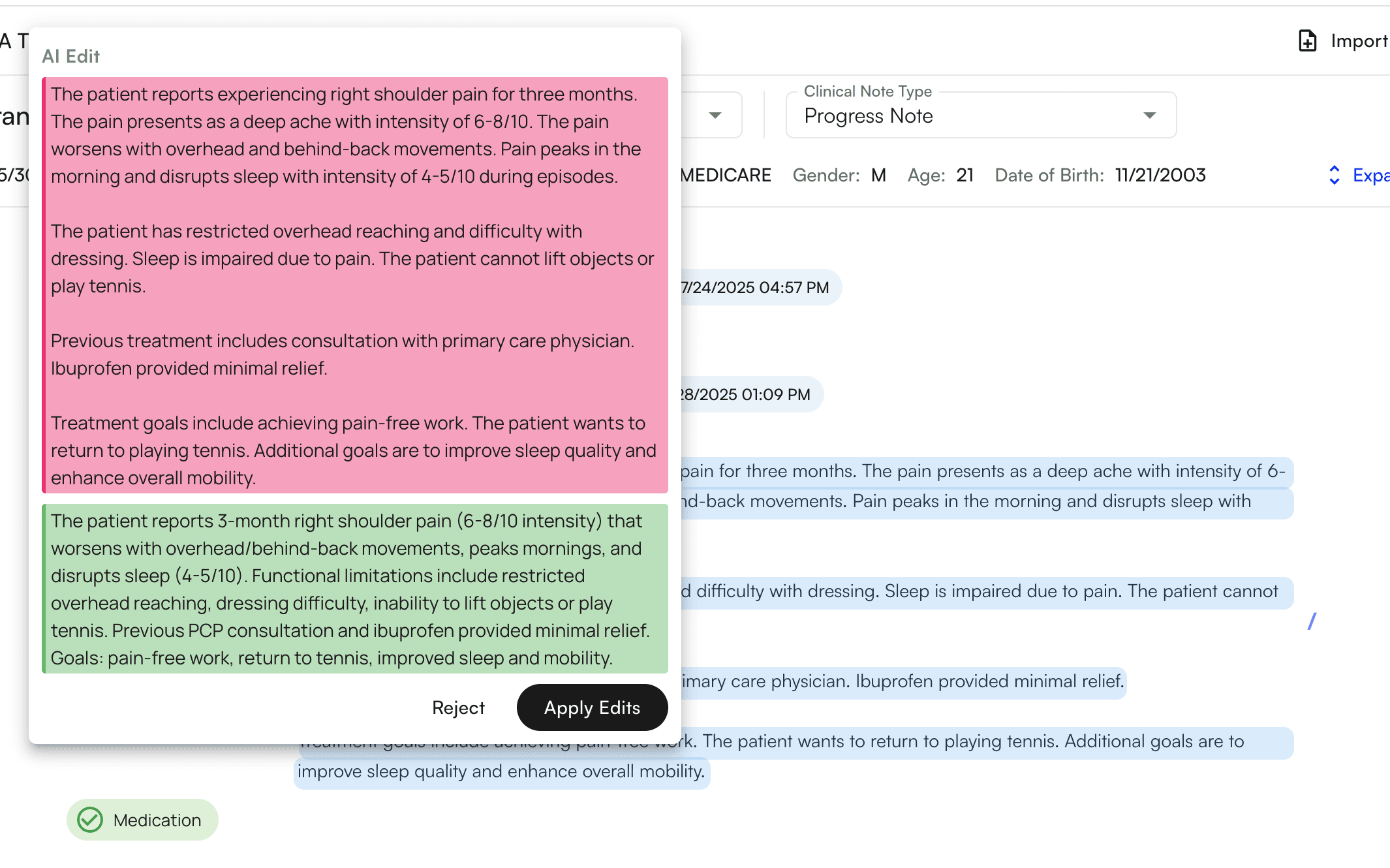
* The edits will appear for you to review

* The old text will appear in **red**

* The new text will appear in **green**
<img src="https://mintcdn.com/training_air/8O3TdE849rjX-oLi/images/insights_provider/ai_scribe_and_tooling/edit_with_commandk/edit_with_commandk_6.png?fit=max&auto=format&n=8O3TdE849rjX-oLi&q=85&s=a9aeaf4d28bad7a39cc713c94107c423" alt="" width="2130" height="1330" data-path="images/insights_provider/ai_scribe_and_tooling/edit_with_commandk/edit_with_commandk_6.png" />

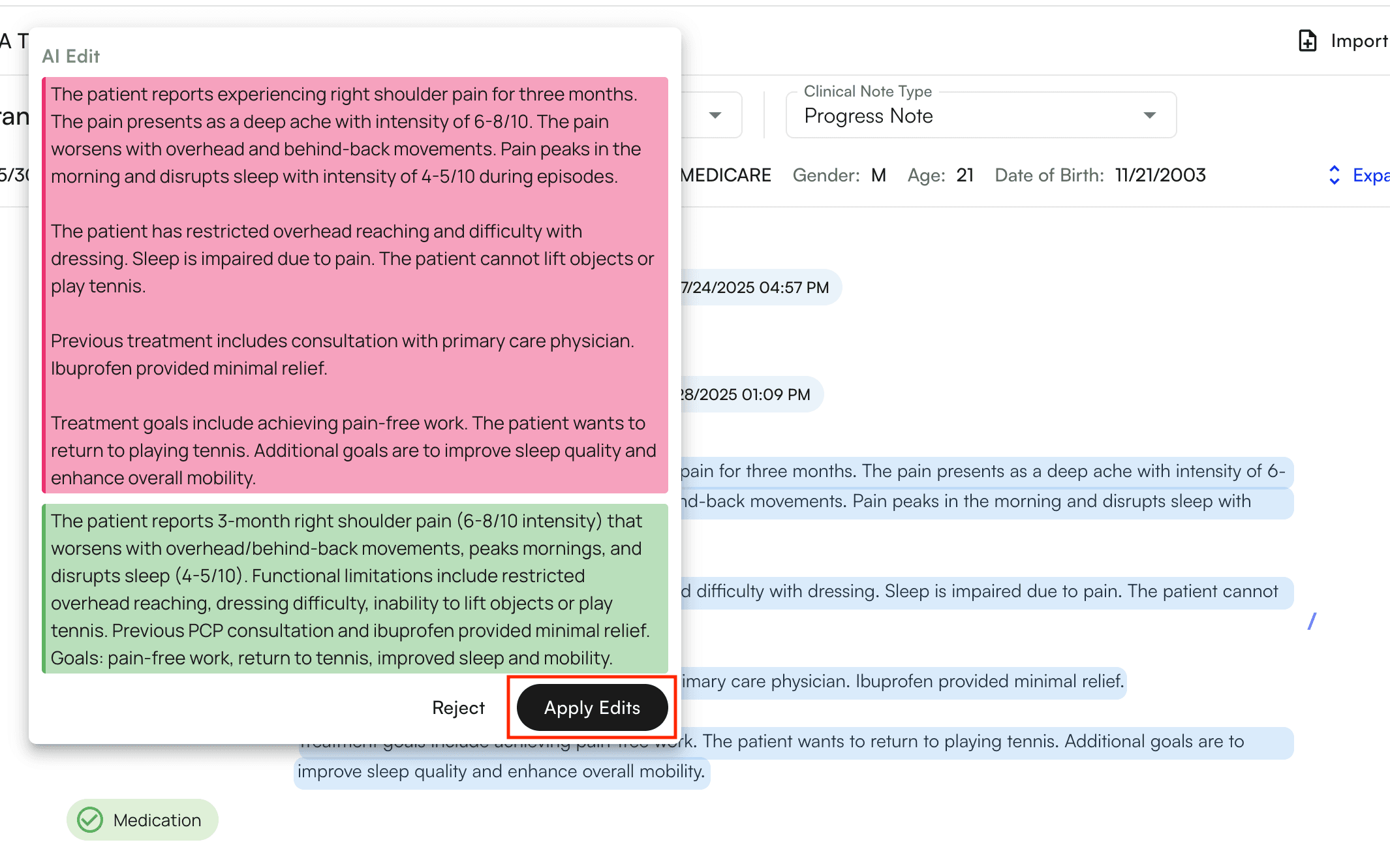
* Click **“apply edits”** to apply the edits
<img src="https://mintcdn.com/training_air/8O3TdE849rjX-oLi/images/insights_provider/ai_scribe_and_tooling/edit_with_commandk/edit_with_commandk_7.png?fit=max&auto=format&n=8O3TdE849rjX-oLi&q=85&s=10c3569a7b2adc4f42255d69153a2863" alt="" width="2130" height="1330" data-path="images/insights_provider/ai_scribe_and_tooling/edit_with_commandk/edit_with_commandk_7.png" />

* The edits will directly apply to the selection and you will see them immediately reflect in the chart note

<img src="https://mintcdn.com/training_air/8O3TdE849rjX-oLi/images/insights_provider/ai_scribe_and_tooling/edit_with_commandk/edit_with_commandk_8.png?fit=max&auto=format&n=8O3TdE849rjX-oLi&q=85&s=ea9880227b3fccc5d354bf2dbf043fcb" alt="" width="1382" height="226" data-path="images/insights_provider/ai_scribe_and_tooling/edit_with_commandk/edit_with_commandk_8.png" />