> ## Documentation Index
> Fetch the complete documentation index at: https://trainings.air.athelas.com/llms.txt
> Use this file to discover all available pages before exploring further.

# Add attachments to Patient Profile

The Attachments tab will house all the attachments related to the patient. Any intake form will automatically be sent here, along with any uploaded scripts from the chart note.
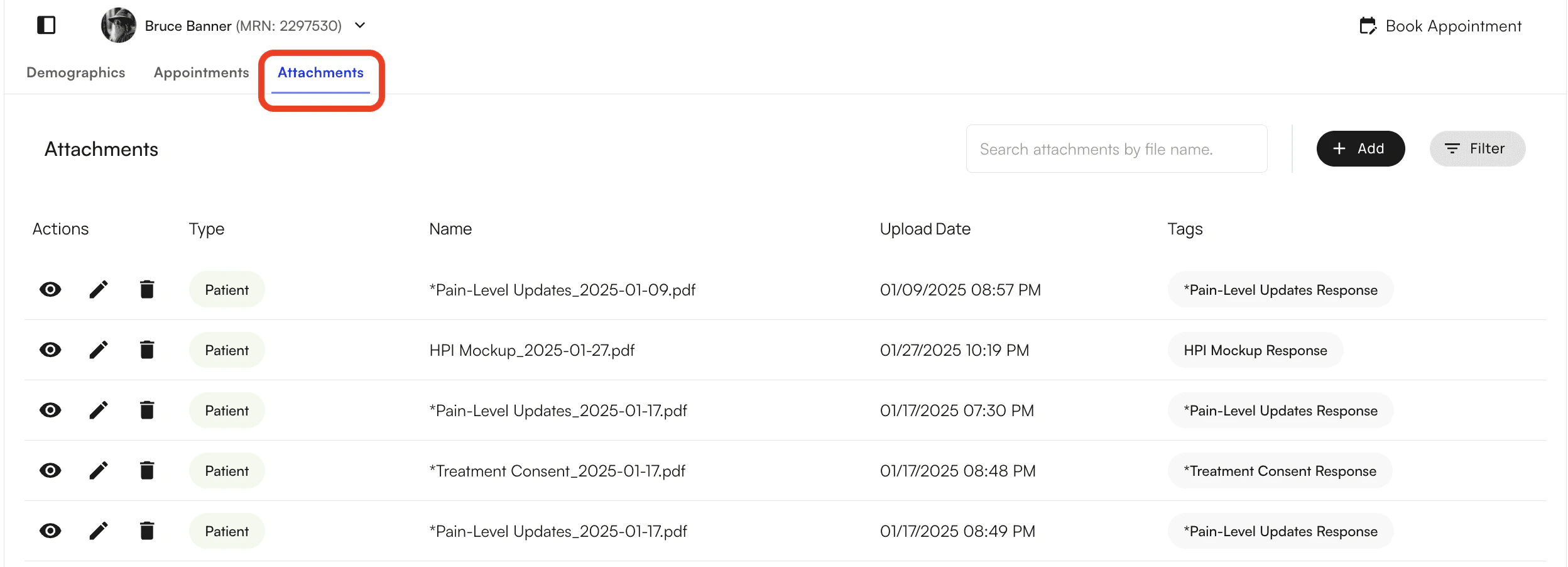
<img src="https://mintcdn.com/training_air/5aDYtZ6pANCjxAgC/images/insights_provider/patient_profiles/add_attachments_to_patient_profile/add_attachments_to_patient_profile_1.png?fit=max&auto=format&n=5aDYtZ6pANCjxAgC&q=85&s=729f8968cbdf45cb6a6ca2f3c1eabfbc" alt="" width="2496" height="902" data-path="images/insights_provider/patient_profiles/add_attachments_to_patient_profile/add_attachments_to_patient_profile_1.png" />

You will also be able to add, filter and search attachments within this tab.

<img src="https://mintcdn.com/training_air/5aDYtZ6pANCjxAgC/images/insights_provider/patient_profiles/add_attachments_to_patient_profile/add_attachments_to_patient_profile_2.png?fit=max&auto=format&n=5aDYtZ6pANCjxAgC&q=85&s=cac37f40d8faf2dbfdc84610f27b294a" alt="" width="2490" height="294" data-path="images/insights_provider/patient_profiles/add_attachments_to_patient_profile/add_attachments_to_patient_profile_2.png" />

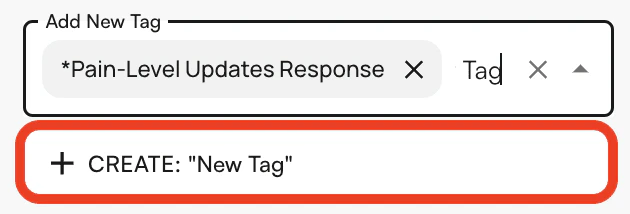
To upload a new attachment, click on the +Add button and the following side panel will open up. You will be able to upload multiple attachments at one time and create and add new tags to the attachments.
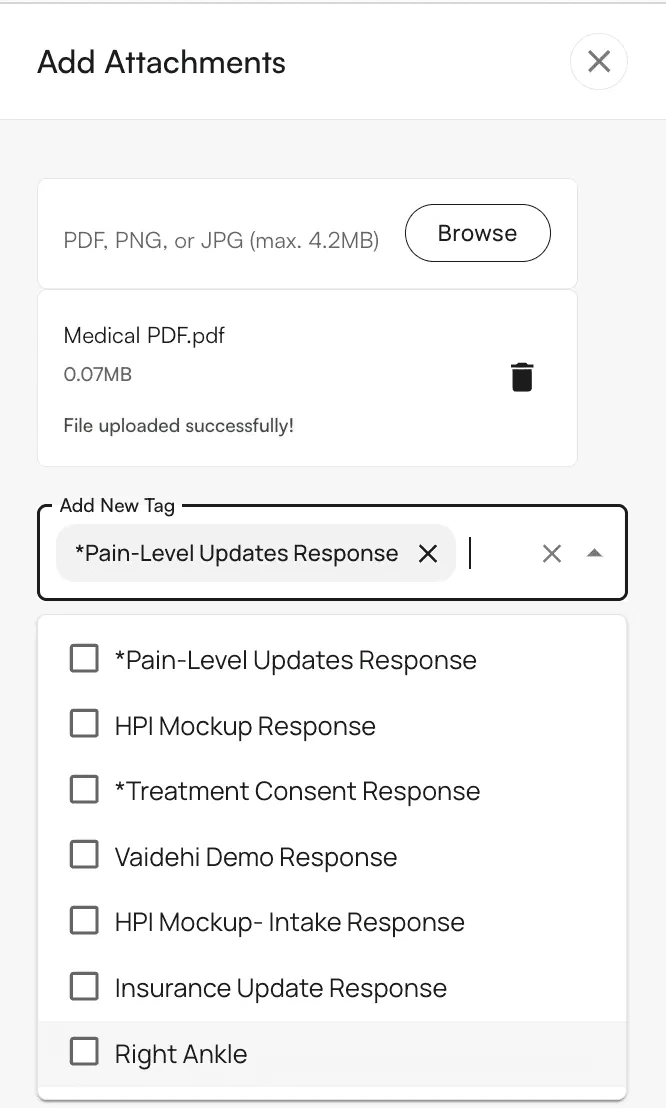
<img src="https://mintcdn.com/training_air/5aDYtZ6pANCjxAgC/images/insights_provider/patient_profiles/add_attachments_to_patient_profile/add_attachments_to_patient_profile_3.png?fit=max&auto=format&n=5aDYtZ6pANCjxAgC&q=85&s=0da01e882784c438409f8d9c8fdf3183" alt="" width="666" height="1108" data-path="images/insights_provider/patient_profiles/add_attachments_to_patient_profile/add_attachments_to_patient_profile_3.png" />

<img src="https://mintcdn.com/training_air/5aDYtZ6pANCjxAgC/images/insights_provider/patient_profiles/add_attachments_to_patient_profile/add_attachments_to_patient_profile_4.png?fit=max&auto=format&n=5aDYtZ6pANCjxAgC&q=85&s=334f0f1a8001fad4570da48efe011a74" alt="" width="630" height="214" data-path="images/insights_provider/patient_profiles/add_attachments_to_patient_profile/add_attachments_to_patient_profile_4.png" />

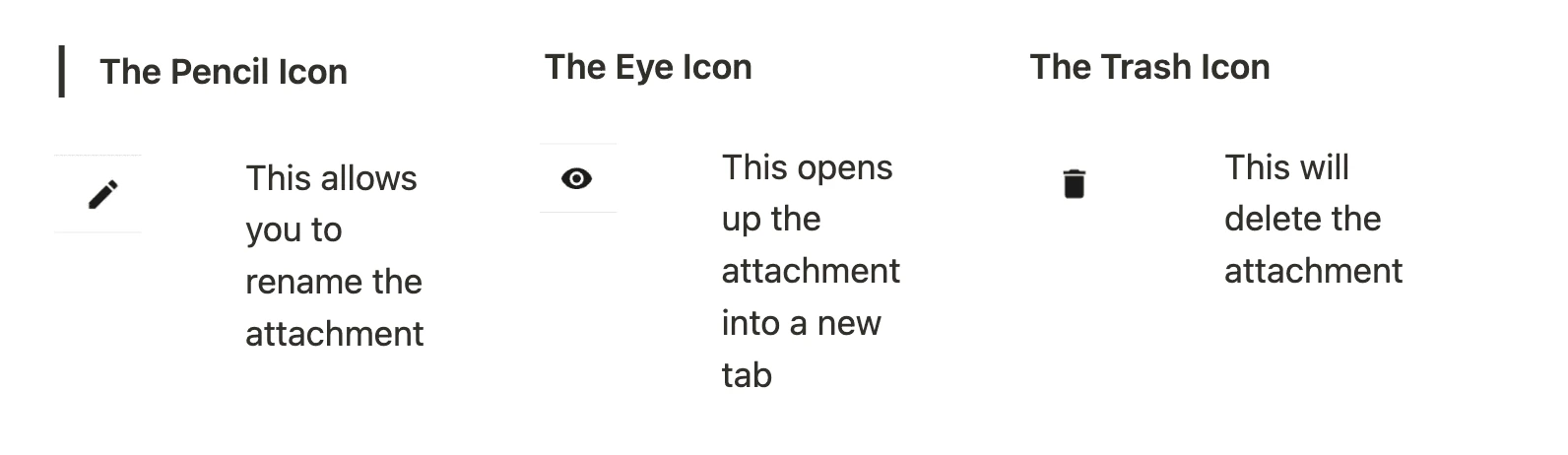
When an attachment is uploaded, there are 3 actions you can take:
<img src="https://mintcdn.com/training_air/5aDYtZ6pANCjxAgC/images/insights_provider/patient_profiles/add_attachments_to_patient_profile/add_attachments_to_patient_profile_5.png?fit=max&auto=format&n=5aDYtZ6pANCjxAgC&q=85&s=e45619836e8972d04a5c8b7ff19ef4f4" alt="" width="1592" height="462" data-path="images/insights_provider/patient_profiles/add_attachments_to_patient_profile/add_attachments_to_patient_profile_5.png" />

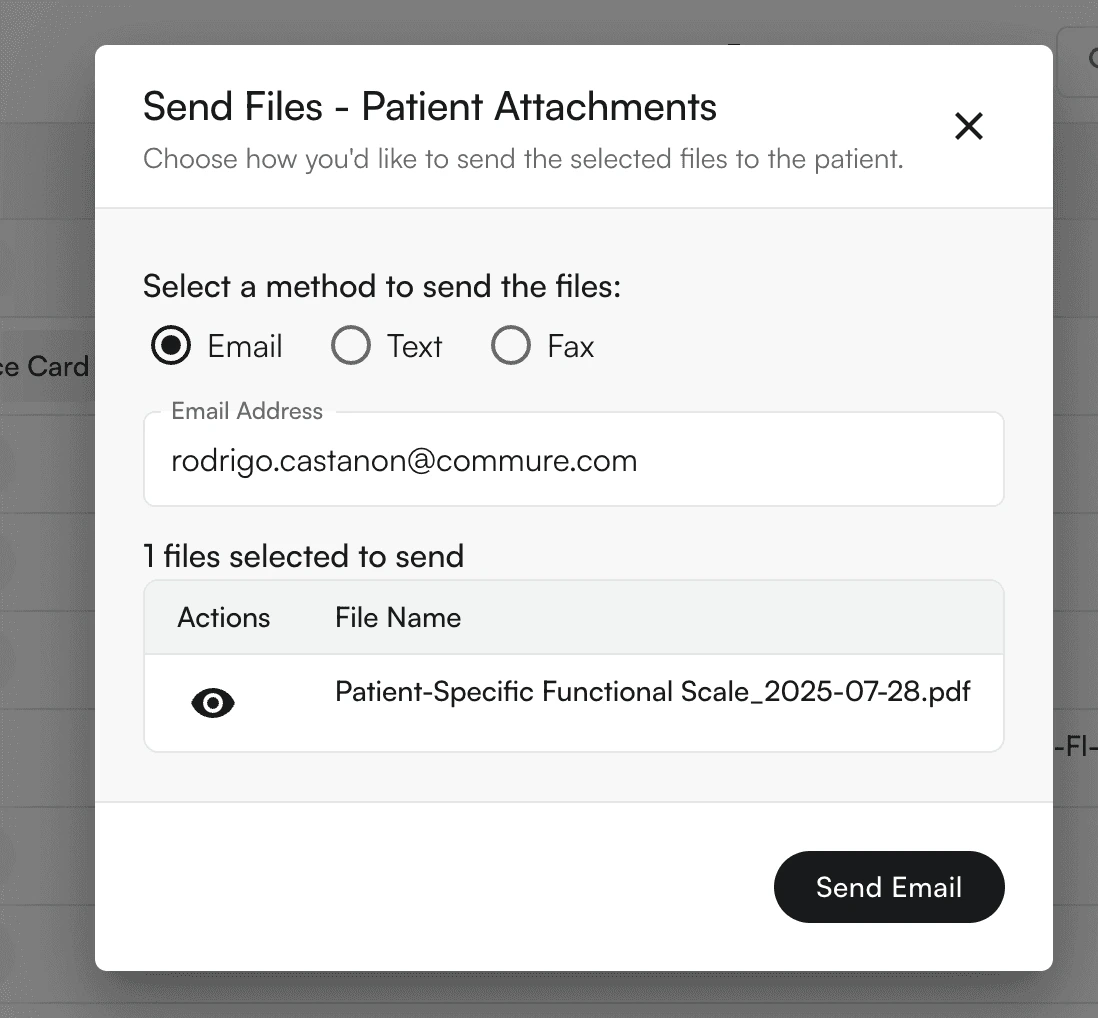
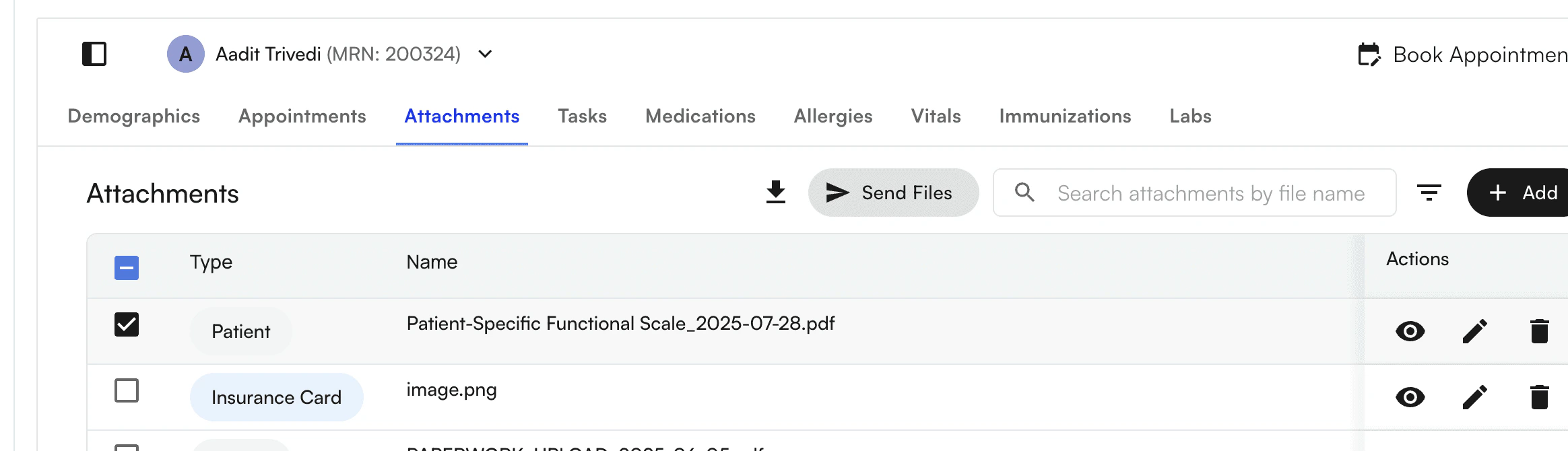
By selecting an Attachment, you can download or send files via email, text, or fax
<img src="https://mintcdn.com/training_air/5aDYtZ6pANCjxAgC/images/insights_provider/patient_profiles/add_attachments_to_patient_profile/add_attachments_to_patient_profile_6.png?fit=max&auto=format&n=5aDYtZ6pANCjxAgC&q=85&s=9576136612f64587b35f6fc93e8e13c6" alt="" width="2328" height="670" data-path="images/insights_provider/patient_profiles/add_attachments_to_patient_profile/add_attachments_to_patient_profile_6.png" />

<img src="https://mintcdn.com/training_air/5aDYtZ6pANCjxAgC/images/insights_provider/patient_profiles/add_attachments_to_patient_profile/add_attachments_to_patient_profile_7.png?fit=max&auto=format&n=5aDYtZ6pANCjxAgC&q=85&s=e36151444a41816c4daeac8196da0210" alt="" width="1098" height="1018" data-path="images/insights_provider/patient_profiles/add_attachments_to_patient_profile/add_attachments_to_patient_profile_7.png" />