> ## Documentation Index
> Fetch the complete documentation index at: https://trainings.air.athelas.com/llms.txt
> Use this file to discover all available pages before exploring further.

# Getting started with Patient Profile

Any patient’s profile can be accessed by clicking on Patients under the EHR section and typing in the name and selecting the patient.
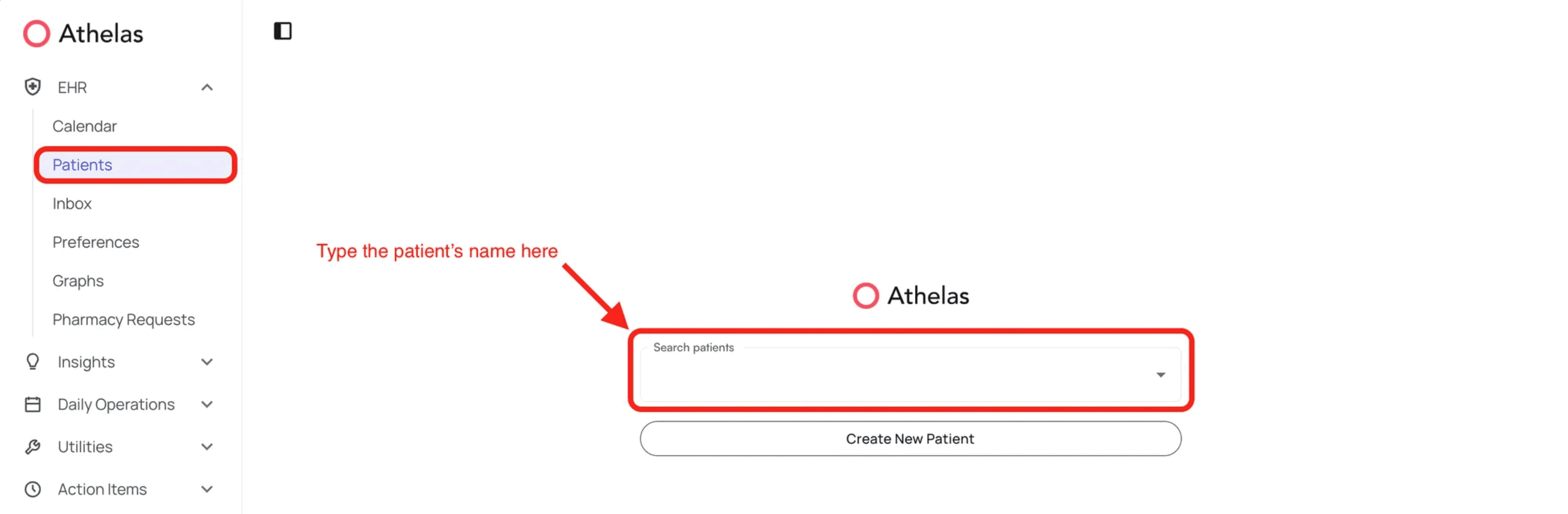
<img src="https://mintcdn.com/training_air/5aDYtZ6pANCjxAgC/images/insights_provider/patient_profiles/getting_started_with_patient_profile/getting_started_with_patient_profile_1.png?fit=max&auto=format&n=5aDYtZ6pANCjxAgC&q=85&s=2beb8089d468142ad8f752b16737d343" alt="" width="3686" height="1208" data-path="images/insights_provider/patient_profiles/getting_started_with_patient_profile/getting_started_with_patient_profile_1.png" />

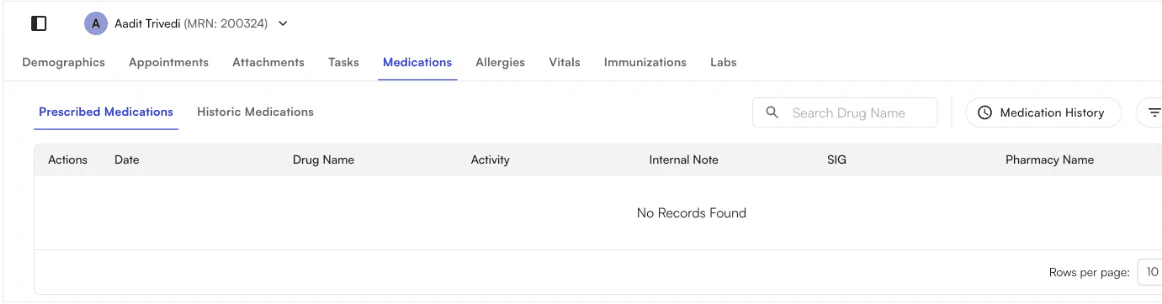
Selecting the patient’s name will take you to the patient’s profile- specifically to the Appointments tab. Here, you will see several other options: Demographics, Attachments, Tasks, Medications, Allergies, Vitals, Immunizations, and Labs
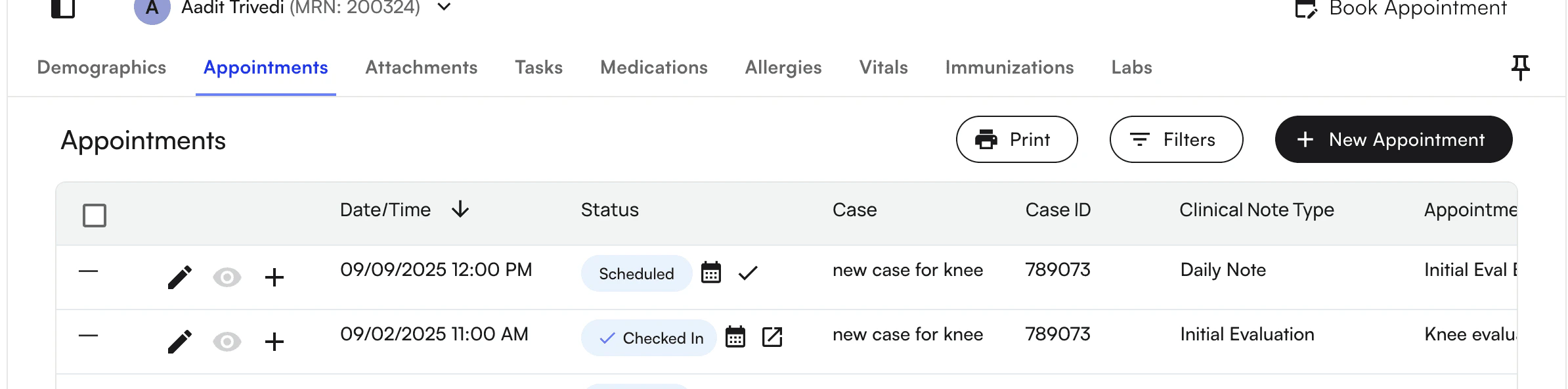
<img src="https://mintcdn.com/training_air/5aDYtZ6pANCjxAgC/images/insights_provider/patient_profiles/getting_started_with_patient_profile/getting_started_with_patient_profile_2.png?fit=max&auto=format&n=5aDYtZ6pANCjxAgC&q=85&s=3de3da97fa727992e4fb09d9c844e7a2" alt="" width="2388" height="592" data-path="images/insights_provider/patient_profiles/getting_started_with_patient_profile/getting_started_with_patient_profile_2.png" />

<img src="https://mintcdn.com/training_air/5aDYtZ6pANCjxAgC/images/insights_provider/patient_profiles/getting_started_with_patient_profile/getting_started_with_patient_profile_3.png?fit=max&auto=format&n=5aDYtZ6pANCjxAgC&q=85&s=6d8de2b11e0cd81ec76f4a3e1f501f8d" alt="" width="1162" height="304" data-path="images/insights_provider/patient_profiles/getting_started_with_patient_profile/getting_started_with_patient_profile_3.png" />

You can access pinned “sticky” notes for storing quick-view notes on patients

<img src="https://mintcdn.com/training_air/5aDYtZ6pANCjxAgC/images/insights_provider/patient_profiles/getting_started_with_patient_profile/getting_started_with_patient_profile_4.png?fit=max&auto=format&n=5aDYtZ6pANCjxAgC&q=85&s=a666791404afa682214c33c0df54727b" alt="" width="2400" height="380" data-path="images/insights_provider/patient_profiles/getting_started_with_patient_profile/getting_started_with_patient_profile_4.png" />

Demographics are detailed in another section "Patient Demographics" below. We will go into Attachments next.
