> ## Documentation Index
> Fetch the complete documentation index at: https://trainings.air.athelas.com/llms.txt
> Use this file to discover all available pages before exploring further.
# Prescribe Medications
#### Prescribing Medications - how to enable prescribing an uncontrolled substance for a provider:
You can prescribe and manage medications by brand or generic name, including both controlled and non-controlled substances, through SureScripts integration
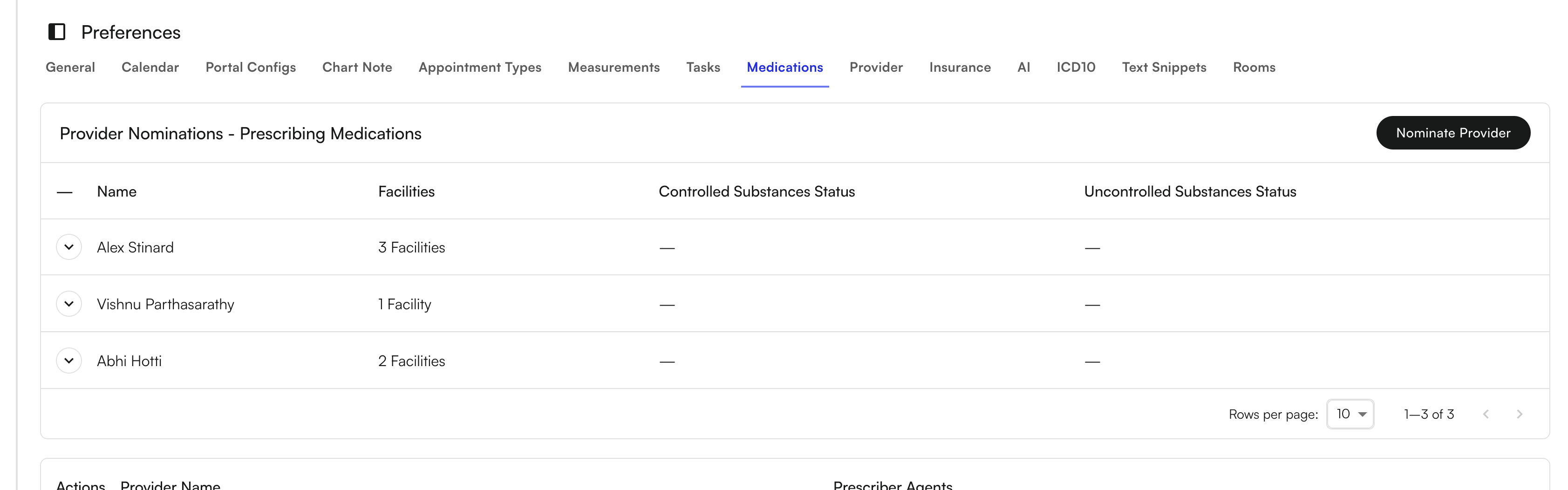
Navigate to Preferences tab, select Medications and Nominate Provider in the top right. After clicking the "Nominate Provider" button select the provider and facility for which you want to nominate the provider.
This nomination is required because to prescribe an uncontrolled substance, you require a *Surescripts Prescription Identifier* (SPI) number.
Once these requirements are fulfilled, the provider can start prescribing uncontrolled substances.
 “Create New” to Prescribe medication or log internal or historic records within the Medications tab of the Patient Profile. Logging internal or historic record would not send the order to the pharmacy
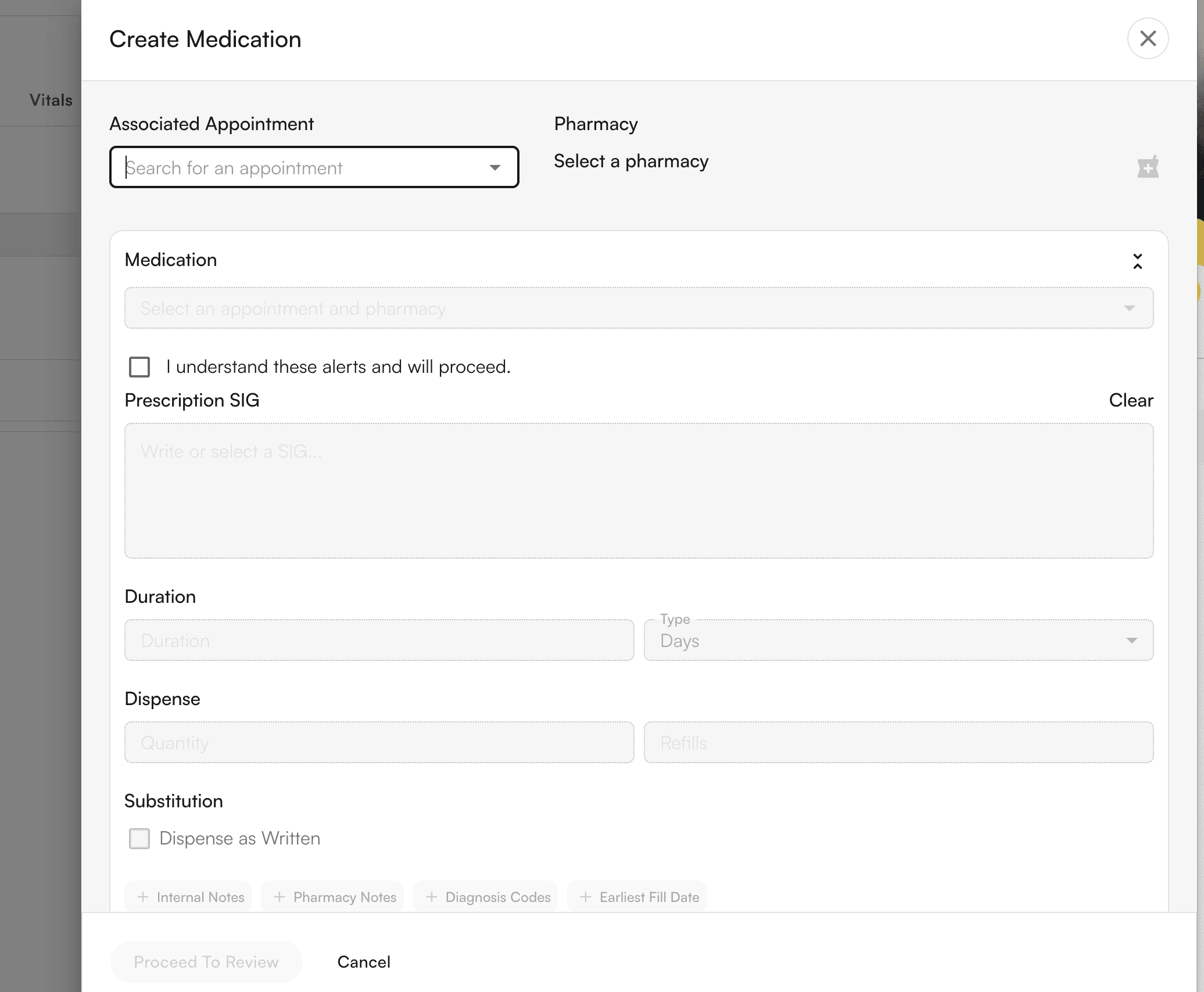
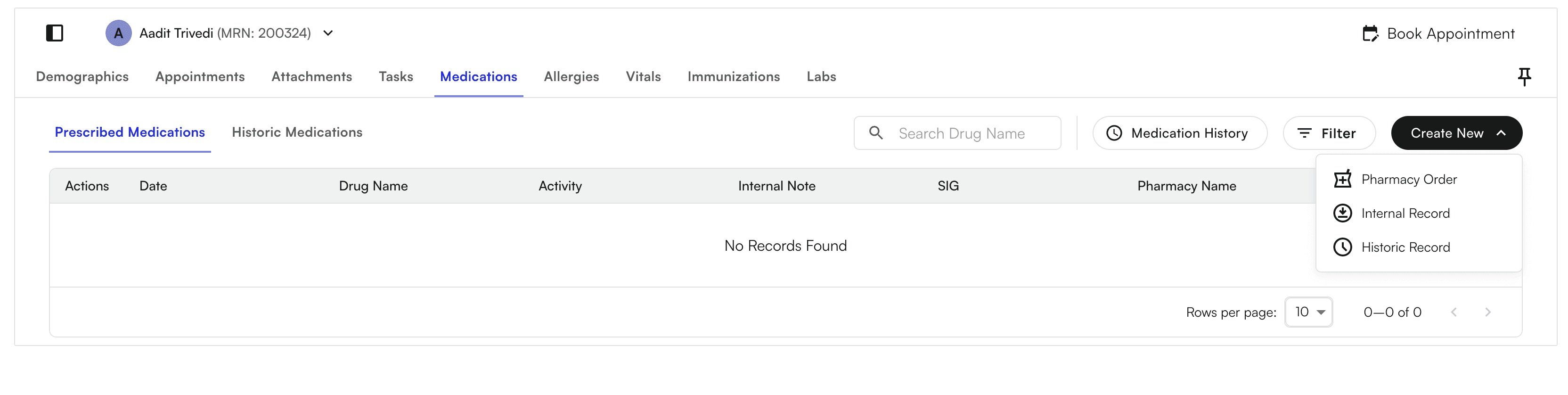 Select “Pharmacy Order” and input required fields to send the order to the selected pharmacy
Our AI powered SIG validator ensures prescription accuracy
Select “Pharmacy Order” and input required fields to send the order to the selected pharmacy
Our AI powered SIG validator ensures prescription accuracy
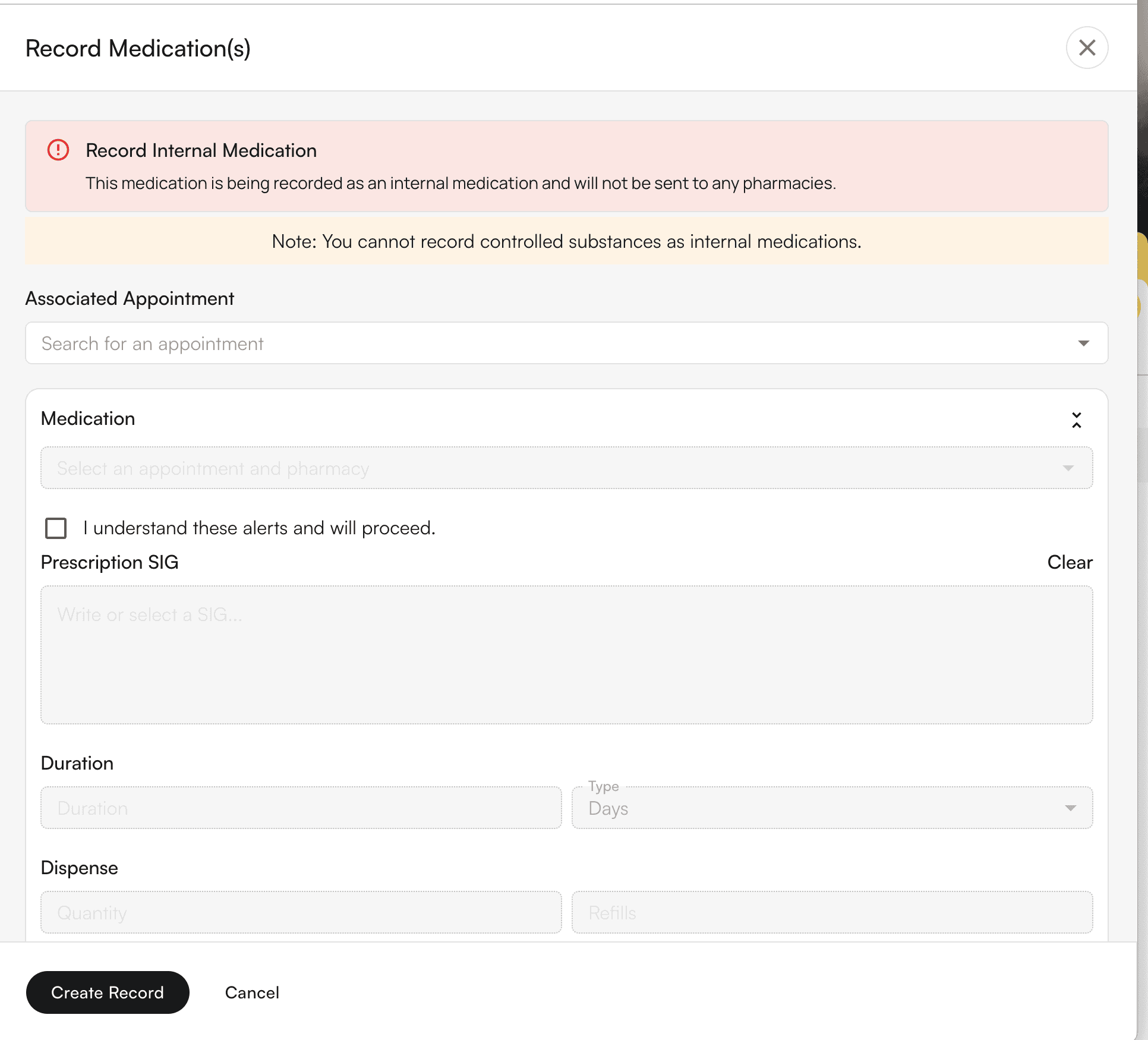
 #### Recording Medications without Prescribing
Select Internal Record or Historic Record — which would not send the order to the pharmacy. Proceed to create
#### Recording Medications without Prescribing
Select Internal Record or Historic Record — which would not send the order to the pharmacy. Proceed to create
 #### View Medication History
All logged medication history will be stored here. You can Create new logs through the "Create New" button in the top right - "Historic Record"
#### View Medication History
All logged medication history will be stored here. You can Create new logs through the "Create New" button in the top right - "Historic Record"
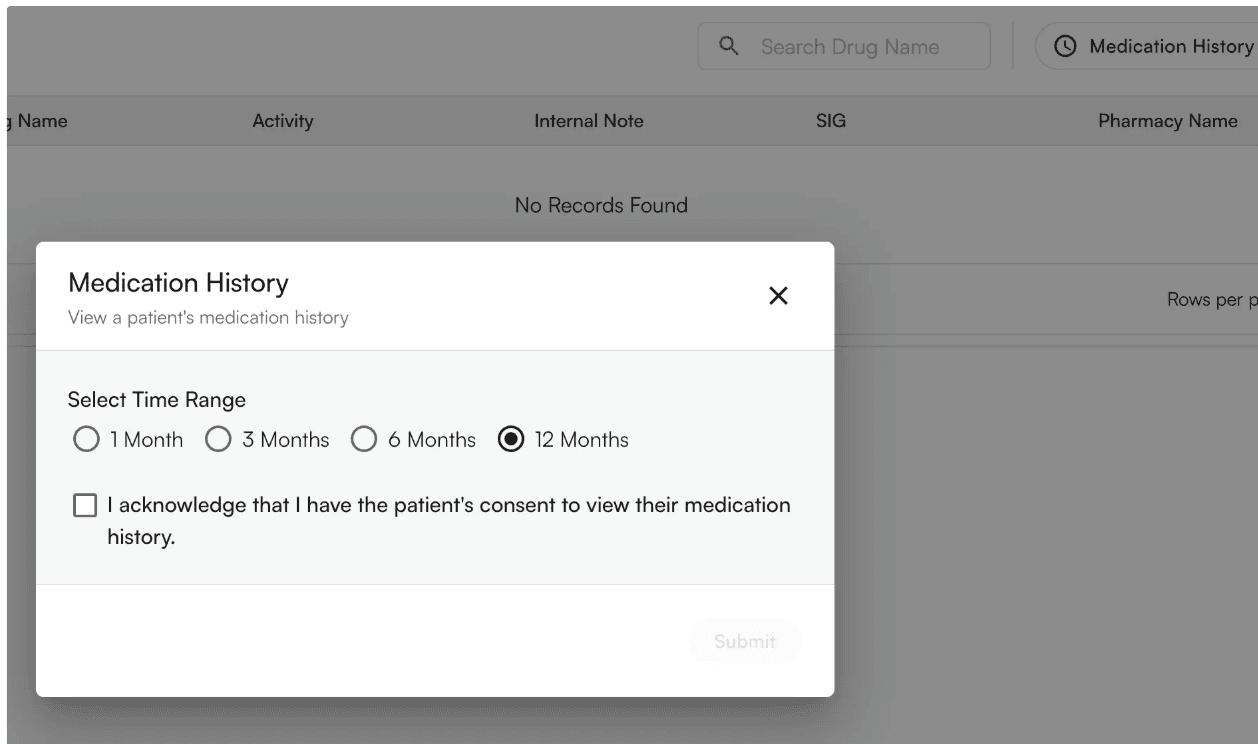
 By Selection "Medication History", you will be prompted with the following pop-up. You can view up to 12 months of patient medication history integrated with the SureScripts network
 #### View and address pharmacy requests
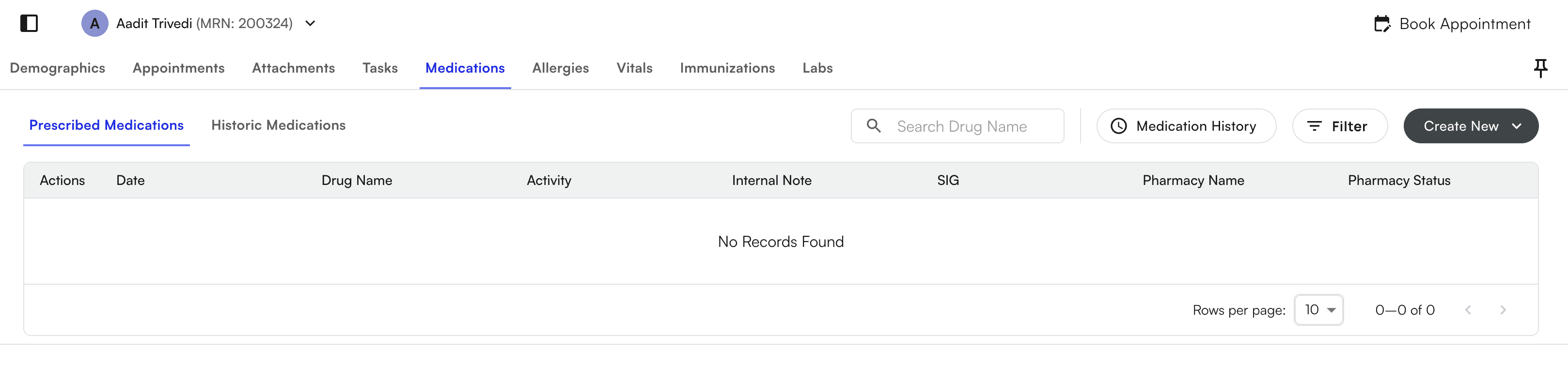
View Prescribed medications in the Patient Profile for individual patients
#### View and address pharmacy requests
View Prescribed medications in the Patient Profile for individual patients
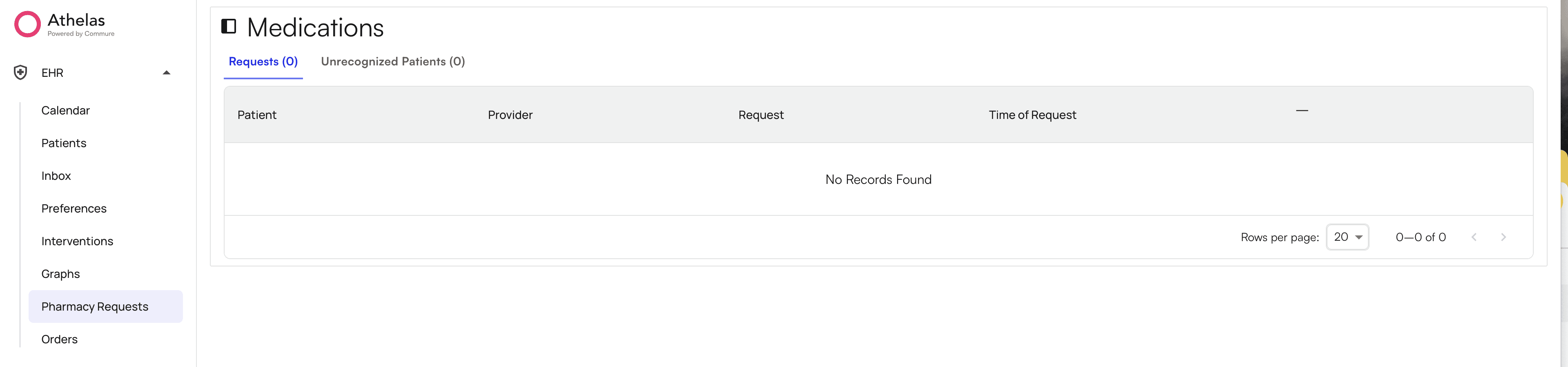
 Or select Pharmacy Requests to view across all patients within your practice
 **Features In Development**
* Support responding to previous EHR’s pharmacy initiated refill and drug alteration requests
* Allow non-providers to prescribe, draft, and request refills (Prescriber Agents)
**Features Not Supported**
* Utilize existing SureScripts provider identifier
* PDMP gateway integration
**Features In Development**
* Support responding to previous EHR’s pharmacy initiated refill and drug alteration requests
* Allow non-providers to prescribe, draft, and request refills (Prescriber Agents)
**Features Not Supported**
* Utilize existing SureScripts provider identifier
* PDMP gateway integration