
Each row in the left navigation is a note - shows patient name, date of service, and clinical note type. Clicking on the row will open the note on the right.
✨Smart Tip: Ask Athelas AI for pending tasks. You can also use Voice Mode.
- Click on each note to open the chart note > edit details and submit the chart note
-
Bulk sign and submit: Click on the sign & submit note on top of the page > select all notes to bulk sign and submit > click Confirm
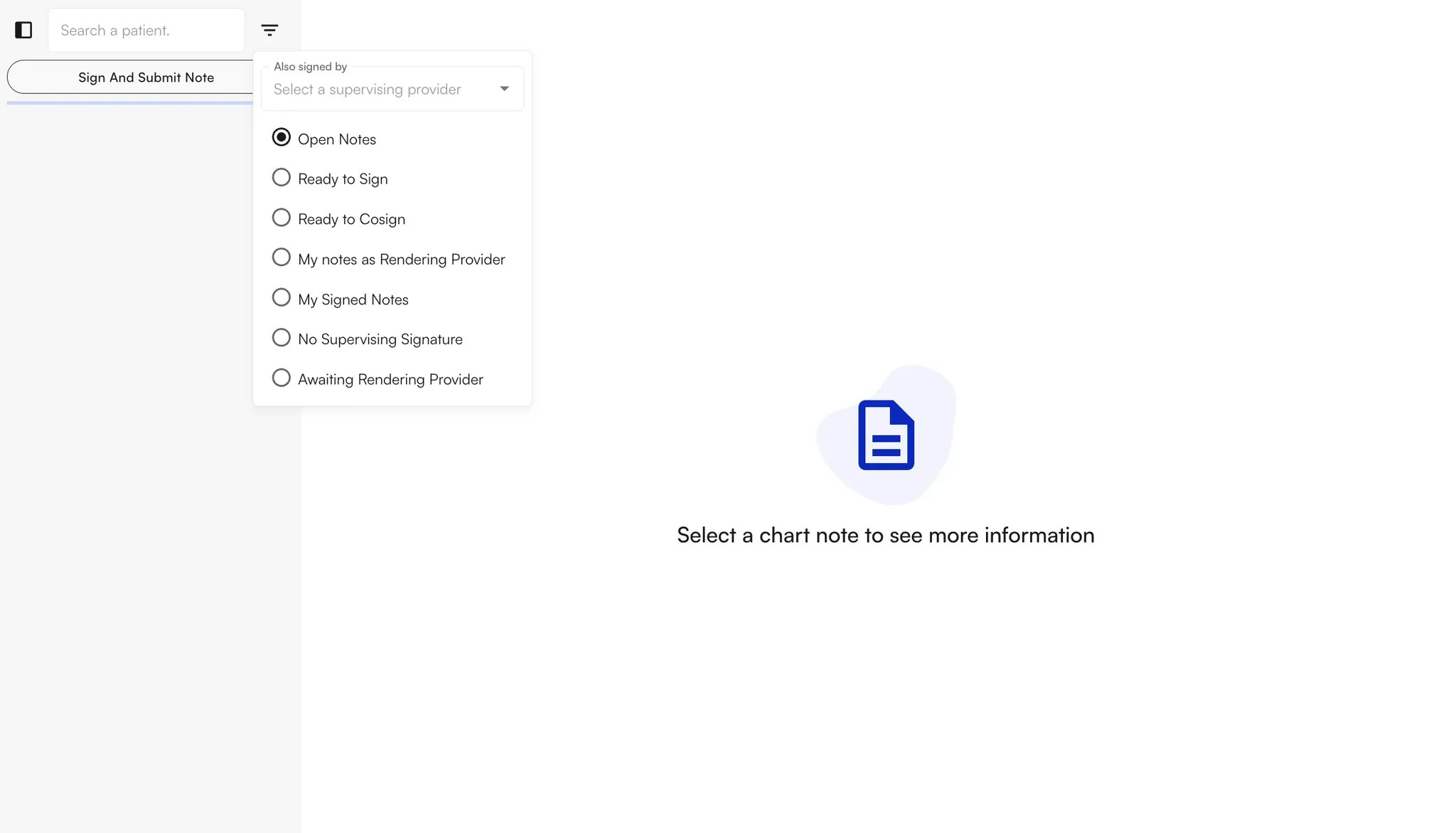
- My signed notes: Notes signed by the current provider, either as the rendering or supervising provider.
- Open: All notes that remain open (not yet signed).
- Ready to cosign: Notes signed by the rendering provider (not the current provider) that require the supervising provider’s signature. Displays notes ready for the supervising provider to cosign.
- Ready for primary signature: Notes where the rendering provider has not signed, but the supervising provider (a different person) has already signed.
- No supervising signature: Notes that require a supervising provider’s signature but have not yet been signed by the rendering provider.
-
My notes as rendering provider: Notes where the current provider is the rendering provider only.