

Registration for Uncontrolled Meds
- Ensure the Provider Phone Number is set properly (no dashes, spaces, ext etc)
- Go to Preferences Tab → Medications
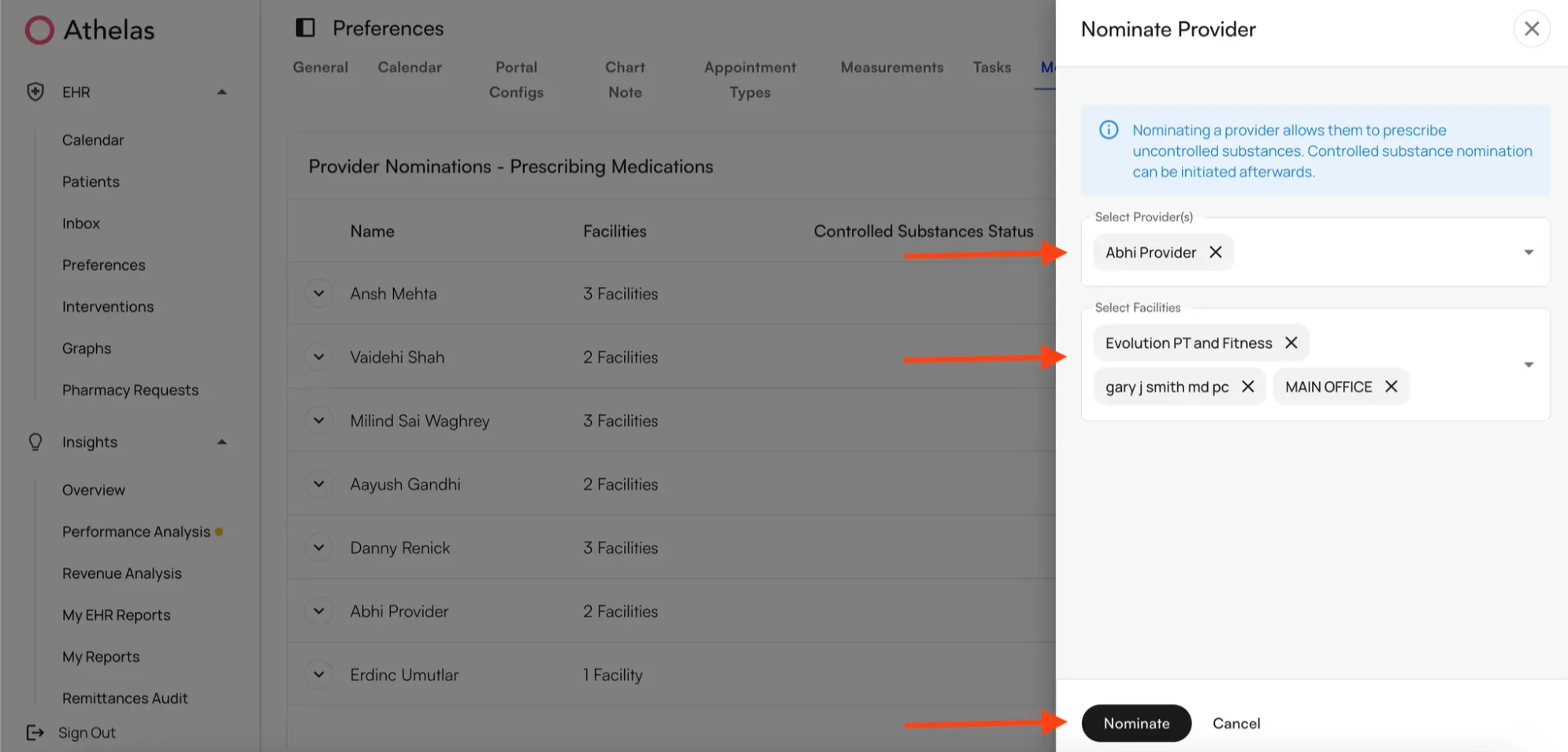
- Nominate Provider (Note: Only an admin/provider from the site can initiate this process; self-nomination is not permitted)
-
Select Provider + Facility Combo → Nominate
-
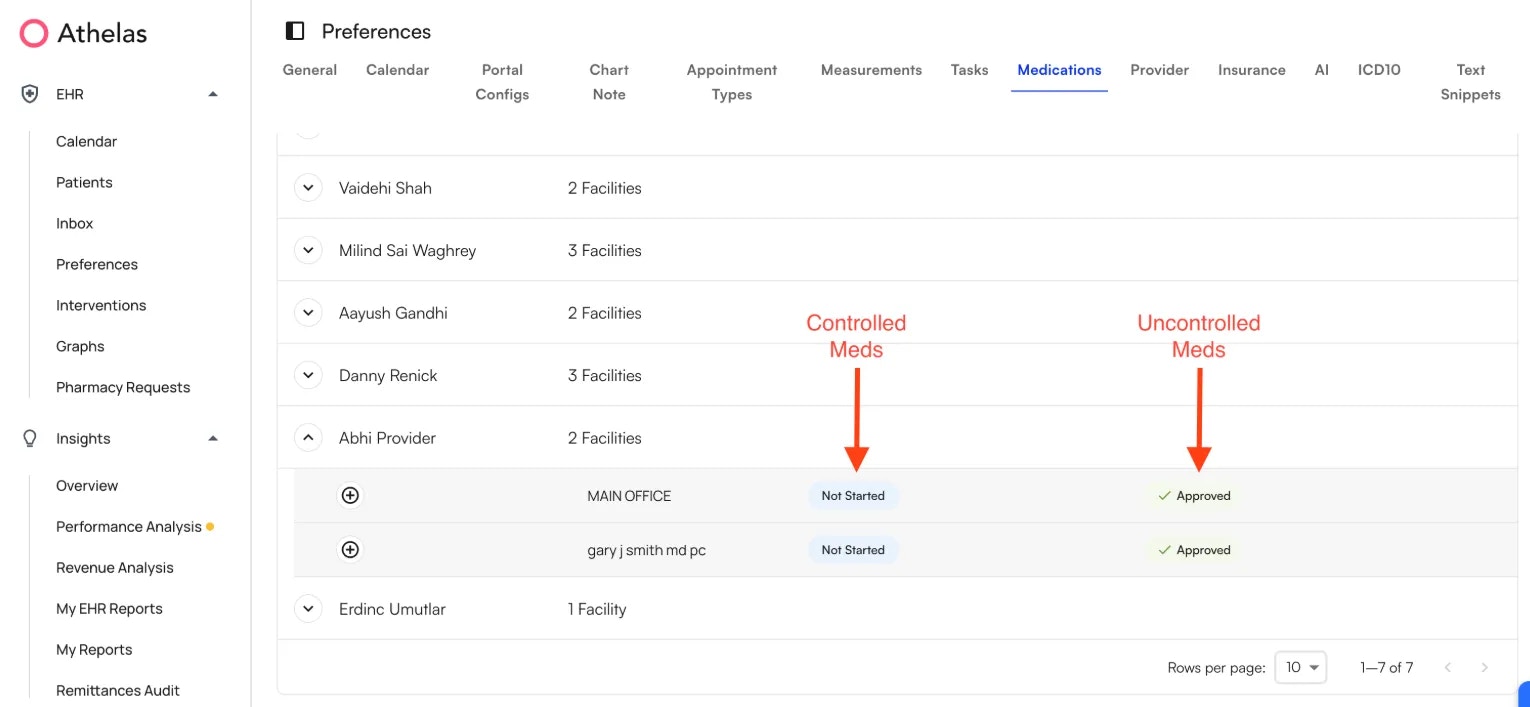
The provider + facility combo will appear in the table in dropdown. The Approved check under the Uncontrolled Substances column indicates the provider can now prescribe uncontrolled meds via Air.
Registration for Controlled Meds
DEA registrations are state-specific and linked to both the provider’s state license and their practice location. We currently get DEA numbers from ID.me.If a provider has multiple DEA numbers, we need a list of all of them to be able to validate against what we get from ID.me. Please notify Athelas Support Team in advance if this applies.
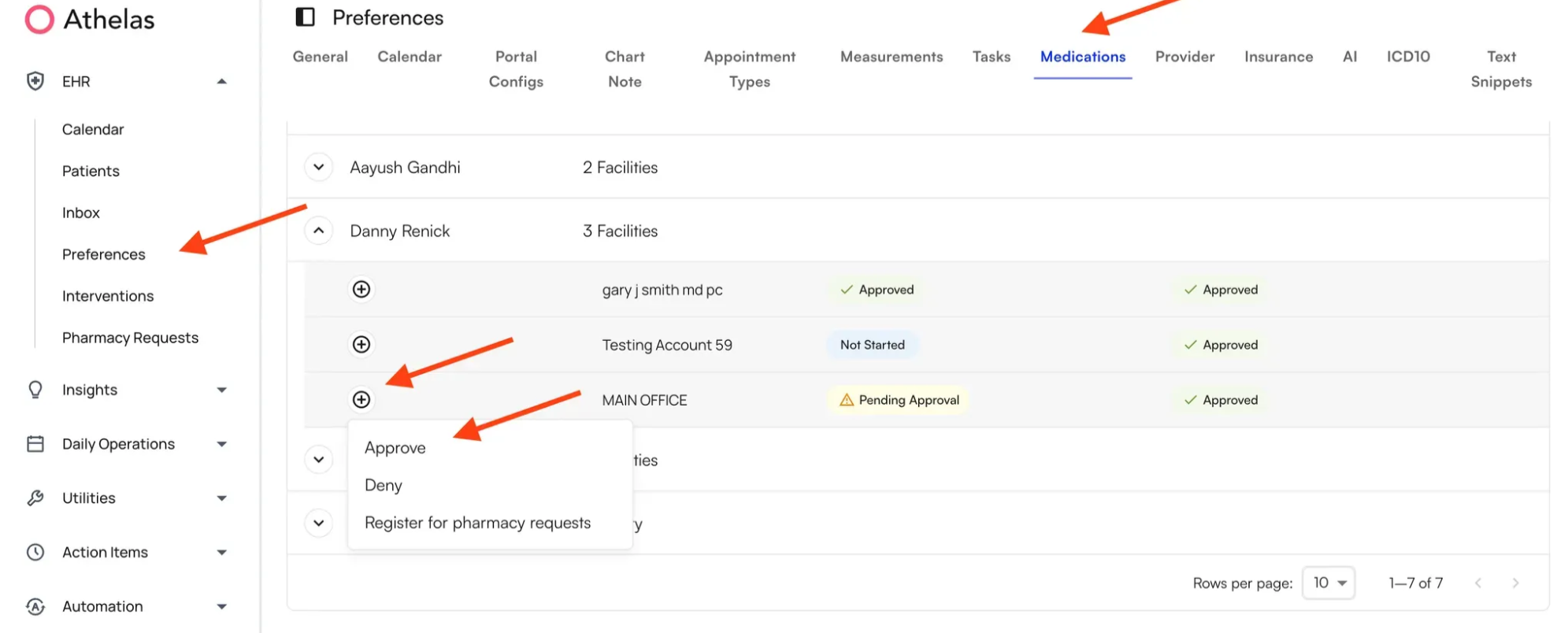
- Navigate to Preferences → Medications
-
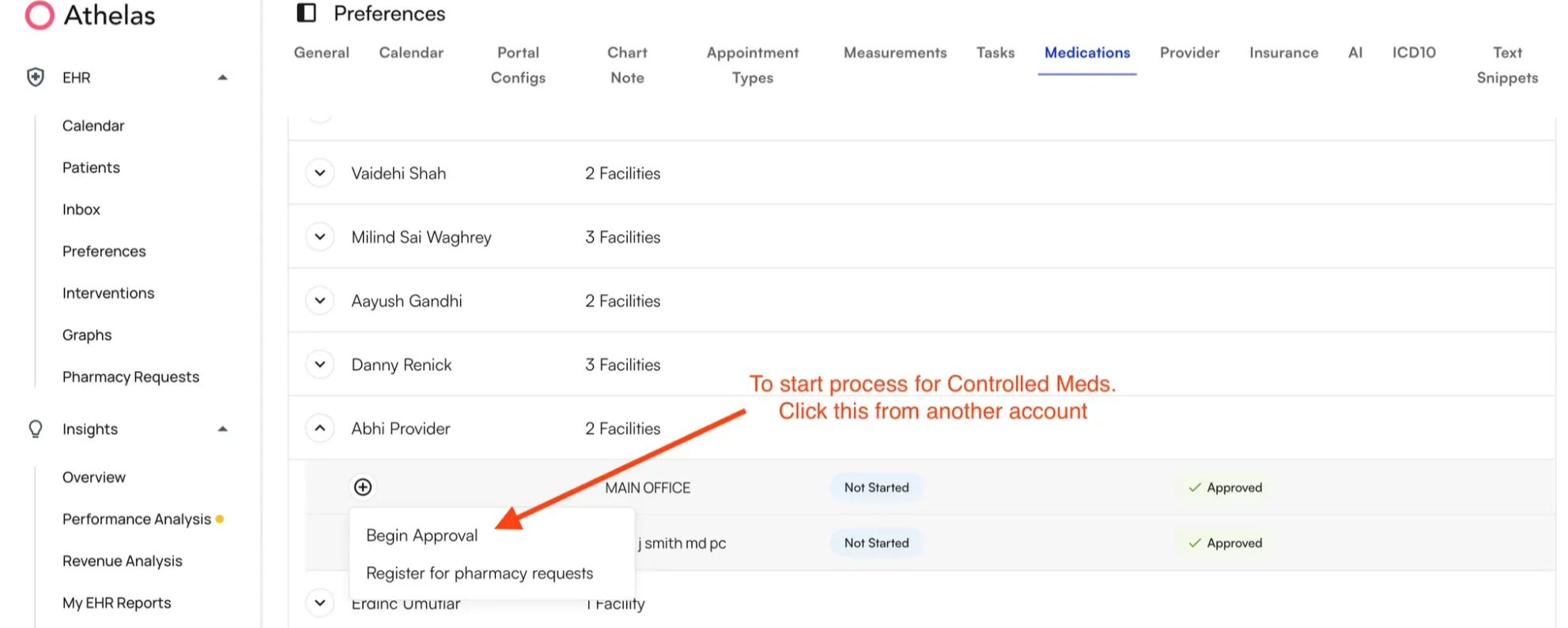
Click on Provider → + Icon → **Begin Approval. **Another user (anyone not the provider being nominated) with Admin level access from the site needs to Begin Approval
-
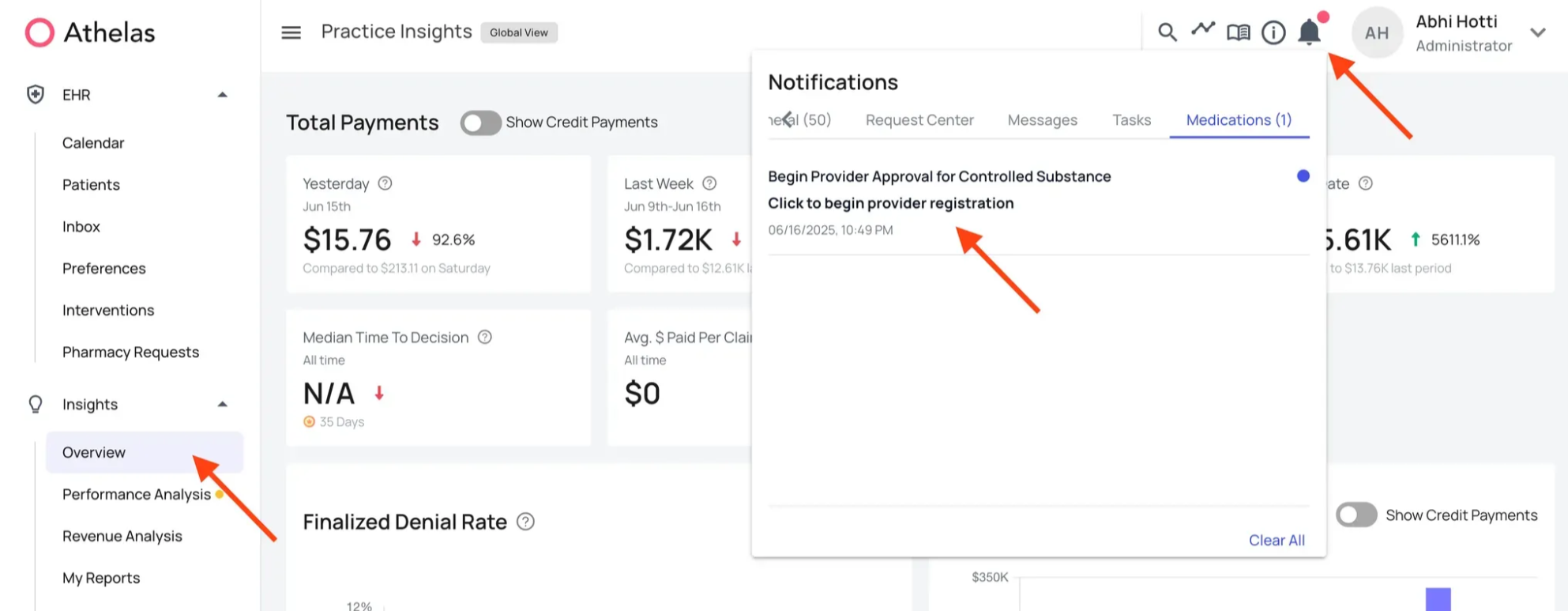
Ask the Provider to go to Bell Icon → Medications → Register
- The provider will have to sign in with existing ID.me account, or create a new account.
-
A popup window will appear asking provider to complete the registration steps
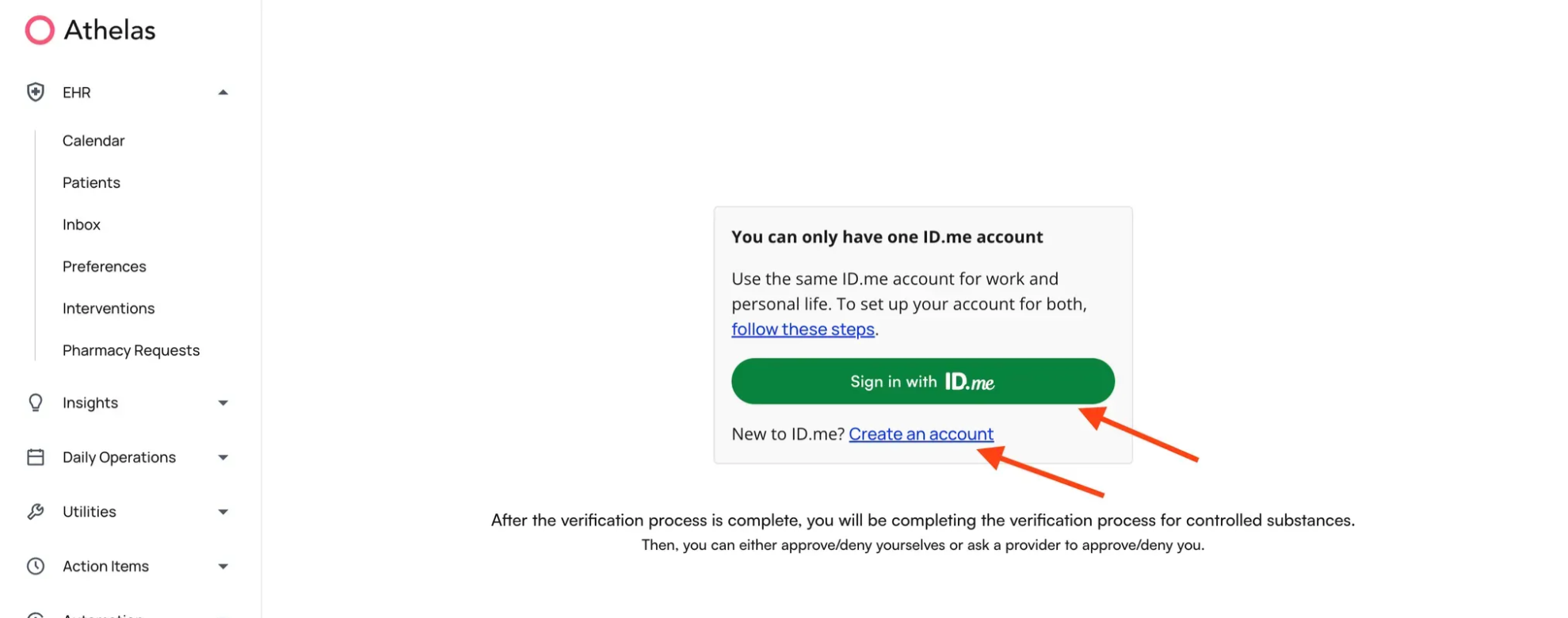
-
Once the Provider is set up with the ID.me verification, navigate to Preferences → Medications. Then click on your facility and the + icon → Approve. The provider can approve this themselves, but they must do so separately for each facility they’ve been nominated for.
Register to respond to Pharmacy Requests
Navigate to Preference → Medications → + icon → Register for pharmacy requests