

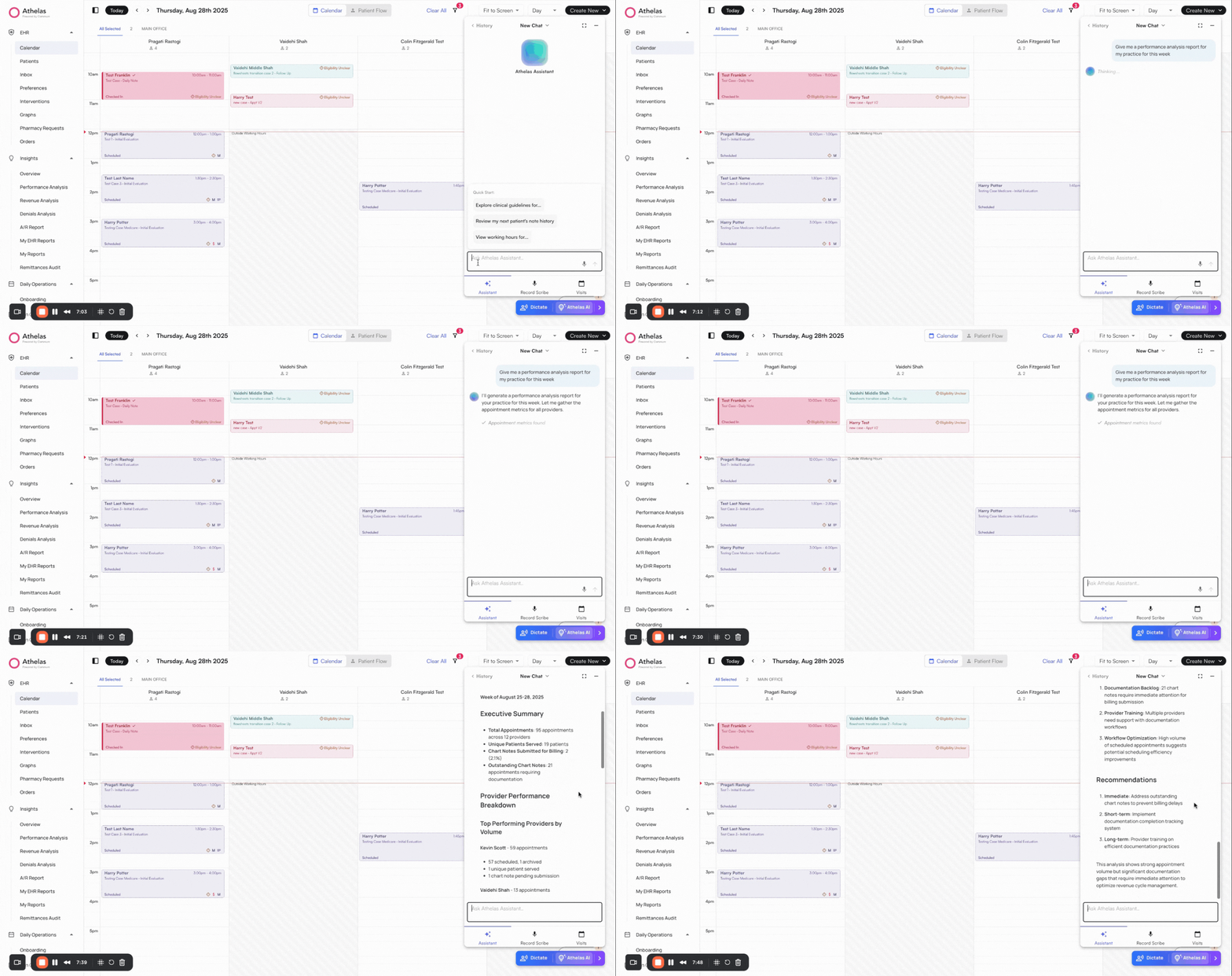
Ask Athelas AI for quick statistics and reports
✨Smart Tip: Use Athelas AI to generate quick reports and surface key statistics instantly. You can also use Voice Mode.
Download detailed reports
Access reports by clickin on the Reports Tab within Insights on the left navigation bar. EHR focused reports can be found in the bottom-right section of the Reports page.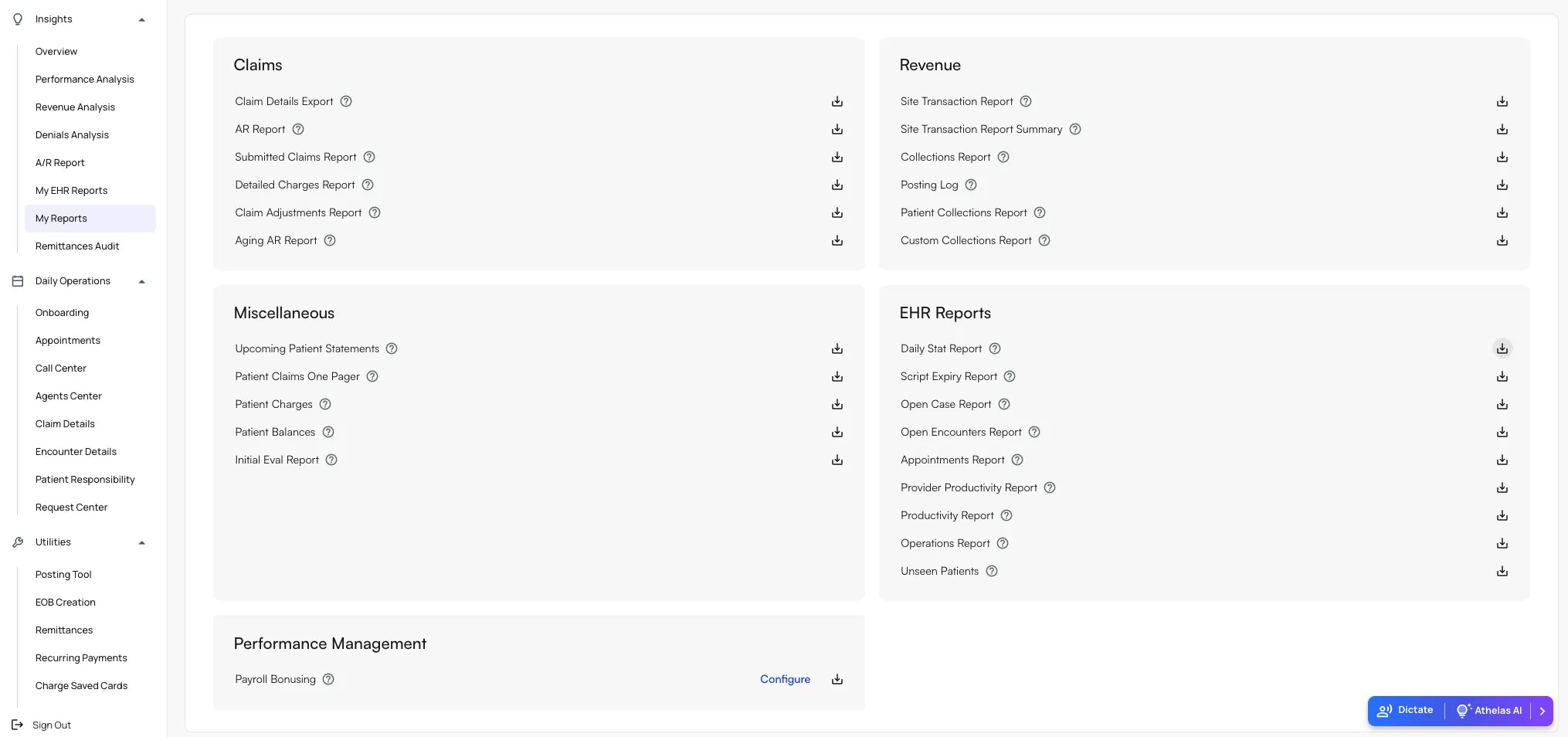
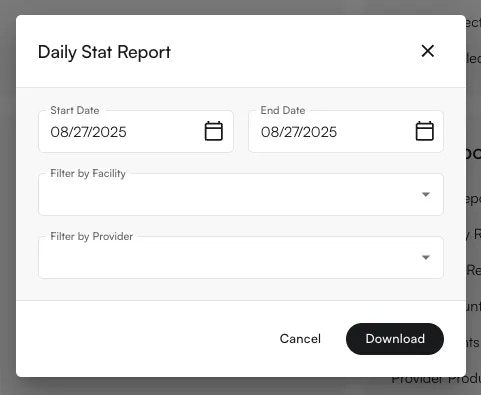
- Click the download icon to the right of a report.
- Choose the Start and End Dates (e.g., the past two weeks).
- Filter by Facility or Provider if required.
- Click Download to export the report as a CSV.