
Adding Service Charges to an Appointment
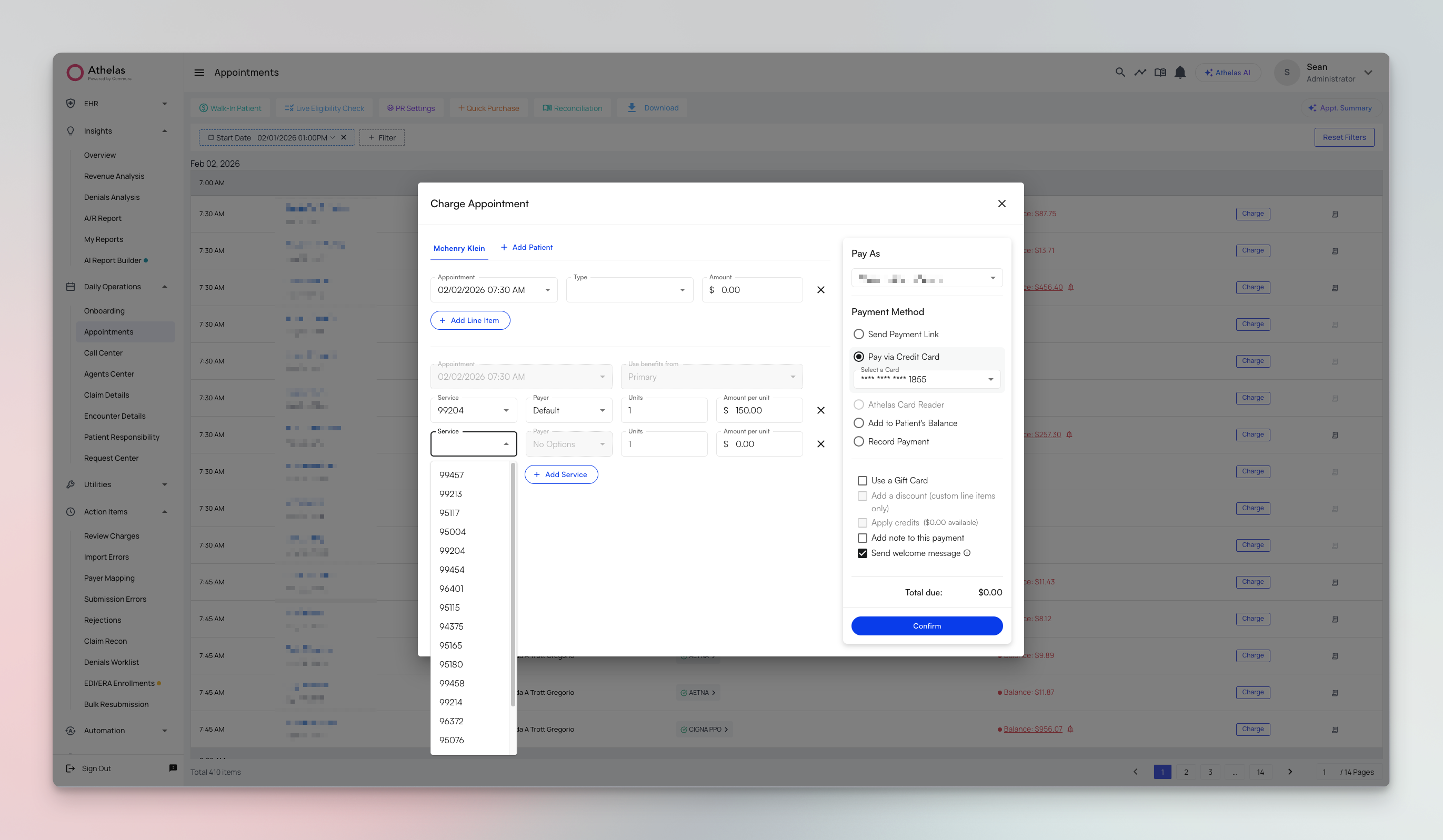
- Navigate to the Appointments page and open the appointment
- Click on Charges
- Click Add Service Item
- The system calculates charges based on:
- Your CPT charge rates
- Patient’s insurance benefits (Deductible, OOP, Coinsurance)
Configuring Service Charge Rates
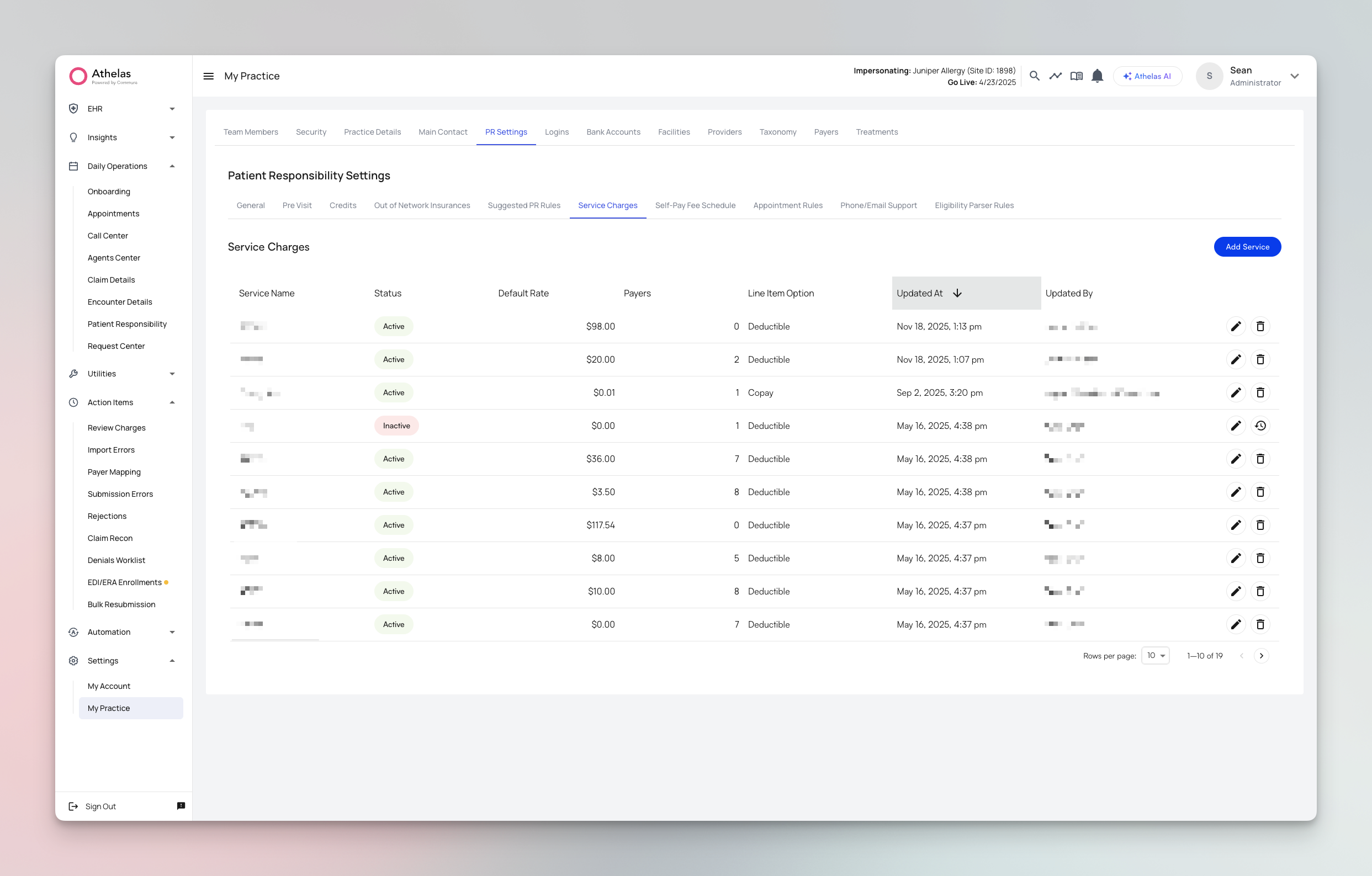
- Go to My Practice
- Navigate to PR Settings
- Open the Service Charges tab
- Click Add Service and set the Service Name, Default Rate, and Line Item Option (Copay, Coinsurance, Deductible, or Service). Optionally set payer-specific rates for individual payers.
FAQ
What information does the calculation consider?
What information does the calculation consider?
The calculation considers:
- CPT charge rates configured in your Service Charges settings
- Patient’s current insurance eligibility and benefits
- Deductible amounts (remaining or already met)
- Out-of-pocket maximums
- Appointment type and services rendered
Where can I view the calculated charges?
Where can I view the calculated charges?
Calculated charges appear in the Charges section of the appointment details page. The system shows both the base charge amount and the estimated patient responsibility based on their insurance benefits.
Can I still manually adjust charges if needed?
Can I still manually adjust charges if needed?
Yes, you can manually adjust charges as needed. The calculation provides an initial estimate, but you maintain full control to modify charges based on specific circumstances or documentation.