
Usage
To start, follow the steps below:- Navigate to a patient chart note
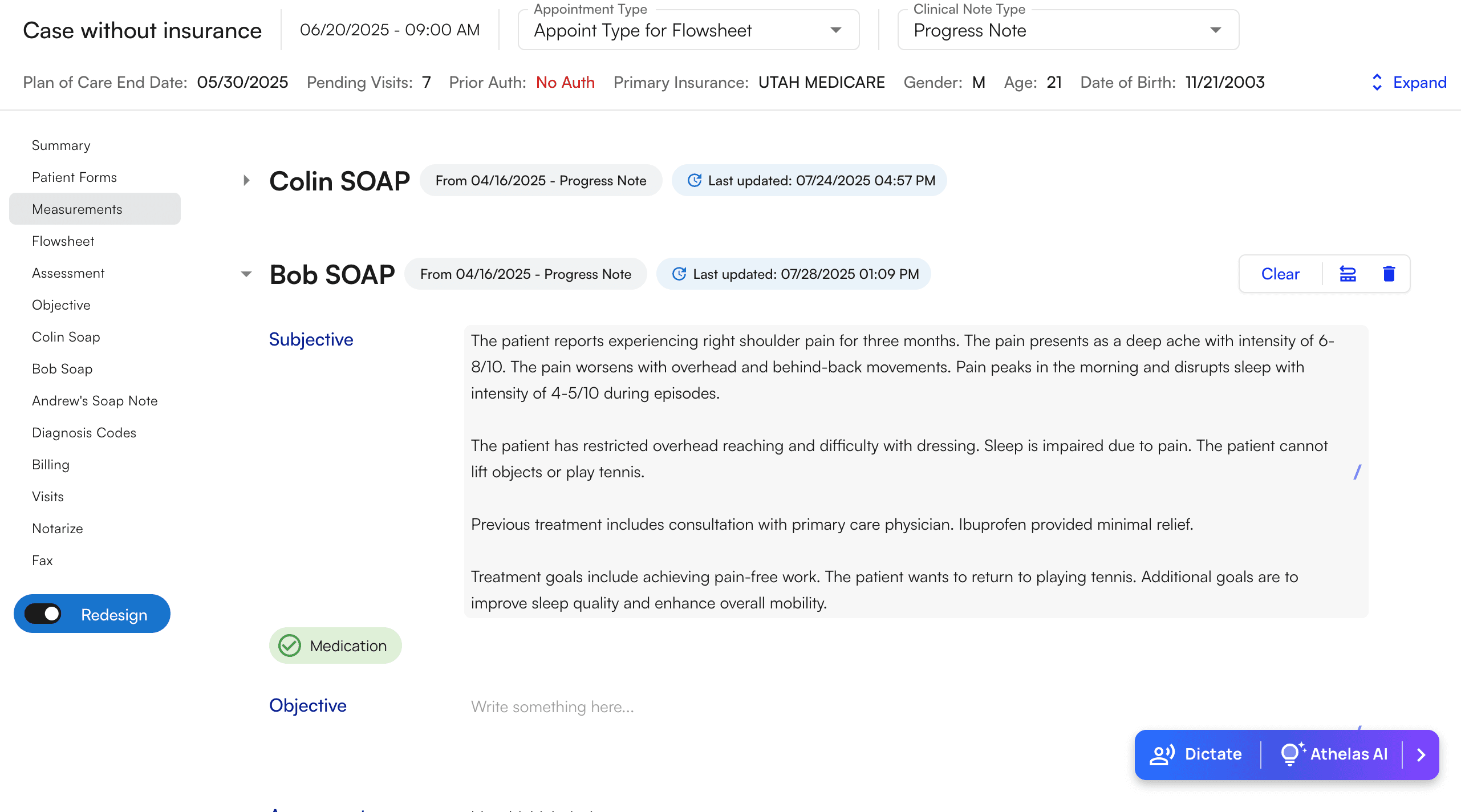
- Highlight the selection of text that you wish to edit
- A black button will appear with the text “Cmd + K AI Edit”
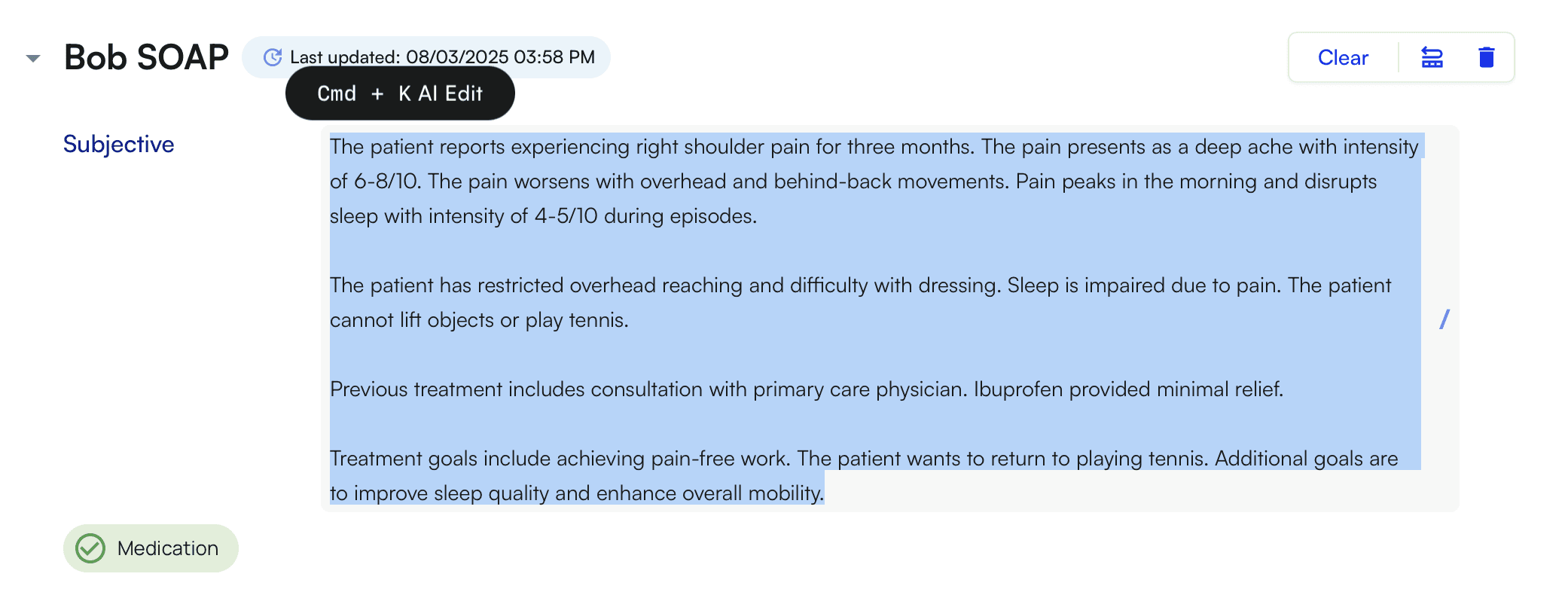
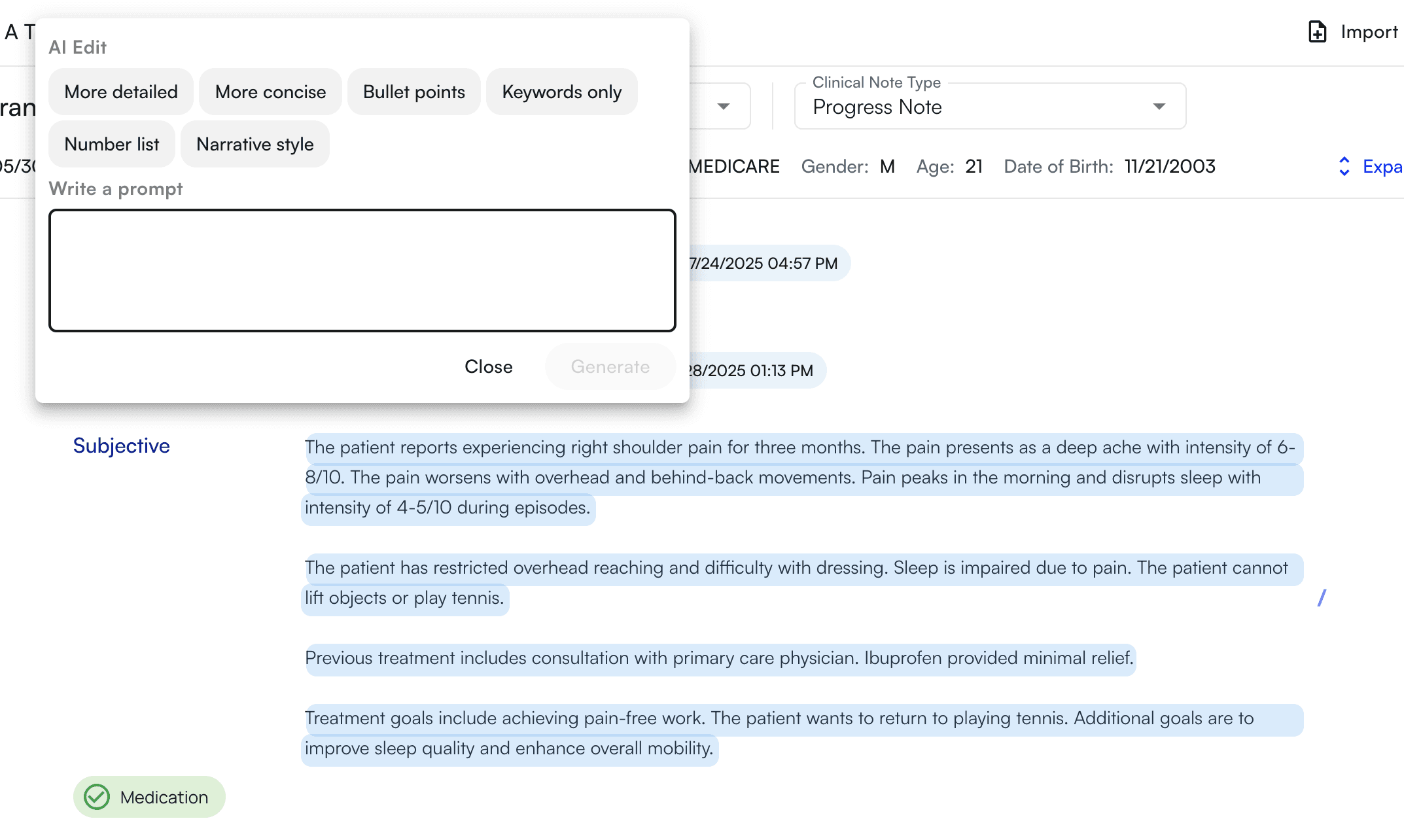
- Use Command+K (keyboard) OR click the button that appears to toggle the Command+K modal
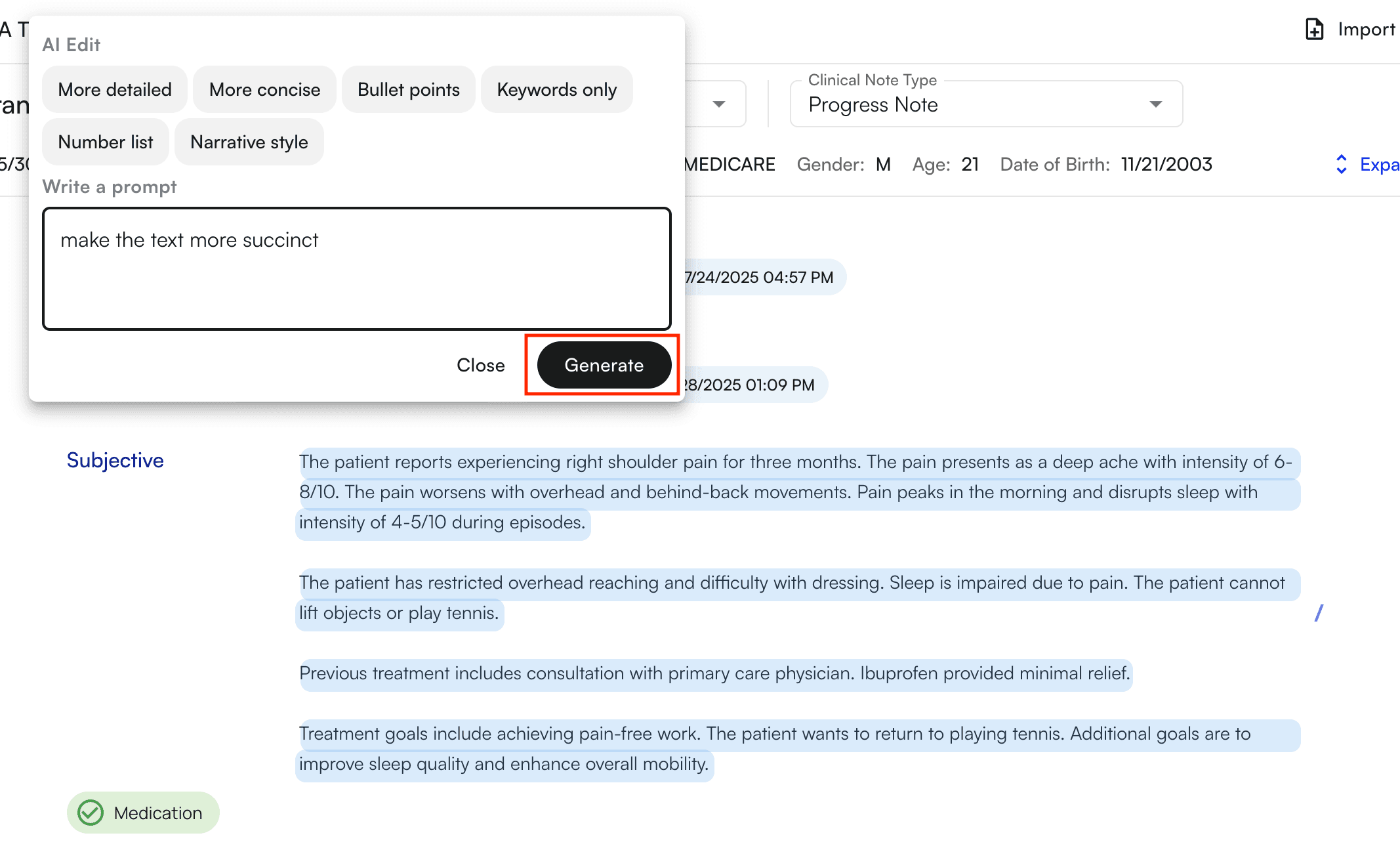
- This will open a modal from which you can type instructions for our AI to rephrase the selection of text
- We have also provided a list of quick options for the most common corrections
- Type your instructions
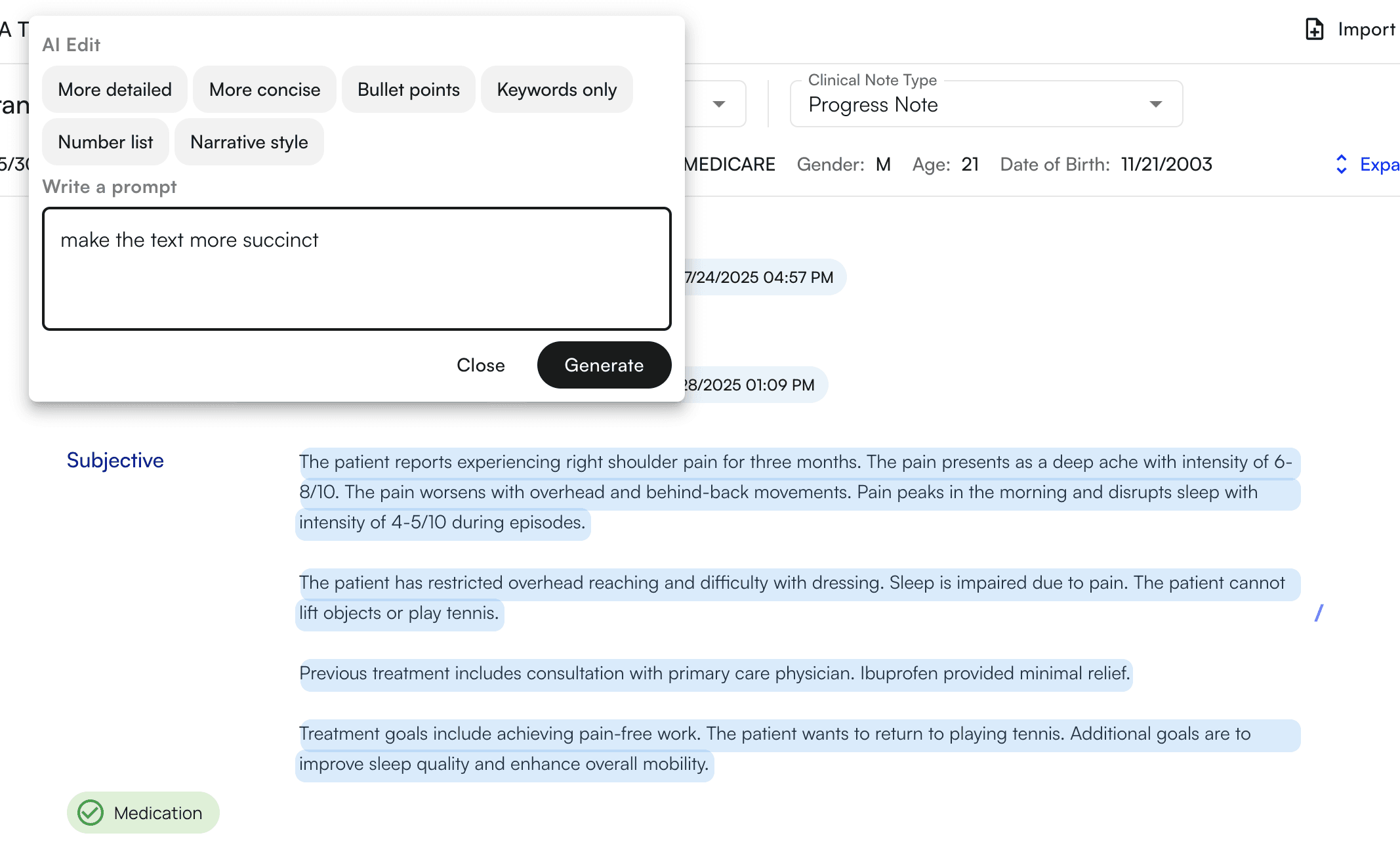
- Press generate to generate the edits
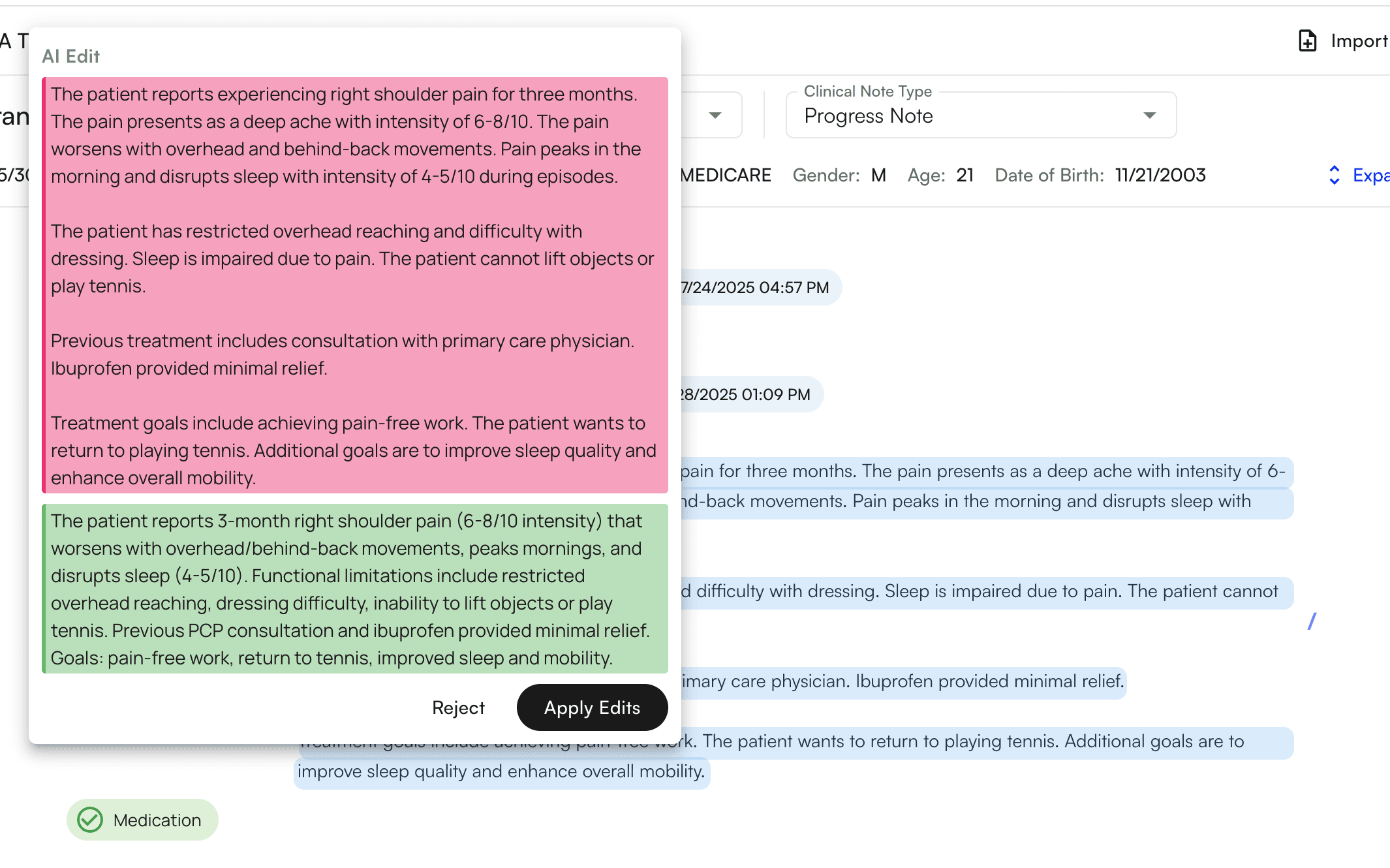
- The edits will appear for you to review
- The old text will appear in red
- The new text will appear in green
- Click “apply edits” to apply the edits
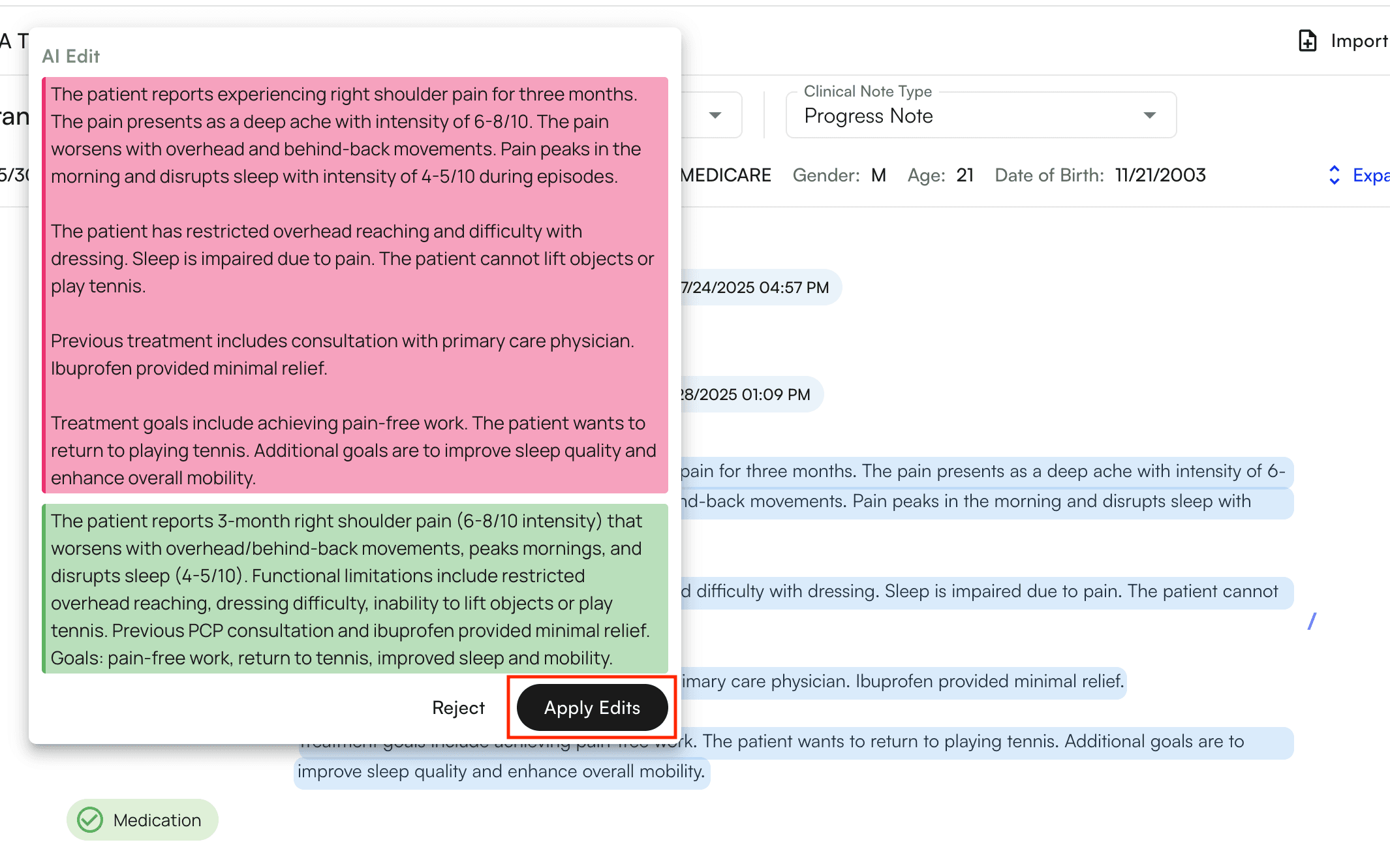
- The edits will directly apply to the selection and you will see them immediately reflect in the chart note
